
Just Live Lite is a Live Production Playout application for video and realtime graphics. It streamlines the playout in any live environment, with SD, HD, UHD format and SDI, NDI®, SRT, UDP and ST-2110 Live Pass-Thru support (and HLS as well as RTMP output only), while maintaining full control over the live production workflow.
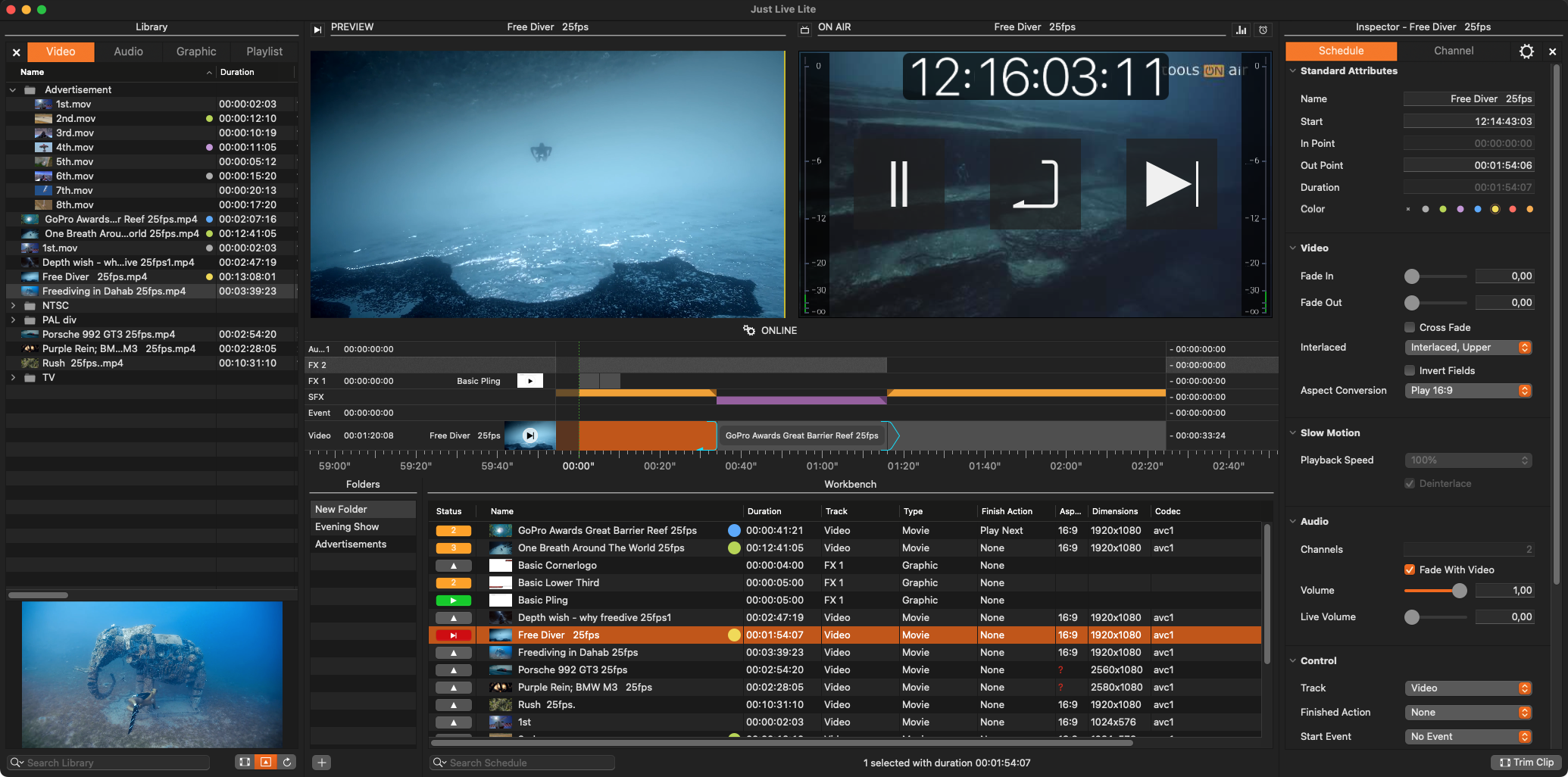
The Just Live Lite user interface represents a simple way to add Video and Audio files, as well as static or dynamic real-time graphics to your live production. Videos, Audio files and Graphics can be collected as part of a Show long in advance, making it possible that you only have to handle the footage needed during a certain production.
The Just Live Lite user interface connects directly to a Channel (which has been configured by your system administrator), allowing the operator to make changes at any time.
If this is not the case, please refer to the Getting Started Chapter or contact your system administrator.
Starting a Just Live Lite Channel
Go to your Applications folder and look for the Just Live Lite application.
Double-click the Just Live Lite application and the Just Live Lite user interface will show up.