
This chapter covers the general Operating System configuration to ensure a stable and operationally safe Just In Mac environment.
Preface
Once the macOS installation has finished, install all updates which are available through Apple's Software Update System. To ensure a proper and stable setup, please configure the operating system of the machine(s) running the Just In Engine (Mac) application as described below.
Do not install any additional background applications like MenuMeters, Growl, Dropbox, Adobe CC or Dashboard widgets, except Macs Fan Control or similar.
Apple Final Cut Pro or Adobe Premiere Pro on the same machine as the Just In Engine
When you run Apple Final Cut Pro or Adobe Premiere Pro on the same machine as the Just In Engine application, please make sure that neither of these applications (Apple Final Cut Pro/Adobe Premiere Pro) request access to the video hardware, which is in use with the Just In Engine application. If that is the case, this can lead to unexpected behaviour. If you need more information, please do not hesitate to contact us.
System Preferences
The System Preferences may look differently on your system and may offer more/less functions, depending on the OS version and the hardware you are using.
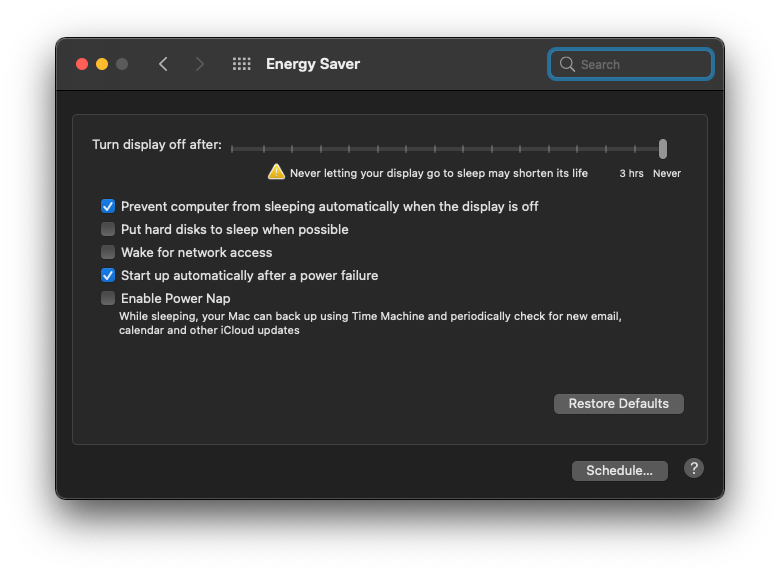
Energy Saver
Disable computer and display sleep functions: set the slider(s) to Never. Disable the hard disk sleep, computer sleep and Power Nap features.
Screen Saver
Set the Start after setting to Never.

Network
Delete all unneeded network connections and change the order of the connections so that the IP address you are going to use for ToolsOnAir internal communication has the main priority.

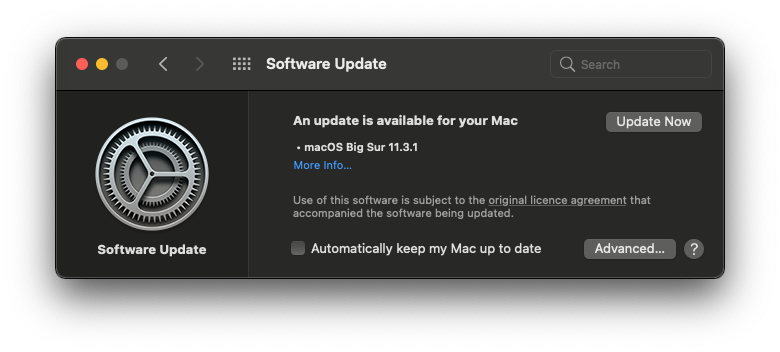
Software Updates
Make sure your operating system is up-to-date, then disable the automatic software update function.
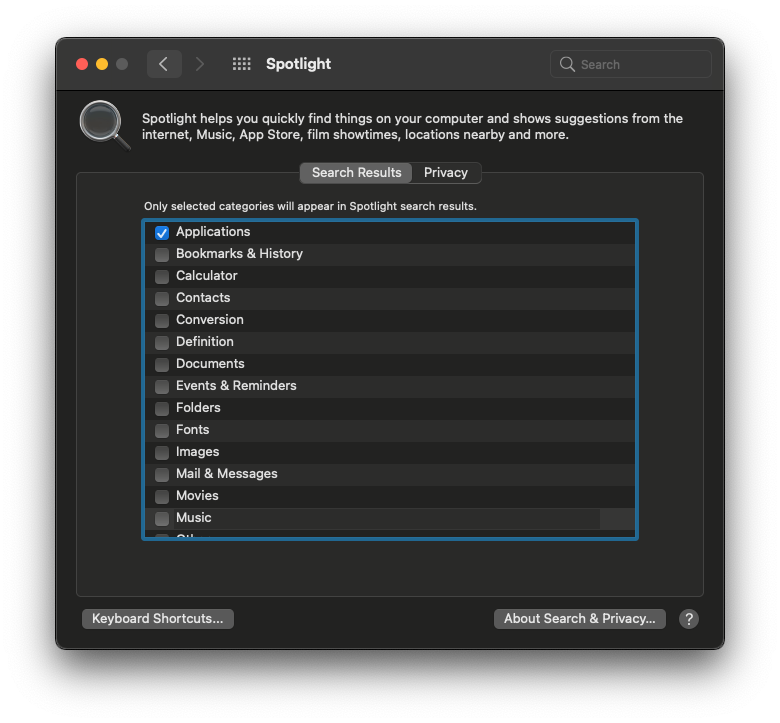
Spotlight
We recommend disabling Spotlight on any machine running Just In Engine (Mac) application.
Security & Privacy
Make sure that the Just In Engine application has permissions to record to Network Volumes (Privacy Tab - Files and Folders).
