Before proceeding, you must stop the Channel by deactivating the checkbox. Stopping the channel will also stop the Just Live Lite NDI playout engine.
After using the New Channel Wizard, the engine “Primary” is automatically created and added to all Layers of the Channel, using the settings defined in the Wizard.
Change the engine configuration
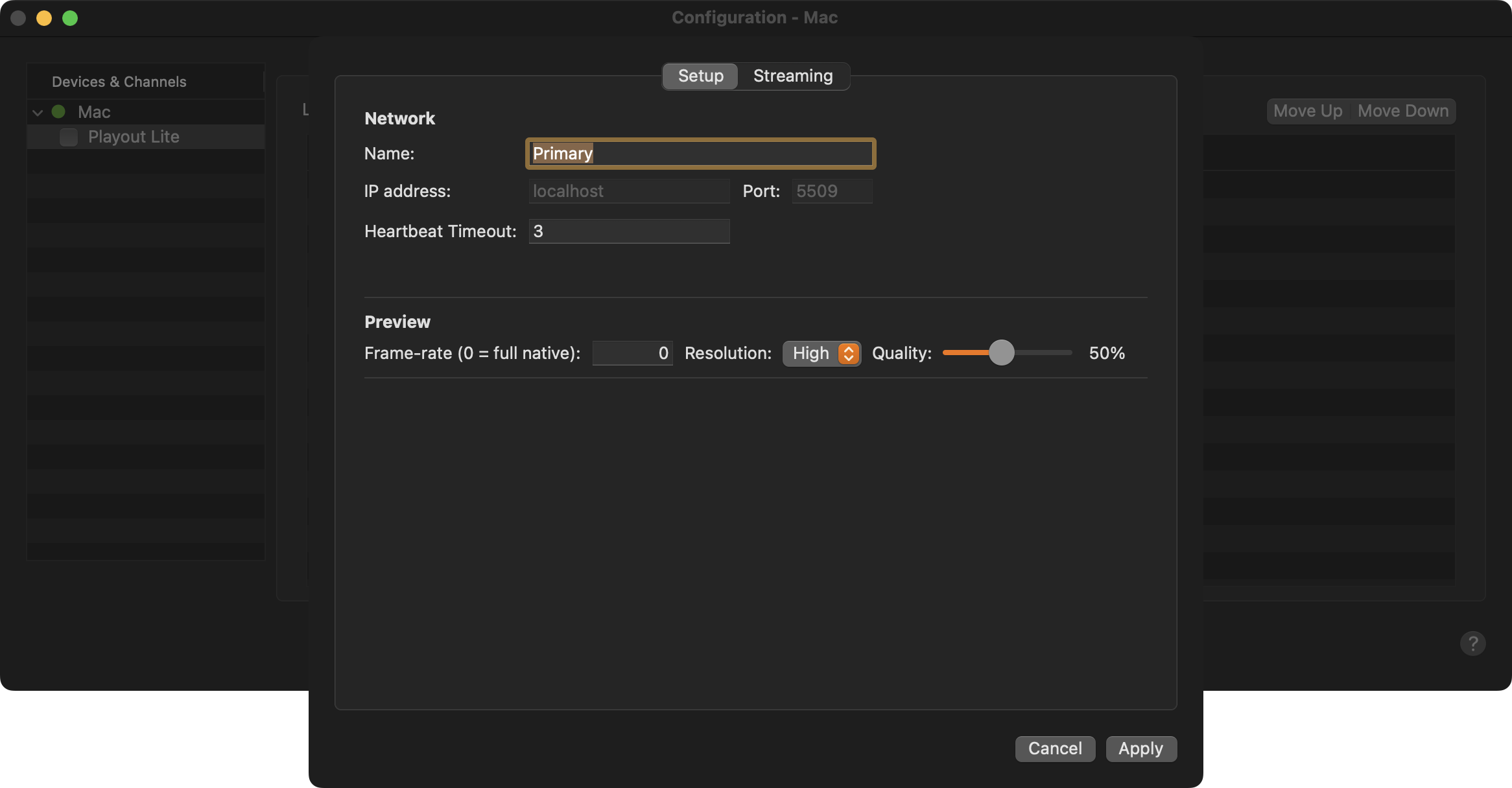
Do the following to change the settings of the Just Live Lite NDI playout engine:
Stop the Channel by deactivating the checkbox in front of it. Stopping a Channel will also stop the Just Live Lite NDI playout engine. and therefore the final output.
Select the Channel in the “Devices & Channels” list.
Click on the “Layers & Engines” tab.
Click on the Engine name and select “Configure Engine”.
Setup tab
Provides general settings related to the Just Live Lite NDI playout engine.
Name: Allows you to change the name of the engine.
Network: Engine network configuration.
IP address: Shows the IP address of the internal engine.
Port: Port that is used by the internal engine.
Heartbeat Timeout: Defines the number of heartbeats which can be missed, before the engine is defined as stopped. This can be useful in setups, where the heartbeat is missing due to an unreliable network.
Preview: Defines the Preview quality shown in the On Air window of the user interface.
Frame-rate: Allows you to specify the number of frames per second for the video Preview. This should never be higher than the native frame rate of the Channel.
Resolution: This defines the number of pixels used for the Preview. Select from one of the available values.
Quality: This defines the amount of compression that is applied to the uncompressed image before it is used for the Preview.
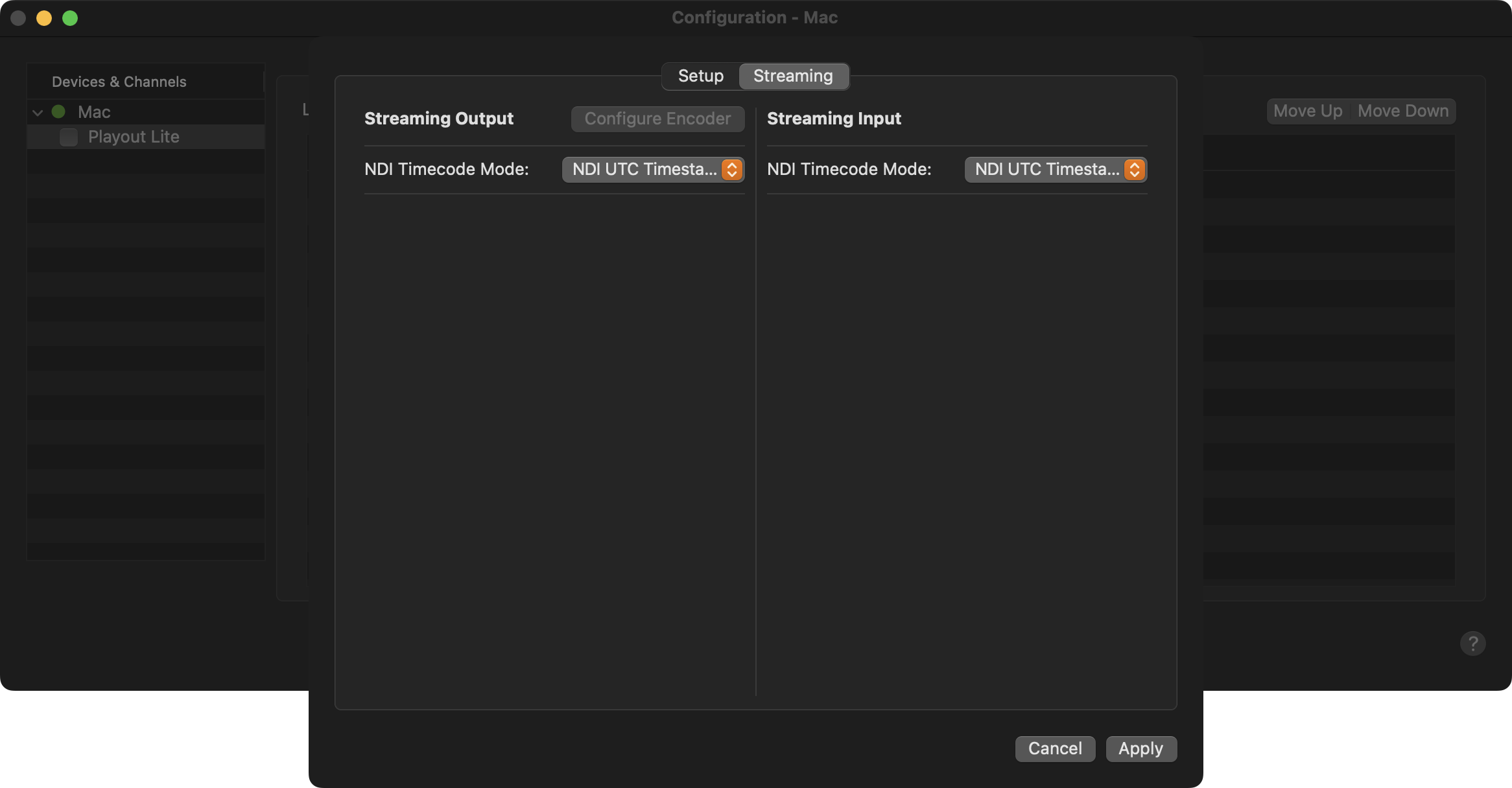
Streaming tab
This tab provides an “NDI Timecode Mode” setting with the options “NDI UTC Timestamps” and “SMPTE Timecode”. The former expects frames with standard NDI UTC timestamps, as provided by the majority of NDI devices. The latter expects SMPTE timecode encoded as 100ths of a nanosecond. This may be useful in conjunction with some devices such as the AJA Bridge that take embedded SDI SMPTE timecode and converts it for use with NDI®.