Have any questions?
+44 1234 567 890


With Playout Release 2025.4, ToolsOnAir continues to push professional playout workflows forward on macOS.
More Details:
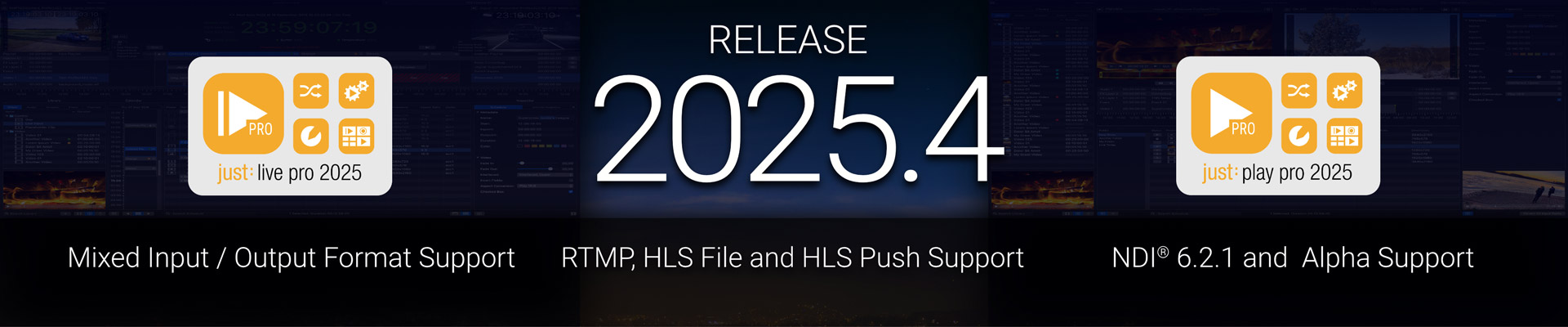
The latest update to ToolsOnAir’s macOS-based playout family delivers powerful enhancements across just:live pro and just:play pro, making professional broadcast playout even more versatile and intuitive. With expanded input/output flexibility, you can now configure live inputs and outputs independently — opening up new workflow possibilities across SDI, NDI®, and streaming formats. A redesigned engine configuration makes setup smoother, while enhanced timecode tools bring greater precision to your on-air timing.
On the output side, additional support for RTMP, HLS File and HLS Push outputs lets you extend playout directly into online delivery workflows. Plus, visual improvements like RGBA/alpha support for NDI bring next-level graphics integration to your channels.
Whether you’re running live productions or 24/7 master control channels, ToolsOnAir’s Playout 2025.4 makes your broadcast workflow more powerful, flexible, and future-ready.
Version 2025.4.x Changes - just:live pro & just:play pro
Please update your drivers to version 17.1.3 if you are using any AJA video devices. Customers using video devices from Blackmagic Design should use driver version 15.3 or higher. When using an ATEM device, please update to version 10.1.1 or higher of the ATEM Switcher Software for improved stability, performance, and compatibility.
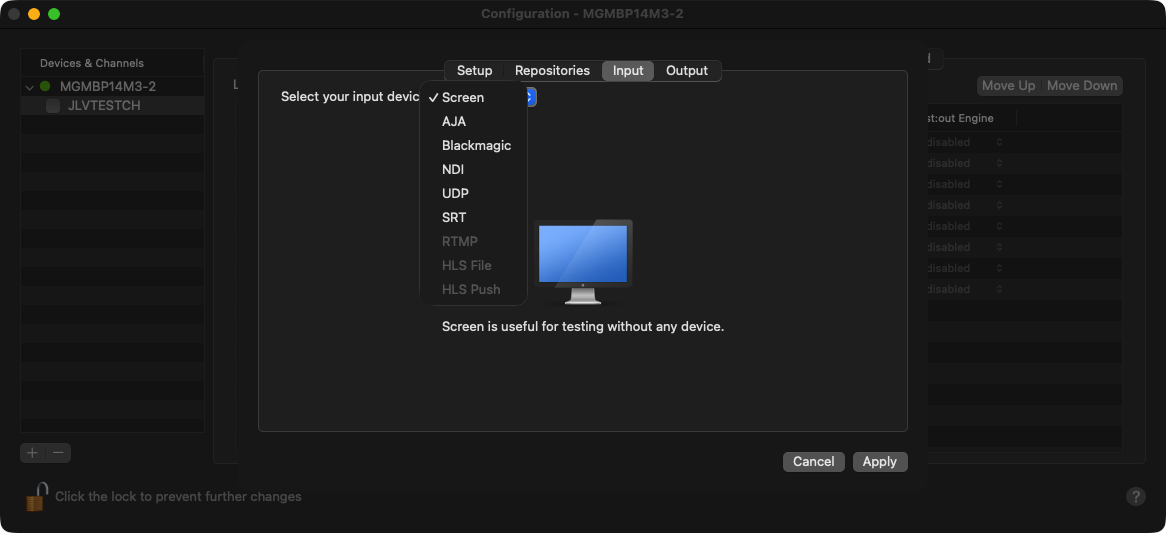
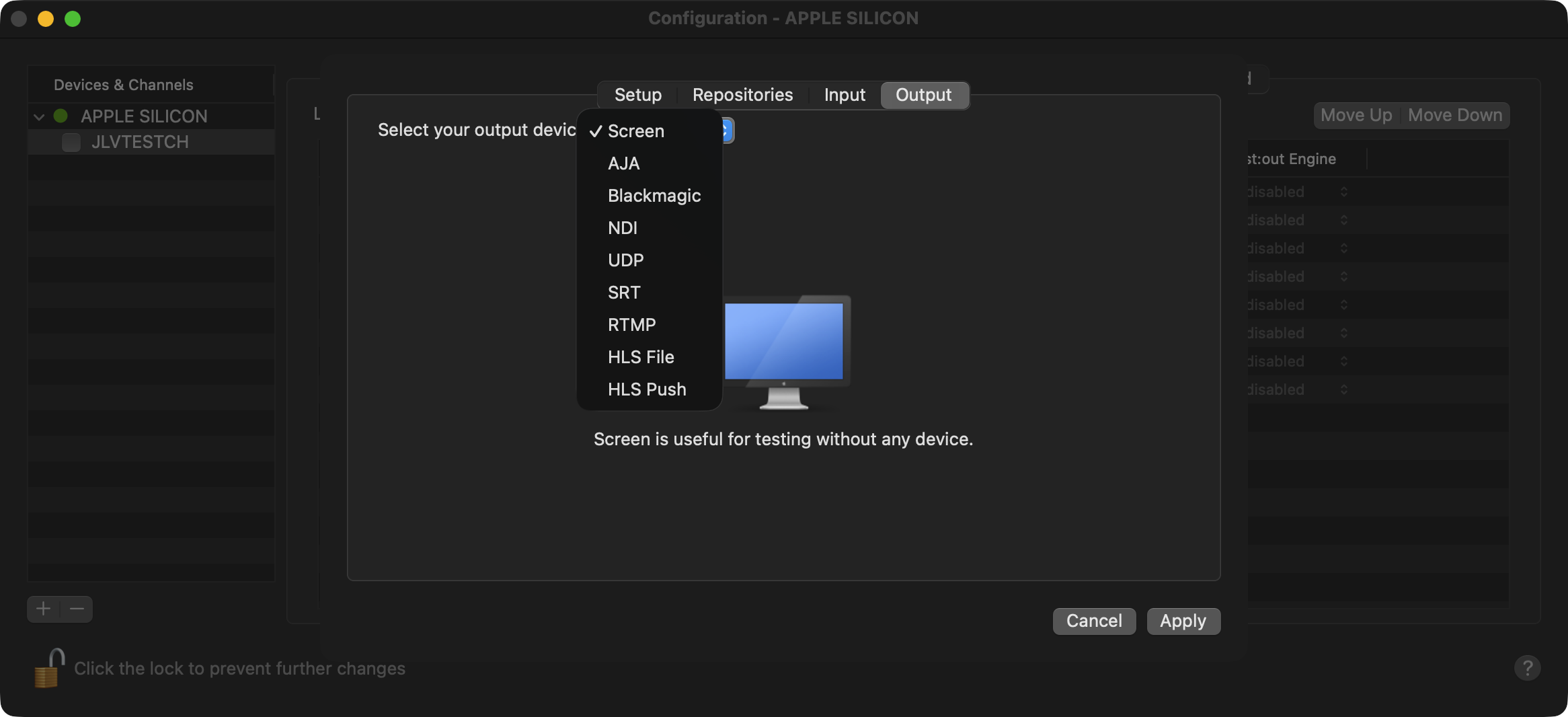
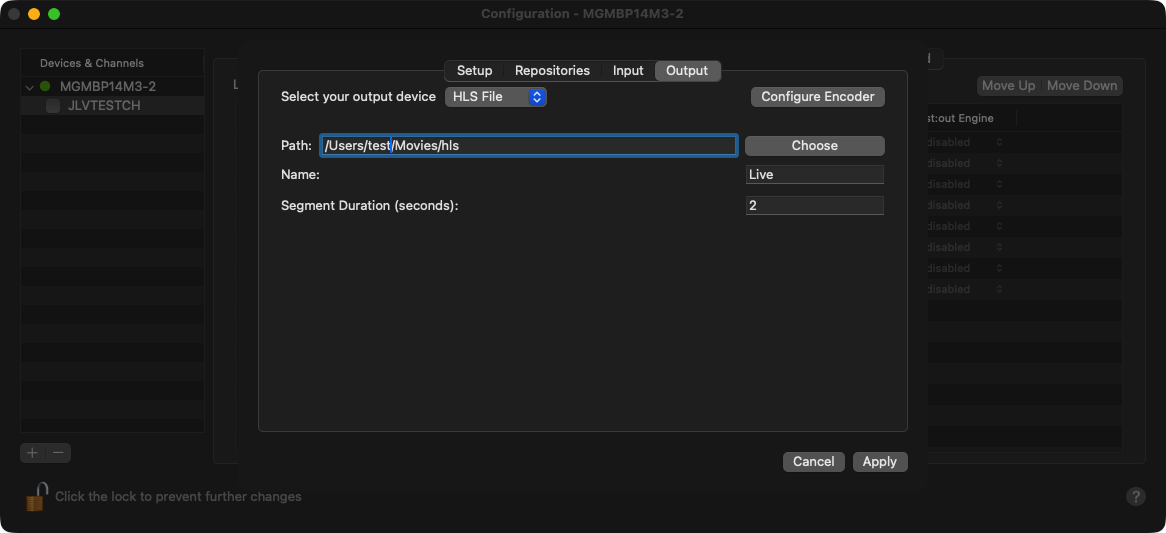
The restriction that the live input and output “device” must be the same (e.g. SDI, NDI®) has been lifted, enabling many more combinations such as SDI output with NDI live input or vice-versa. To this end, the engine configuration panel has been redesigned, with the “Streaming” tab and the device selection in the “Setup” tab now replaced by the “Input” and “Output” tabs allowing individual configuration for the input and output selectively, including the device to use.
|
Config: Input selection |
Config: Output selection |
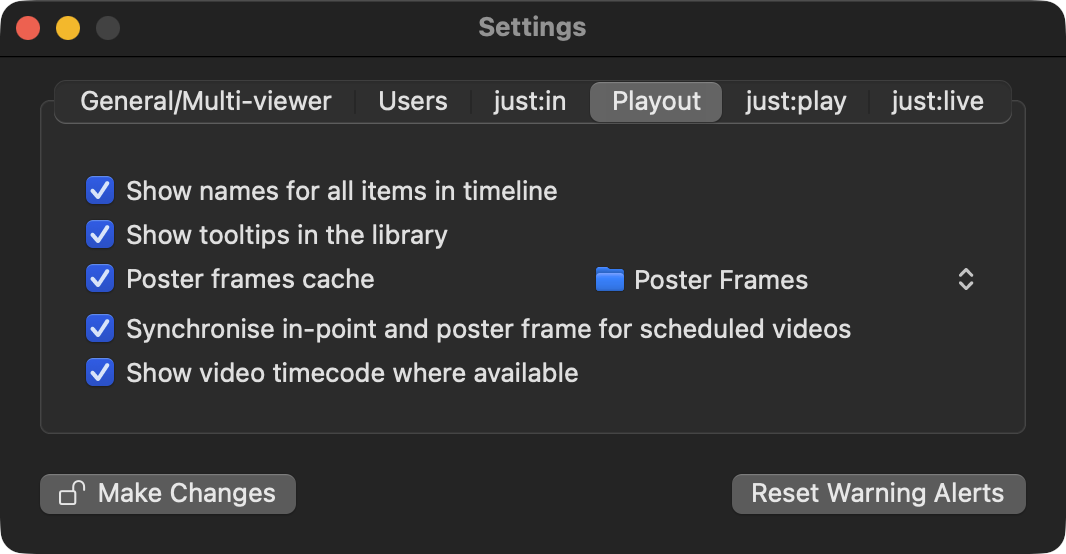
There is a new “Show video timecode where available” option in the Just Control application settings “Playout” tab . By default this is off, but when selected the video trimmers (both for the Library and the Inspector) and the Inspector fields for in- and out-points will display timecode relative to the video asset’s timecode track. So, for example, if the in-point is set to one second after the start of the video, and the video has a timecode track with the first frame specified as “10:00:00:00”, then the in-point in the inspector and trimmers would be shown as “10:00:01:00”.
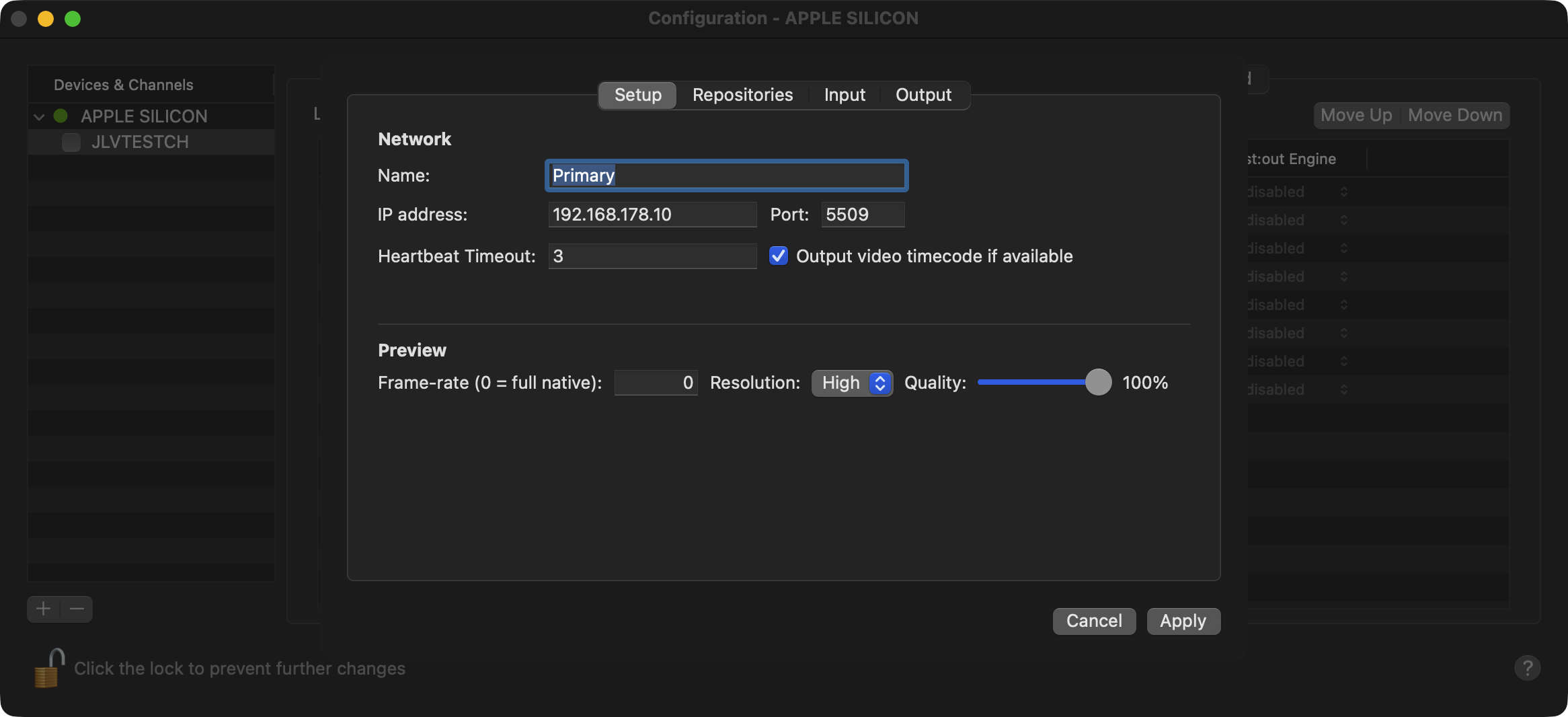
When configuring the engine in the “Layers & Engines” tab, the “Setup” tab has a new “Output video timecode if available” checkbox. By default this is off, but when selected the timecode sent to the SDI output will be the timecode specified by the currently playing video instead of the Channel’s current clock time. Using the previous example, the first frame of the video would have the timecode “10:00:01:00” on the SDI output. This setting also affects the timecode shown in the Just Control user interface, as it shows the engine’s output timecode. So here the main timecode in the user interface would also show “10:00:01:00” instead of the current clock time. When the Just Out engine application is configured to output video timecode and the currently playing video doesn’t have a timecode track, or nothing is playing out, the output timecode shown will be “00:00:00:00” instead of the current Channel timecode.
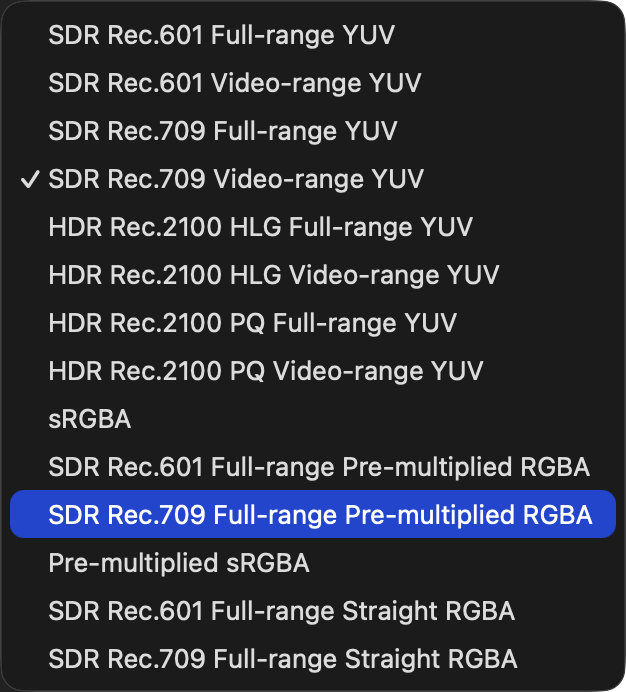
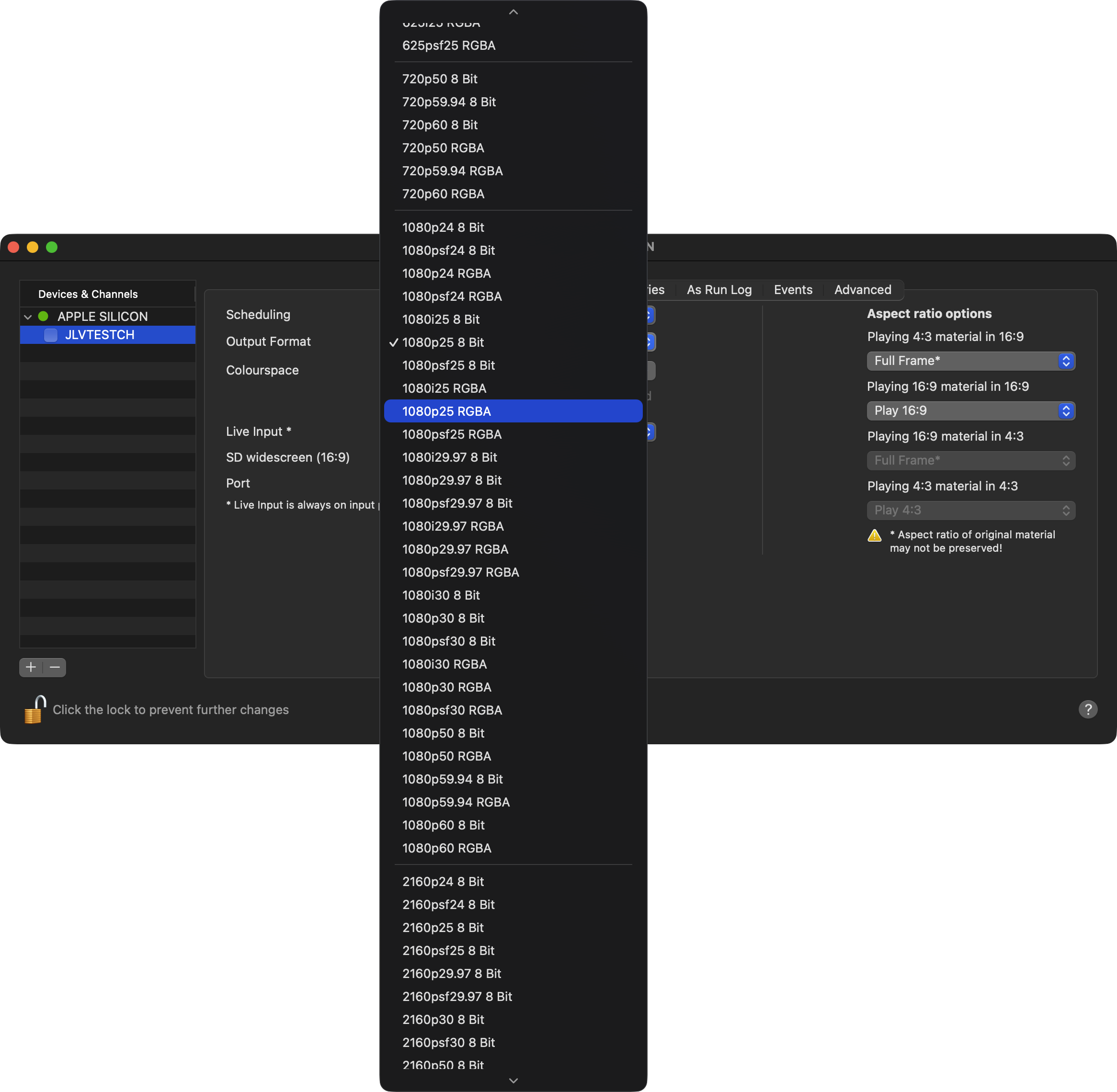
When selecting an RGBA format, there are now two colourspaces available, one with the suffix “Pre-multiplied RGBA” and one with “Straight RGBA”. You can select the one most suited to the video mixer or downstream equipment that you are using as some will work with pre-multiplied RGBA, some will not, and some will accept both.
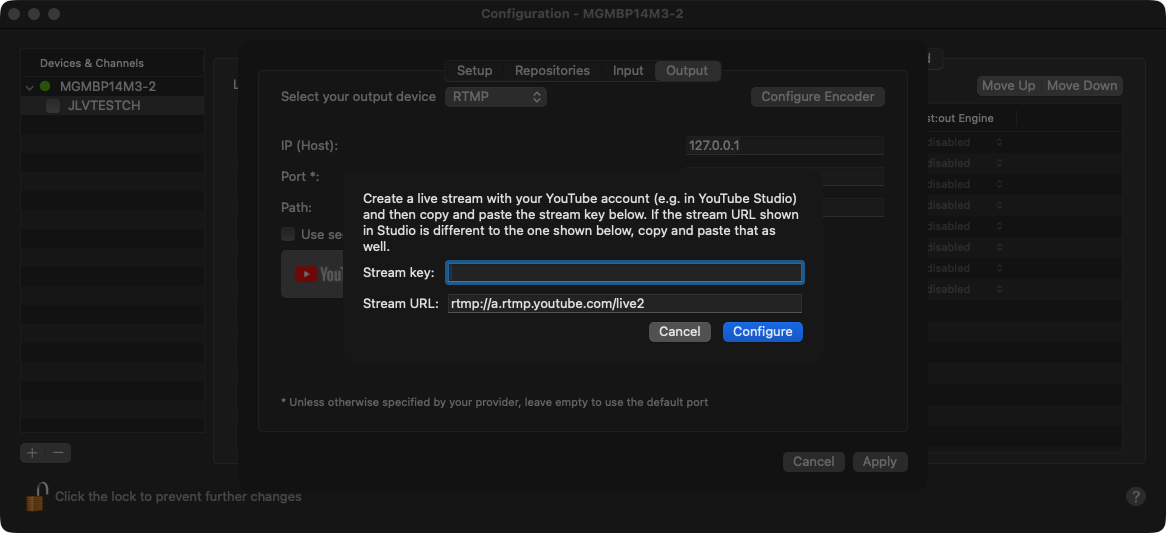
Added an additional option to output RTMP (or RTMPS) for streaming to YouTube, Wowza or other video servers. When configuring the output, there is an additional button for YouTube for quick configuration using the stream ID from YouTube.
Added HLS File output when configuring an engine’s output device. Selecting this writes an HLS manifest (.m3u8) and HLS file segments (.m4s) to the selected path and name.
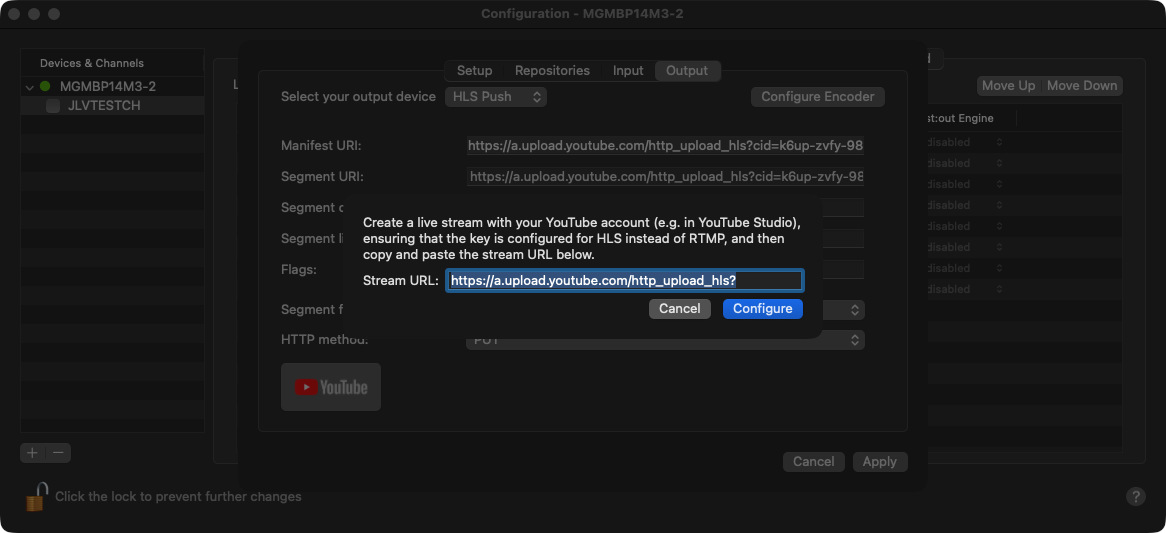
Additionally, we have added a new “HLS Push” output, that can push HLS segments and manifest to a server via http or https, for example to YouTube. When configuring this output, there is a “YouTube” button to automatically configure the parameters for uploading to YouTube.When using this output please verify that your You Tube Live channel has the proper HLS Stream Key option activated, as the standard RTMP-based stream key will not accept any connection with this output setting.
After selecting the NDI output, it is now possible to select an RGBA mode in order to send video with alpha to a compatible receiver. This enables “Fill+Key” workflows using NDI® alpha.
Version 2025.4.x Changes - just:live pro only
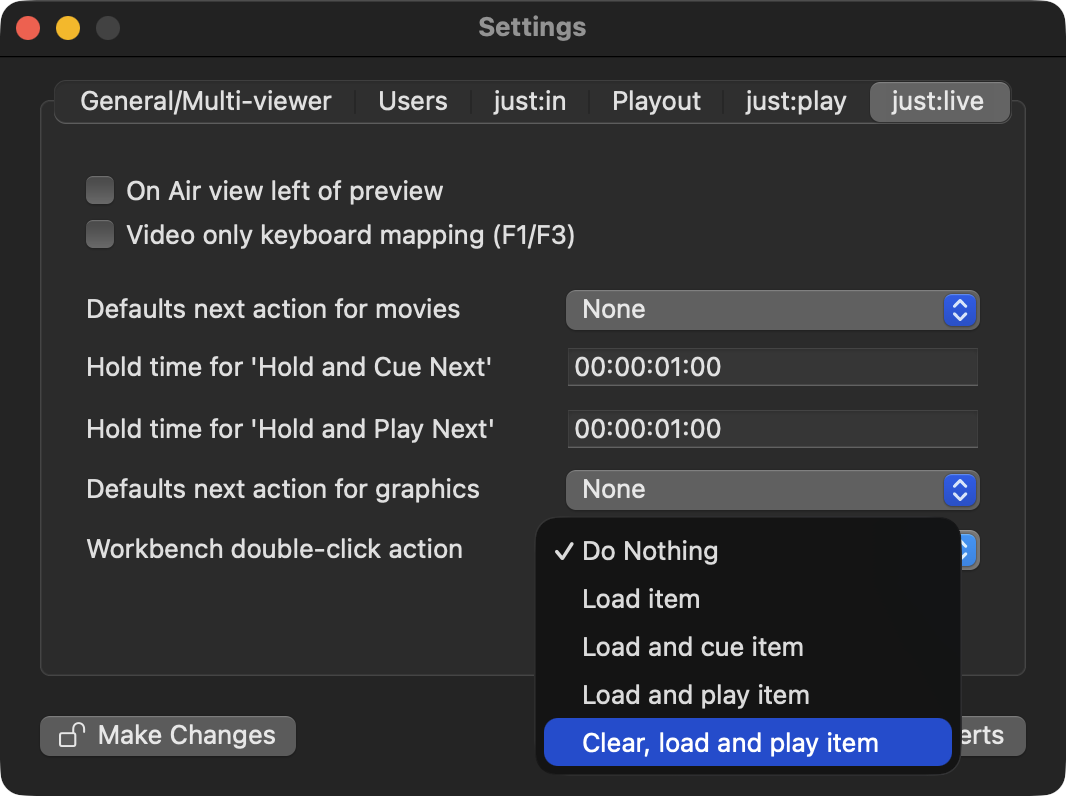
There is a new “Clear, load and play” option for the “Double-click action” for just:live pro Channels. When selected, double-clicking an item on the Workbench will clear any items on the same layer (either on-air or scheduled in the timeline) and immediately play out the selected item.
Version 2025.4.x Changes - just:play pro only
If a Live Input is enabled for a Channel, it is now possible to preview the current input in the user interface even if it is not currently on air. To preview, simply select the “Live Input” object in the Library, open the Preview below the Library, move the mouse over the Preview area and click on the “Play” button just as you would do when previewing video, audio or FX files.
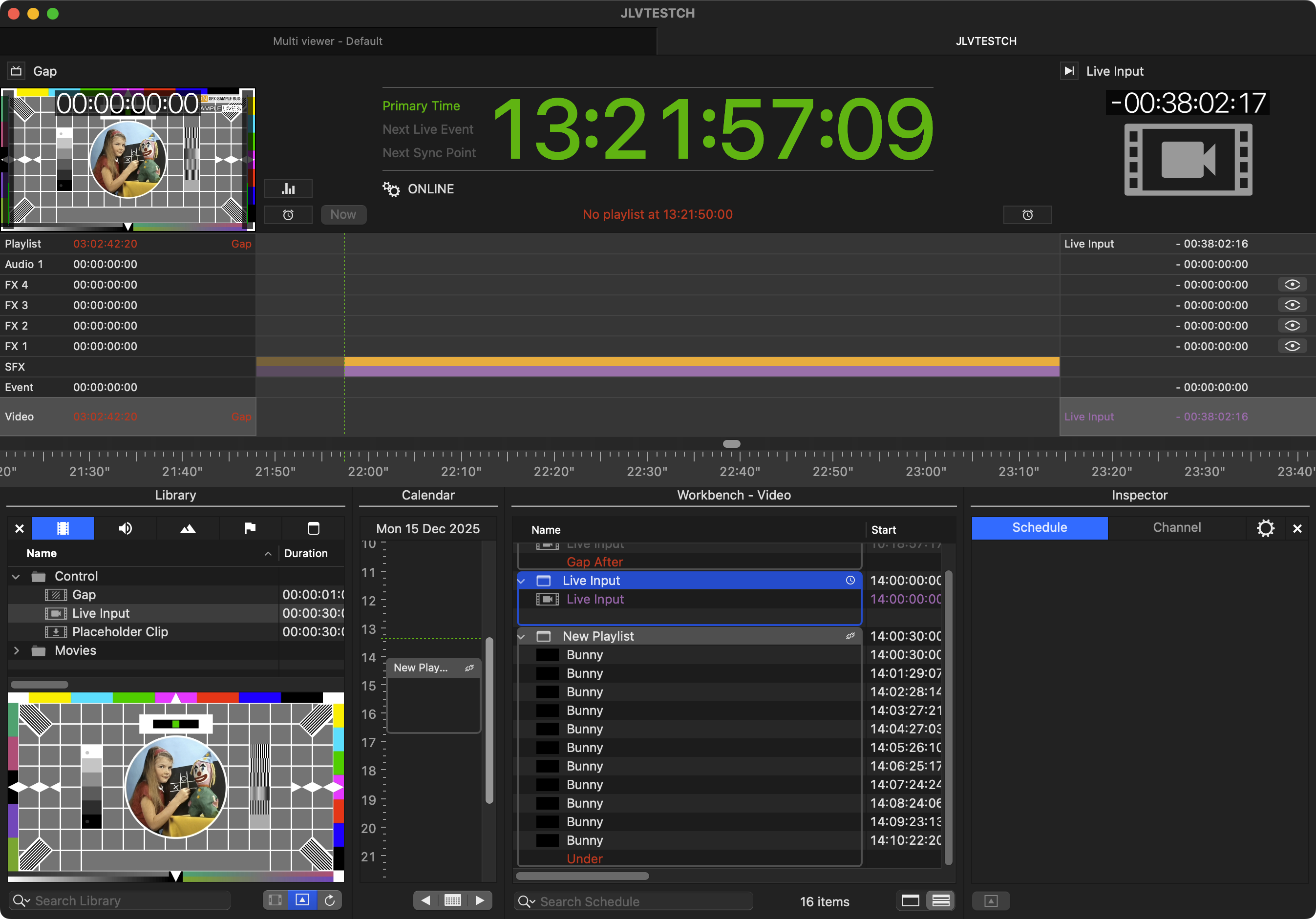
You can find more detailed information in our User Manual section -> https://toolsonair.atlassian.net/wiki/spaces/TST/pages/4611080311/What+s+New+Playout+v.2025.x