
You must unlock the Just Control Configuration window and stop all channel(s) first to activate a Device.
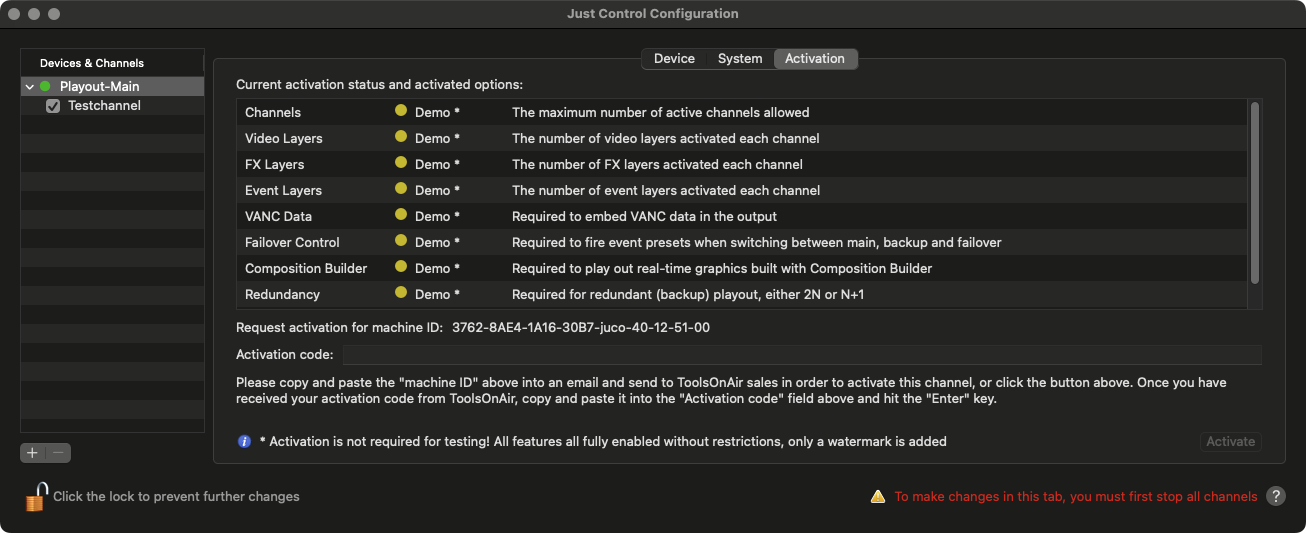
Current activation status and activated options: All options available for the selected Channel and the status of each function are shown in the viewer below.
Request activation for machine ID: Shows the Machine ID of the selected Device. The first 16 digits are machine-related, everything after the “juco” abbreviation depends on the activated options and may be different for your setup. To issue a temporary or permanent activation code (without a watermark) the provision of this Machine ID is necessary.
Activation code: Copy and paste an activation key into this field and press the Activate button afterwards. Upon successful activation, the status in the Activation Option List changes to 🟢 (Green) for the activated options.
An unlicensed trial version has all features enabled and has no restrictions in terms of functionality. An unlicensed trial channel displays a full screen ToolsOnAir watermark every nine (9) seconds for the duration of one (1) second.