
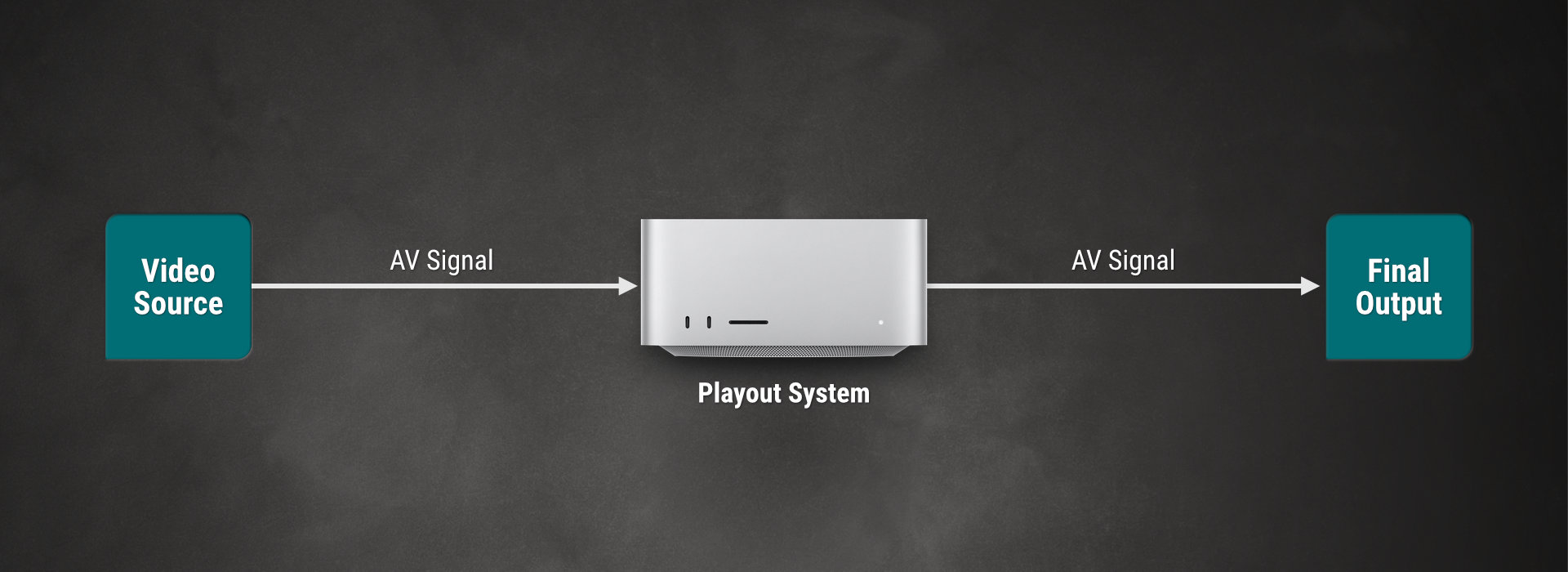
Type A: Single Source Using Pass-Through Channel
Activate a DSK In-based switch to live method in the Just Control Configuration window to switch between a Single Live Input Source and the Video Playout without any additional hardware using the built-in “Switch to Live” function (pass-through mode).
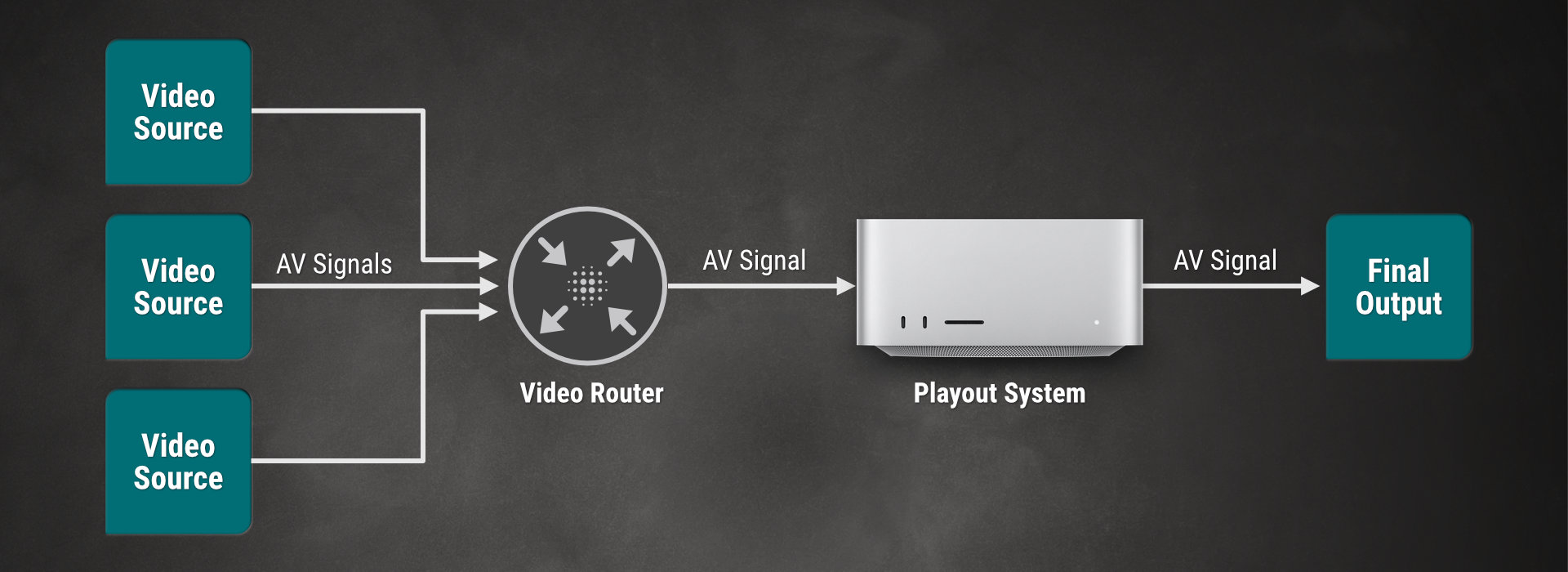
Type B: Multi-Source Using Pass-Through Channel
Activate a DSK In-based switch to live method in the Just Control Configuration window and use Router Control/GPI events, if you have more than one Live Input Source and you want to use the pass-through mode.
Type C: Traditional Setup
Activate Router Control/GPI events if you intend to control a router to switch between the Video Playout and any number of Live Input Signals without using one of the two available pass-through modes. Although the Playout of video files and graphics is done using two separate machines, the control of the playout can be done using a single-user interface.
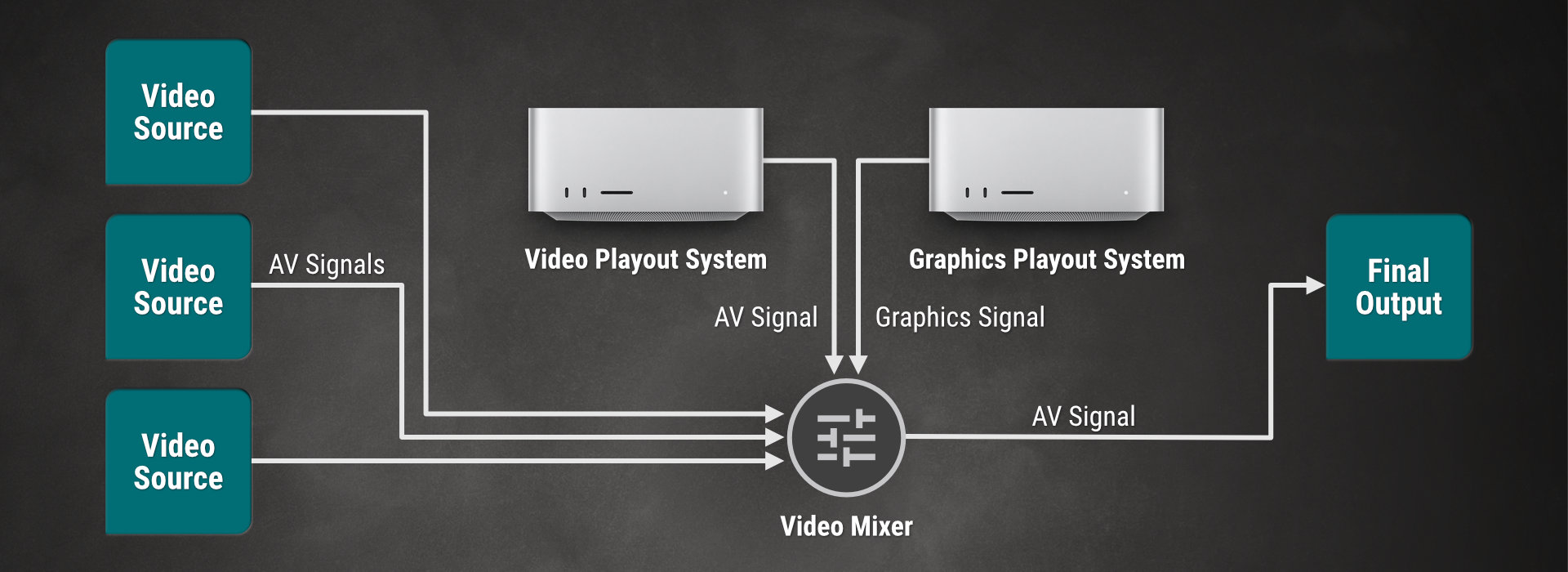
Using this setup, it is also possible to control the router using another system so that the playout can act as a simple player.