
Live Cut shares the same destination presets logic with Just In Multi. To create a new destination preset, select the appropriate paths for each destination you want to record on and press the “Save” button. You will then be prompted to enter a preset name. A destination preset consists of the following parameters:
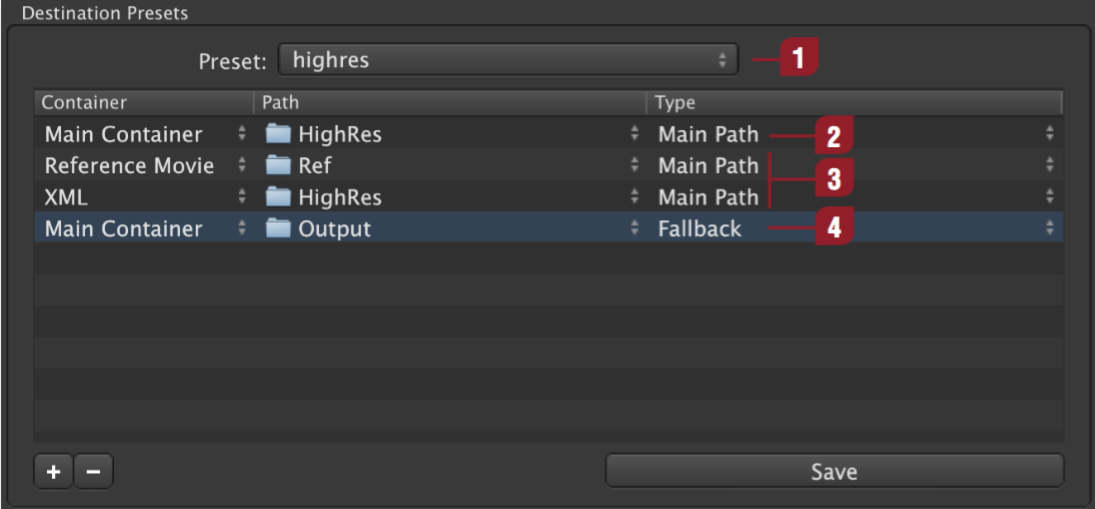
| Preset: The name of the destination preset. | |
| Multiple Destination Path: Main Container is the only Container class needed for LiveCut. | |
| Reference Movie and XML Path: Not needed / supported in LiveCut. | |
| Fallback Path: Not needed / supported in LiveCut. |
Please make sure that both capture and destination presets are saved to this folder: "/Library/Application Support/ToolsOnAir/Just In"