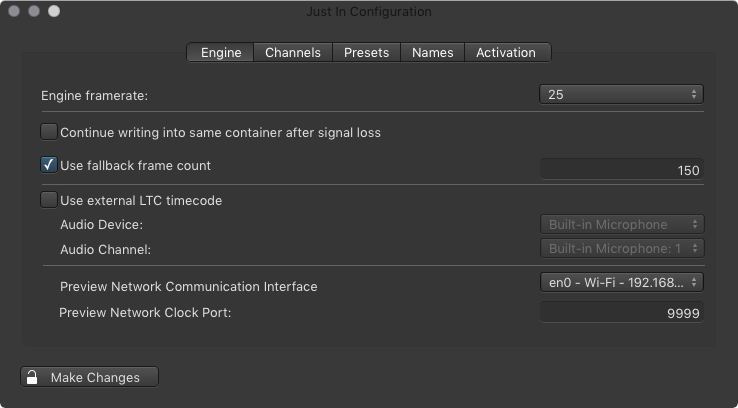
The Just In Engine Preferences will show up as seen below.
Engine Tab
Engine framerate: select the desired framerate.
Continue writing into same container after signal loss:
Enabled: keeps the container opened during a signal loss and makes Just In resume the Recording into the same container as soon as the signal is available again. This only works for QuickTime containers.
Disabled: upon signal loss Just In will stop recording, close the container and resume Recording into a new file as soon as the signal is available again. This works with QuickTime and MXF containers in Crash Mode only.
Use fallback frame count:the amount of frames (max. 200) that will be buffered before switching to the fallback destination. A fallback destination has to be defined in the Presets tab for this feature to work.
Use external LTC timecode: select an external timecode source. Not supported for Blackmagic devices.
Preview Network Communication Interface: select the network interface which will be used as communication interface.
Preview Network Clock Port: if port 9999 is free on your network this setting can be kept.