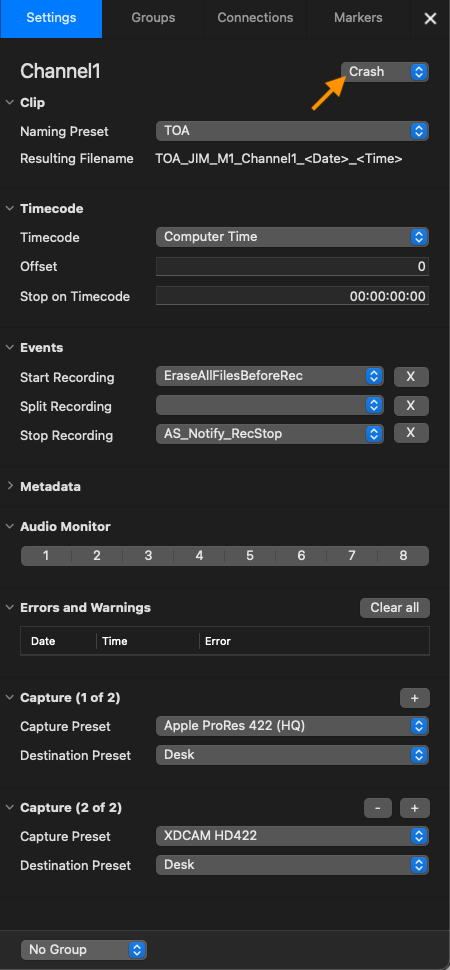
Just In Mac features three different Capture Modes:
Batch Recording: record and control Tape Machines (VTR).
Crash Recording: record on the fly (Default Mode).
Schedule Recording: record Clips based on macOS Calendar Events.
Select a Capture Mode
Select one or more Channels in the Channel Viewer Area (Multi-Viewer). Open the Inspector and switch to the “Settings” tab. Choose between “Batch”, “Crash” or “Schedule” mode by using the dropdown box next to the Channel Name.