
Before proceeding you must quit all interfaces and all engines which are connected to the Channel.
- Double click on the Channel name in the Channel View.
- The Channel name should be highlighted.
- Enter the new name of the Channel.
- Press the return key.
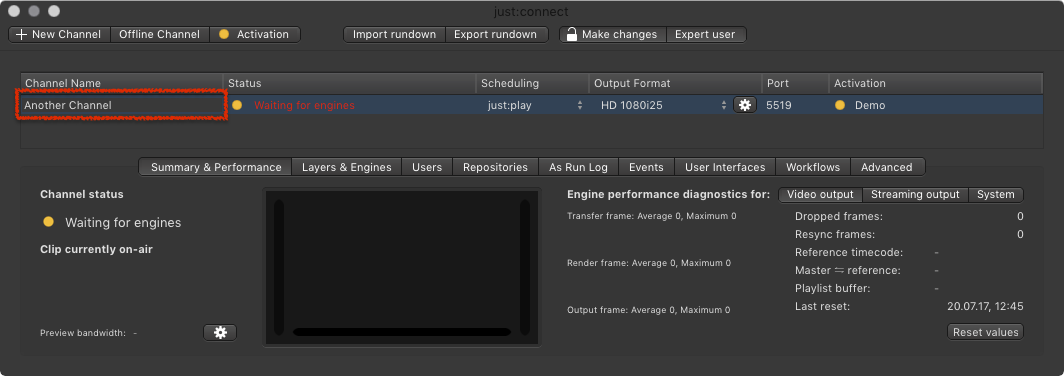
Changing the displayed Channel Name in Just Play
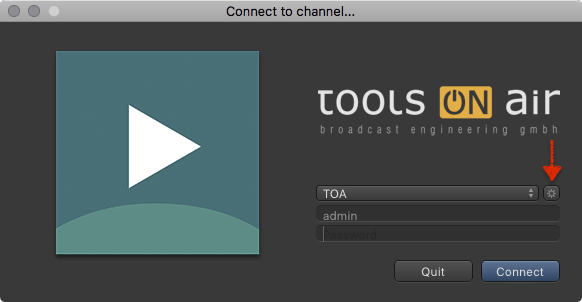
- Open Just Play.
- Click the sprocket button.
- Double click the Name of the Channel.
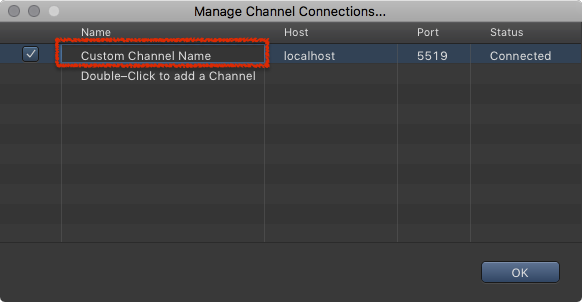
- Change the Channel Name accordingly to your needs.
- Press the enter key.
- Press the OK button.
Changing the Channel Name in Just Play does not change the Channel Name configuration of just:connect.