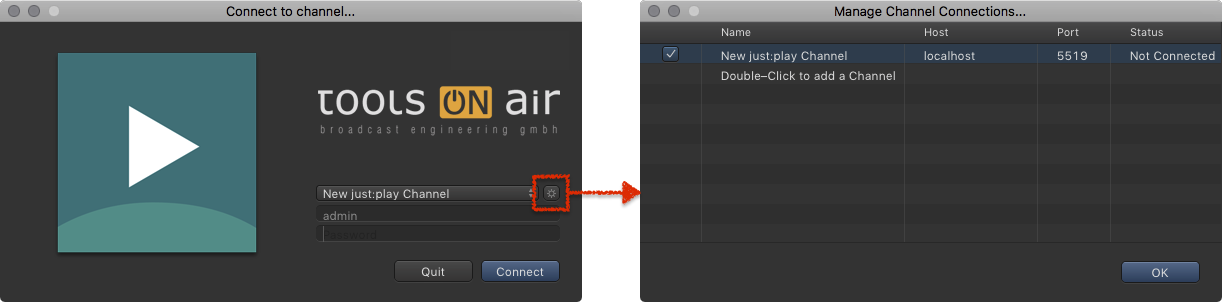
Connecting to a Just Play Channel
To use Just Play you need to connect to a Channel.
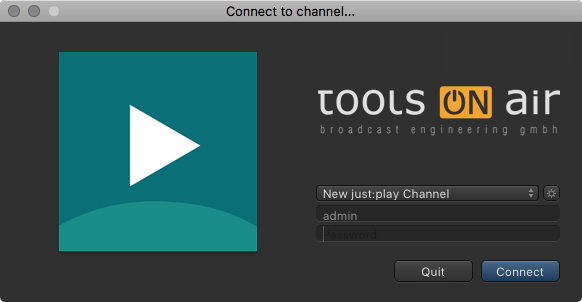
- Start Just Play. The Login window shows up.
- Select a Channel in the channels drop-down box.
- Enter a username and password.
- Click the Connect button to start the Just Play UI with the selected channel activated.
Once the Just Play user interface has been started it will gather the Channel information from just:connect and present the information in the user interface.
You will get a warning if access is denied. Contact your system administrator if one of the following messages appears:
- Message 1: "Sorry, User..."
- Message 2: "Sorry, Interface Client..."
- Message 3: "This channel is only for use with Just Play!"
Managing Just Play Channel Connections
Your system administrator should have already defined Channels which can be selected using the channels drop-down box.
Clicking the sprocket flips the Login window and shows the connection status of all Channels.
Contact your system administrator before making any changes.