
By default Just In is not activated and therefore a ToolOnAir watermark will be added to the Recordings.
Activation is not required to test Just In Engine or the Just In User Interface.
Activating a Device
- Open the Configuration Panel, select the desired Device, which you want to Activate and switch to the Activation Tab. In the Device & Channel List deactivate all Channels by unchecking all checkboxes.
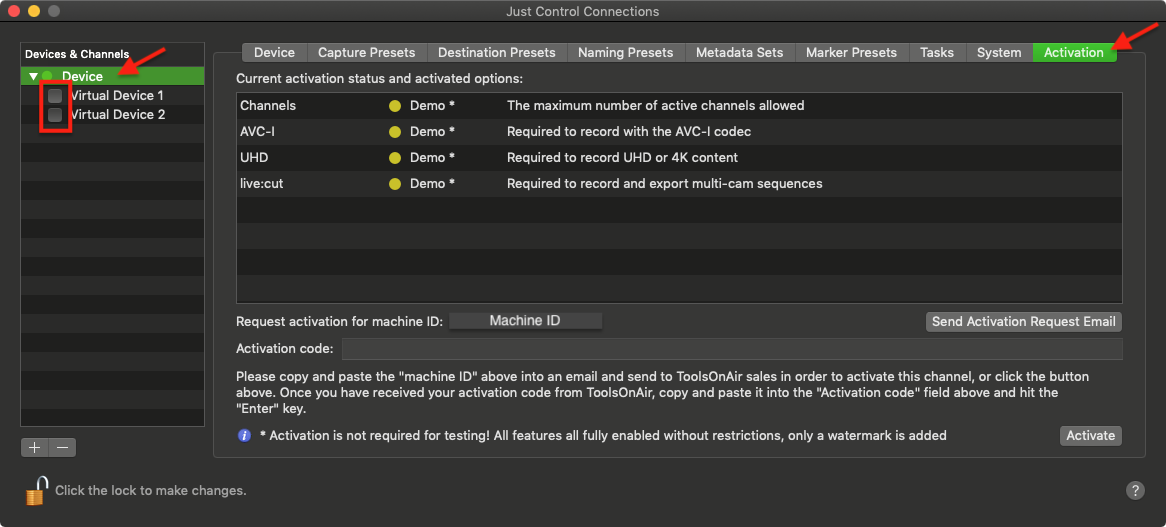
Unchecking a Channel will make it unavailable in connected Just In User Interfaces.
- Copy and Paste the Activation Key into the Activation Code field and press the "Enter"-key or press the "Activate"-button.
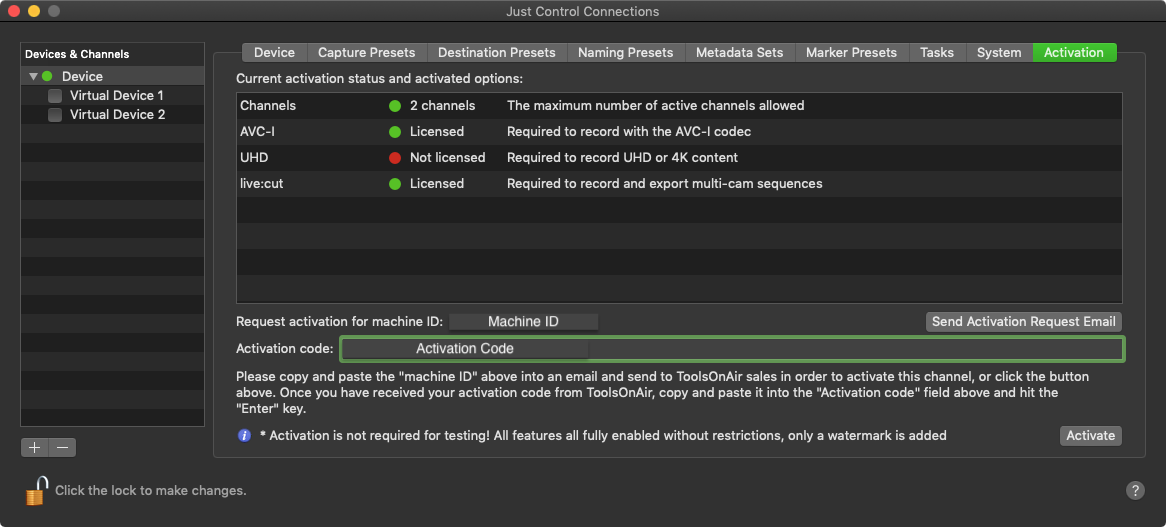
- When the Activation was successful the Activation status in the Activation Option List changes from yellow to green.
Please contact us if you have further questions regarding Activation.