
This chapter covers the general Operating System configuration to ensure a stable and interruption-free Just In environment.
Preface
We recommend a basic installation of the operating system. Once the OS installation has finished, install all updates which are available through Apple's Software Update. To ensure a proper and stable setup, please configure the operating system of the machine(s) running Just In Engine like shown below.
- Do not install any additional background applications like MenuMeters, Growl, Dropbox, Adobe CC or Dashboard widgets, except Macs Fan Control or similar.
- Once one of the ToolsOnAir components has been started, never change one of the settings described in this chapter.
- The server version of OS X is not supported.
System Preferences
The System Preferences may look differently on your system and may offer more/less functions, depending on the OS version and the hardware you are using.
Energy Saver
- Disable computer and display sleep functions: set the slider(s) to Never.
- Disable the hard disk sleep, computer sleep and Power Nap features.

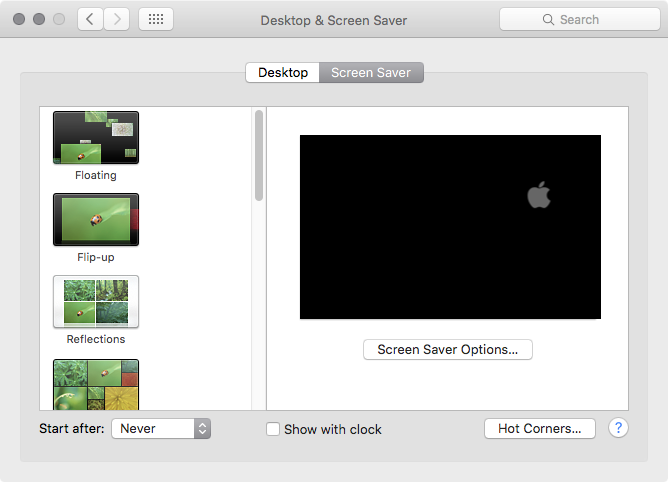
Screen Saver
- Set the Start after setting to Never.
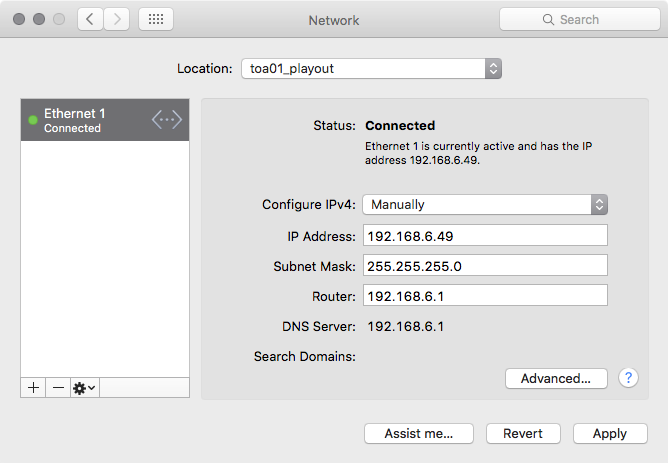
Network
- Delete all unneeded network connections here and change the order of the connections so that the IP address you are going to use for ToolsOnAir internal communication has the main priority (i.e. topmost item in the list).
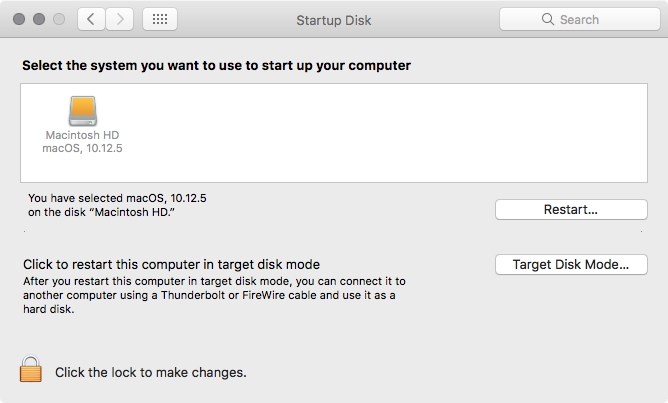
Startup Disk
- Make sure that the disk or partition which will be used for the ToolsOnAir components is selected as the startup disk.
App Store
- Make sure your operating system is up-to-date, then disable the automatic software update function.

Sharing
- Turn on any sharing service you might want to use with this system. When using Screen Sharing make sure that the screen resolution does not change whenever connecting from another machine.
- We recommend to disable Remote Login/Management/Apple Events because they can cause some serious issues.
- We recommend using TeamViewer for remote management and file copying.

Spotlight
- We recommend disabling Spotlight on any machine running Just In Engine and to add at least all volumes used to store media files under the Privacy tab.
