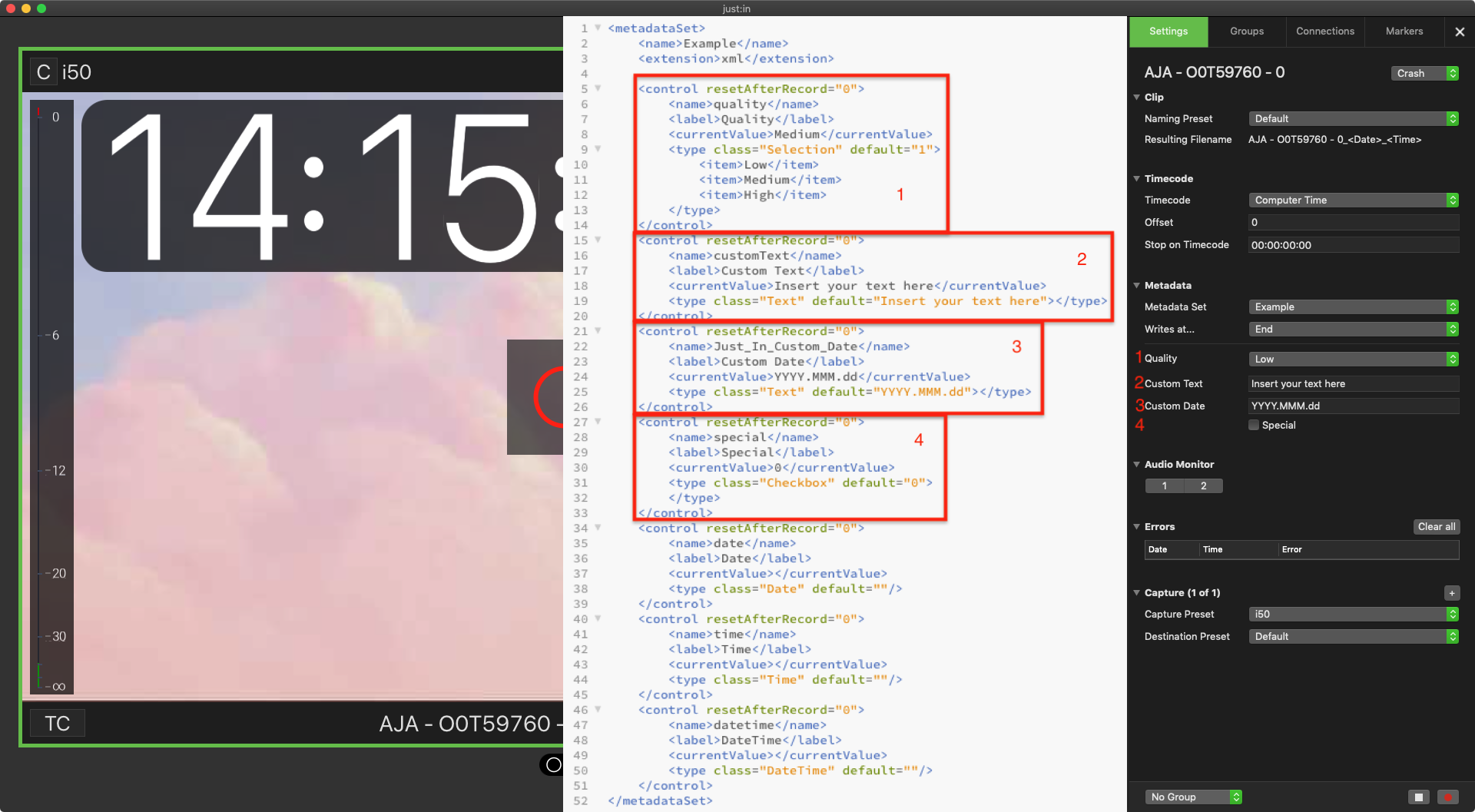
Getting Started with the Example XML
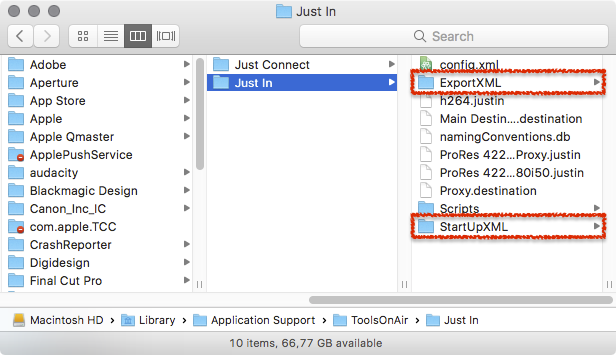
Just In comes with example XML files which can be adapted to your needs. These XMLs are stored in the folder /Library/Application Support/ToolsOnAir/Just In.
- StartUpXML: contains the XML files which will be listed under Metadata in the Inspector of the Just In User Interface.
- ExportXML: contains the XML files which will be used by Just In Engine to create the output Sidecar XML files.
StartUpXML
The folder StartUpXML contains the XML files which will be listed under Metadata in the Inspector of the Just In User Interface. This figure shows how the example.xml would be displayed in the Just In User Interface.