Identifying your Mac Model
You need to know the Model Identifier of your Macs to continue.
- Open the Apple Menu on the appropriate machine.
- Select About This Mac while holding the alt key. The menu item turns to System Information…
- The Hardware Overview is displayed and you can see the Model Identifier.
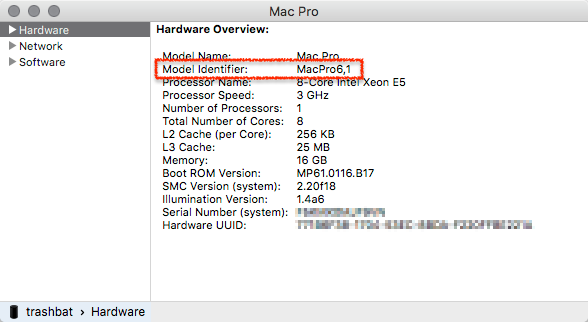
The steps described above may be different on your operating system.
Supported Macs
| Qualified Macs for Just In Engine and Just In User Interface |
|
|---|---|
| Operating System | macOS 10.14.6 or macOS 10.15.x or higher. Administrator account required. |
| RAM | 4GB per channel recommended. |
Optimal Environment Temperature Recommendation
Run the Ingest servers in an environment where the temperature does not exceed 68° F or 20° C.
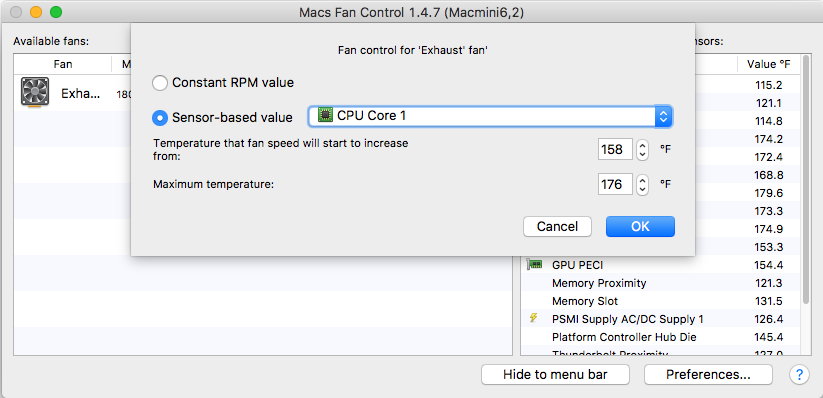
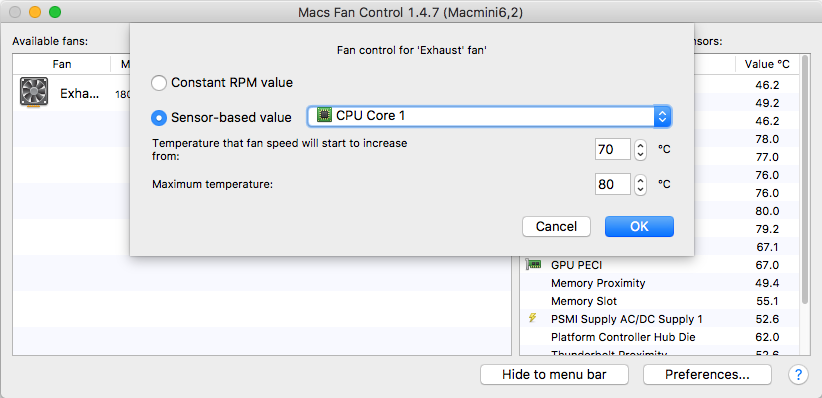
Manually control the fan speed with a software like Macs Fan Control and to configure it like shown below