
General
AJA Ki Pro Event Devices can be used to start and stop Recordings on given AJA Ki Pro recorders. Furthermore, other standard operations such as the “Play” command are equally supported. A detailed workflow description is available AJA Ki Pro Event Presets v.2026.x .
Devices
Click on the “Add” button to select the “HTTP (REST, AJA Kumo & KiPro, SendGrid Email)” Device from the “Device & protocol” list, enter the IP address of the AJA Ki Pro, and press the “Add…” button to create the Device.
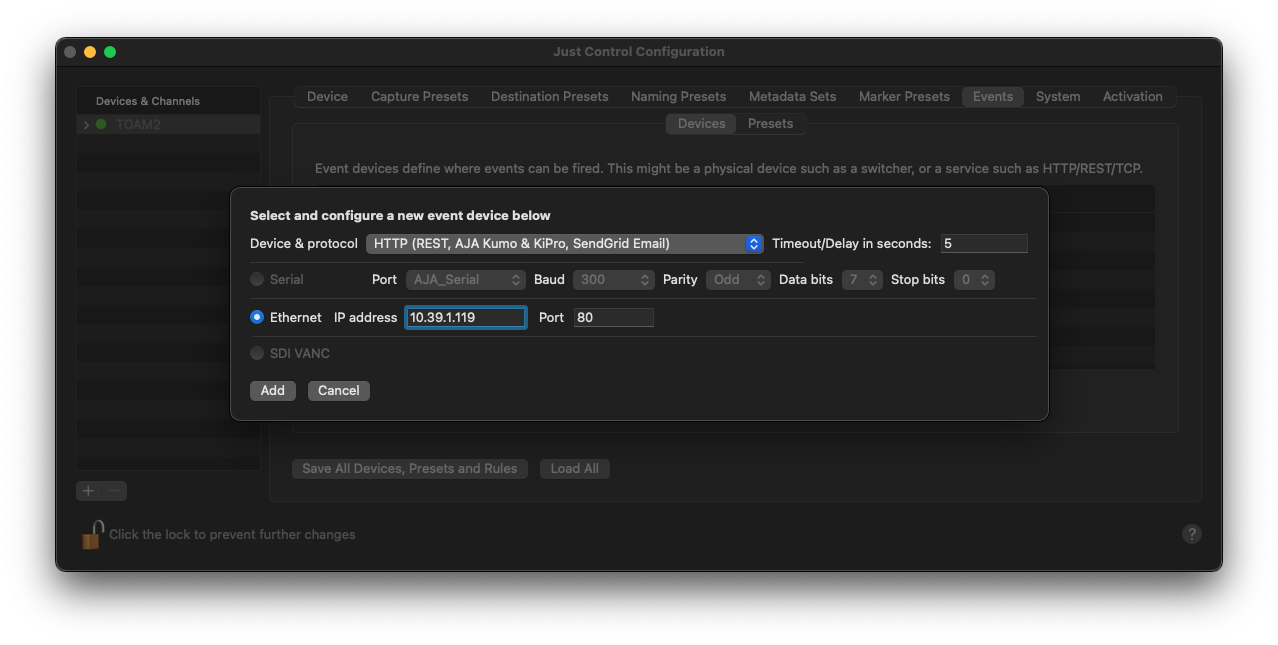
A new window appears, where further configuration is required.
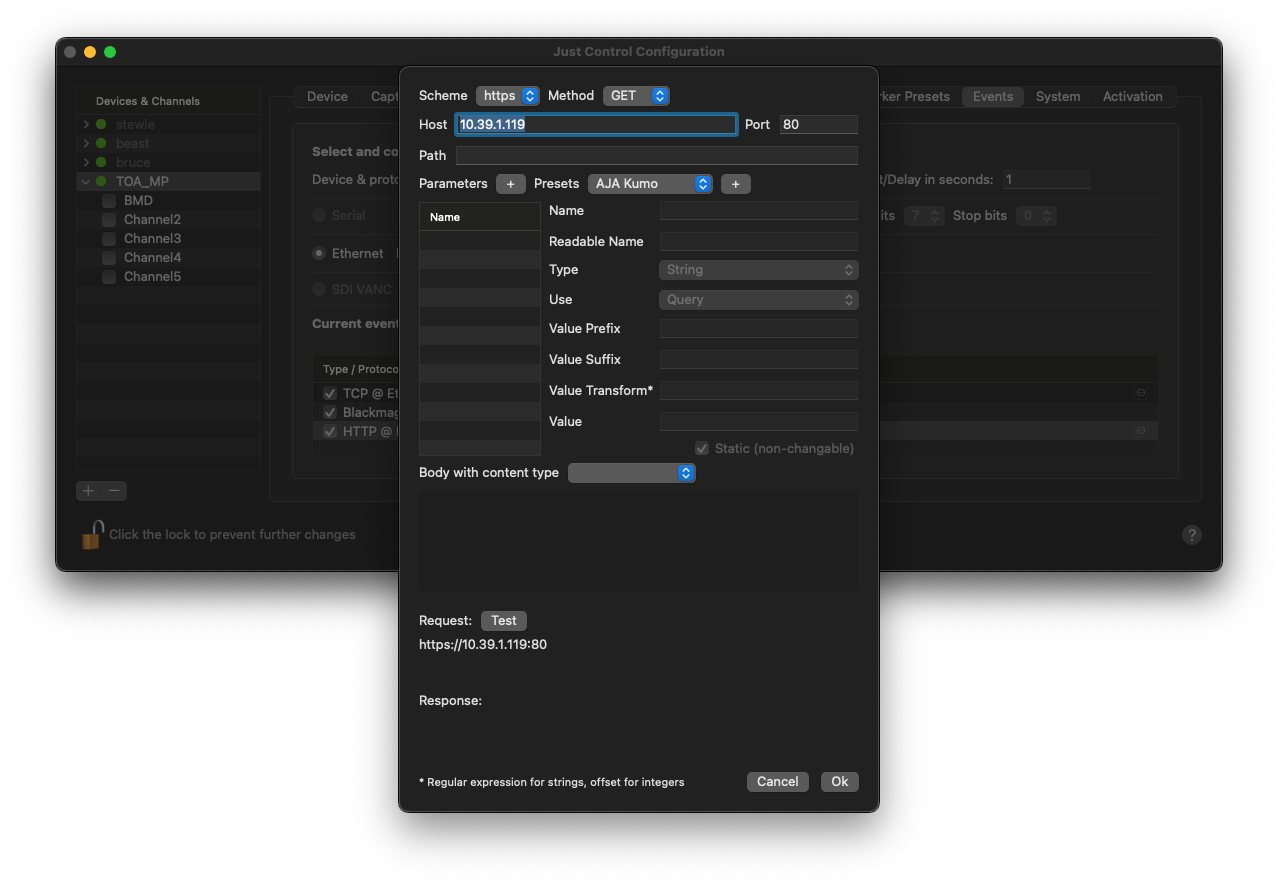
Select the desired AJA Ki Pro device from the Preset list and press the Plus (“+”) button next to it.
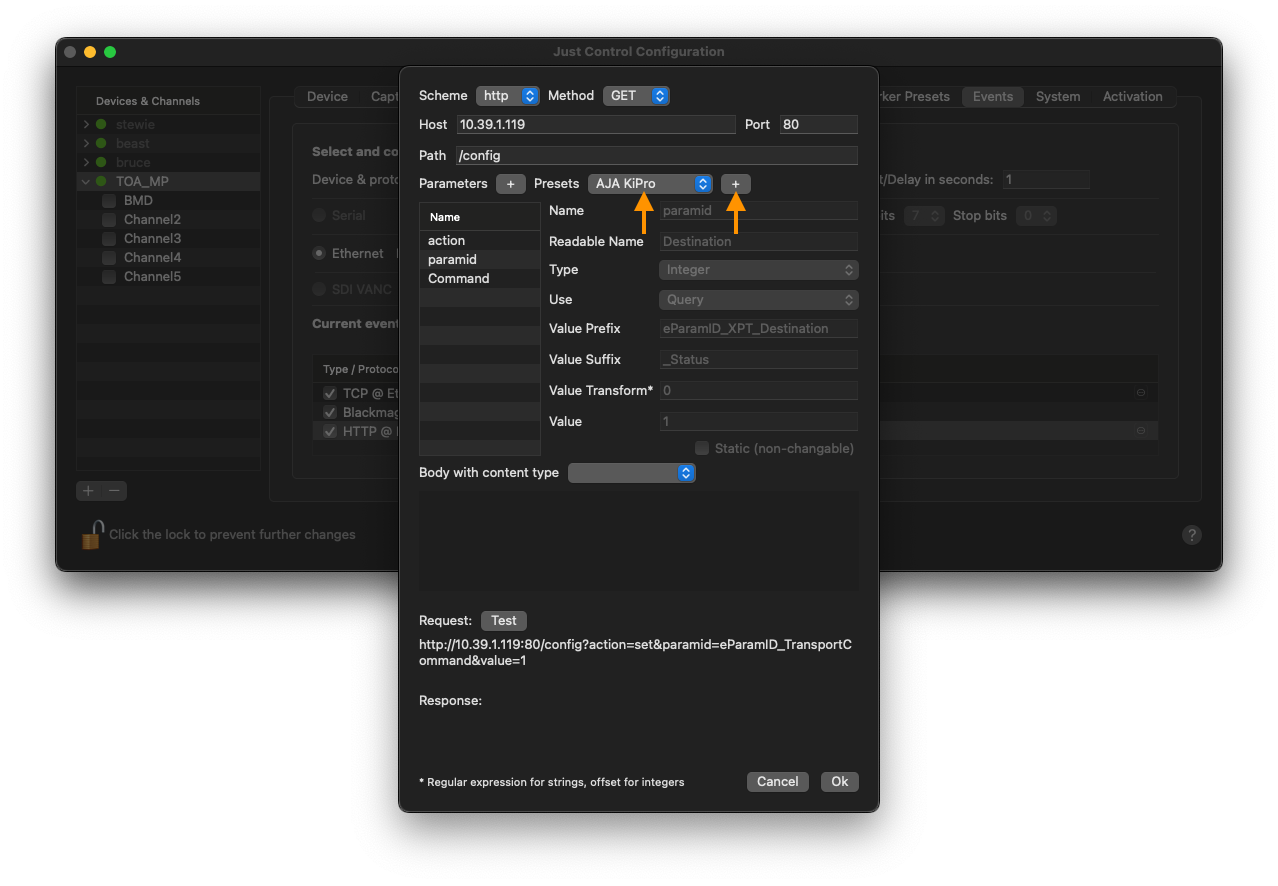
Then, select the “Command” parameter, and you will see the supported values for the AJA Ki Pro in the value selection box.
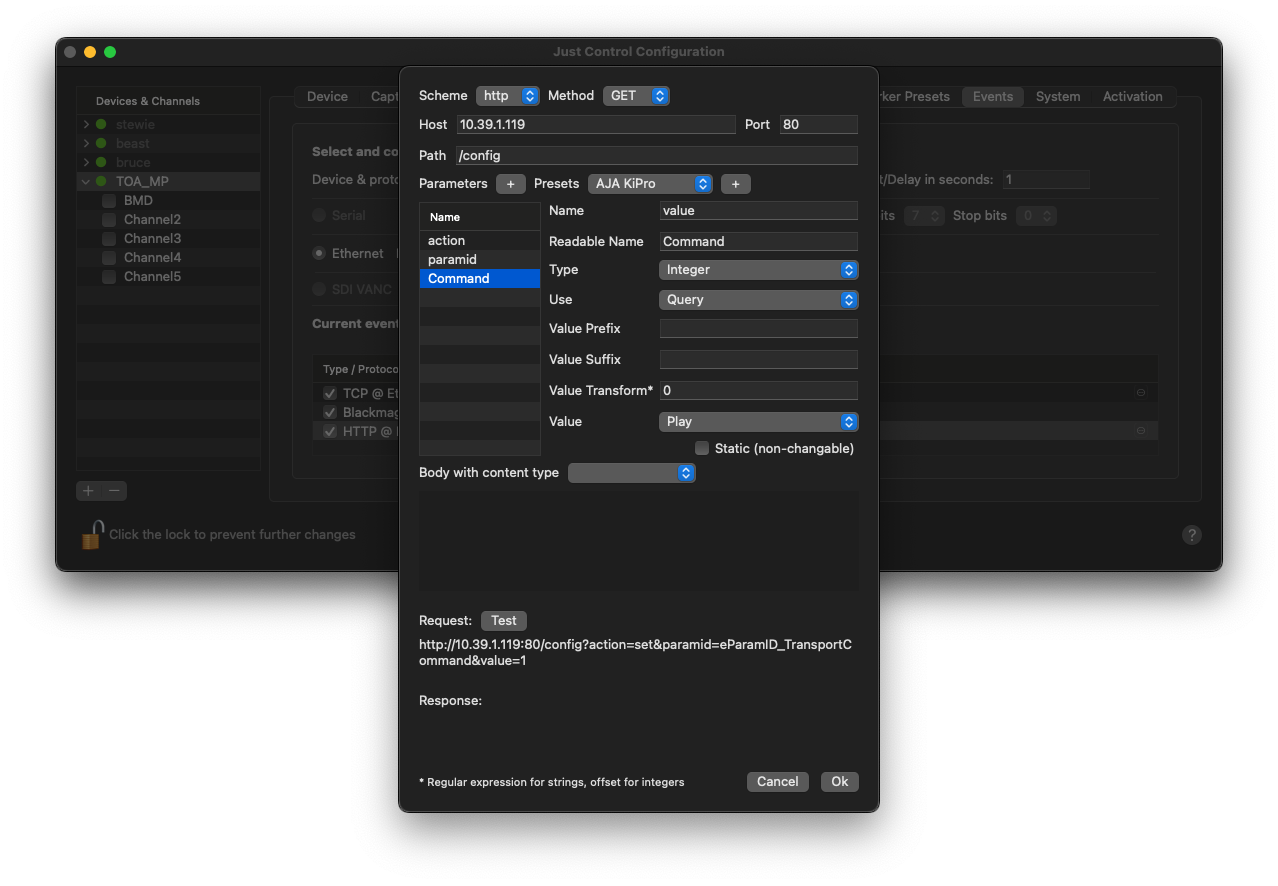
Use the “Test” button to verify a working connection.
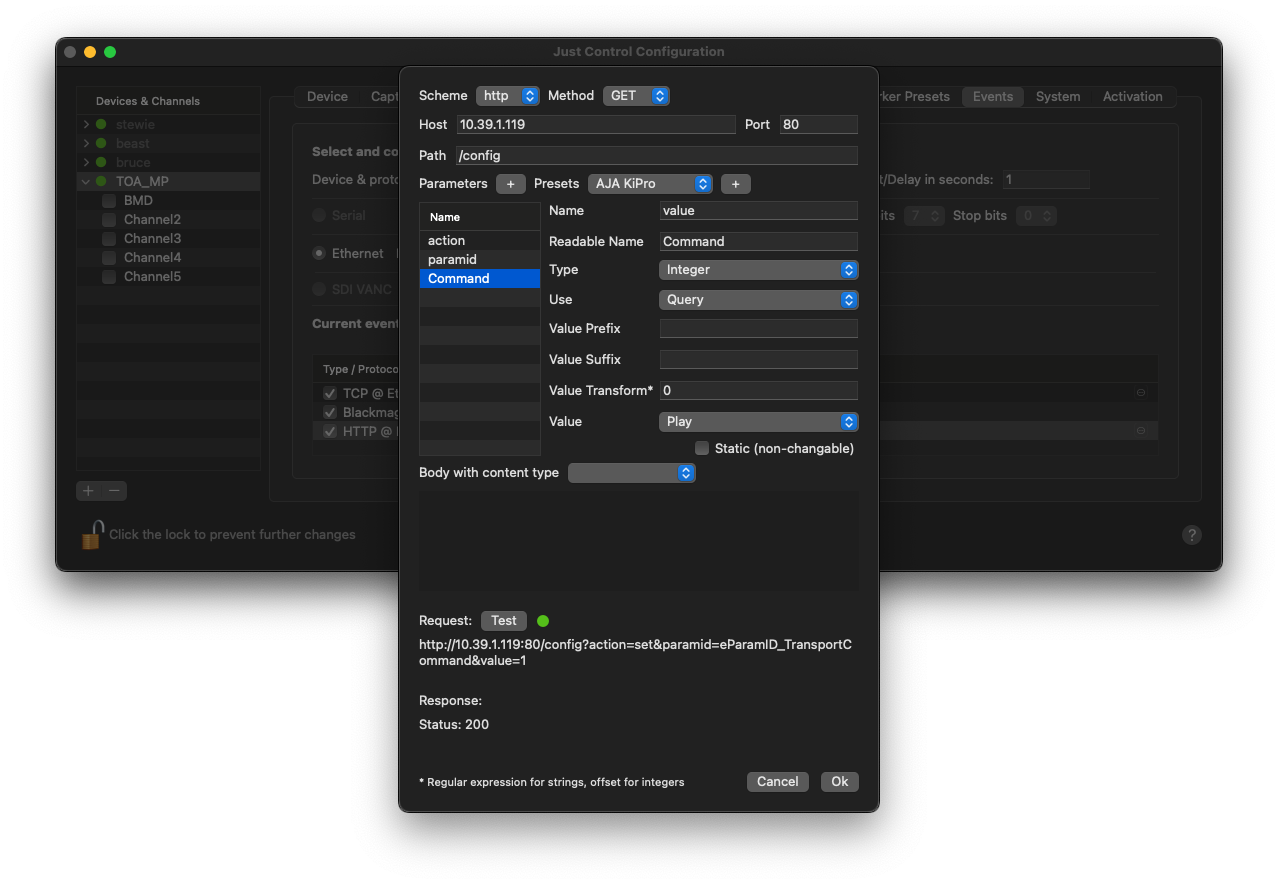
Further configuration will be done within the Recording Event itself. Please see below:
Presets
To create a new Preset, define a name for the Preset, select the AJA Ki Pro Event Device, and press the “Add” button.
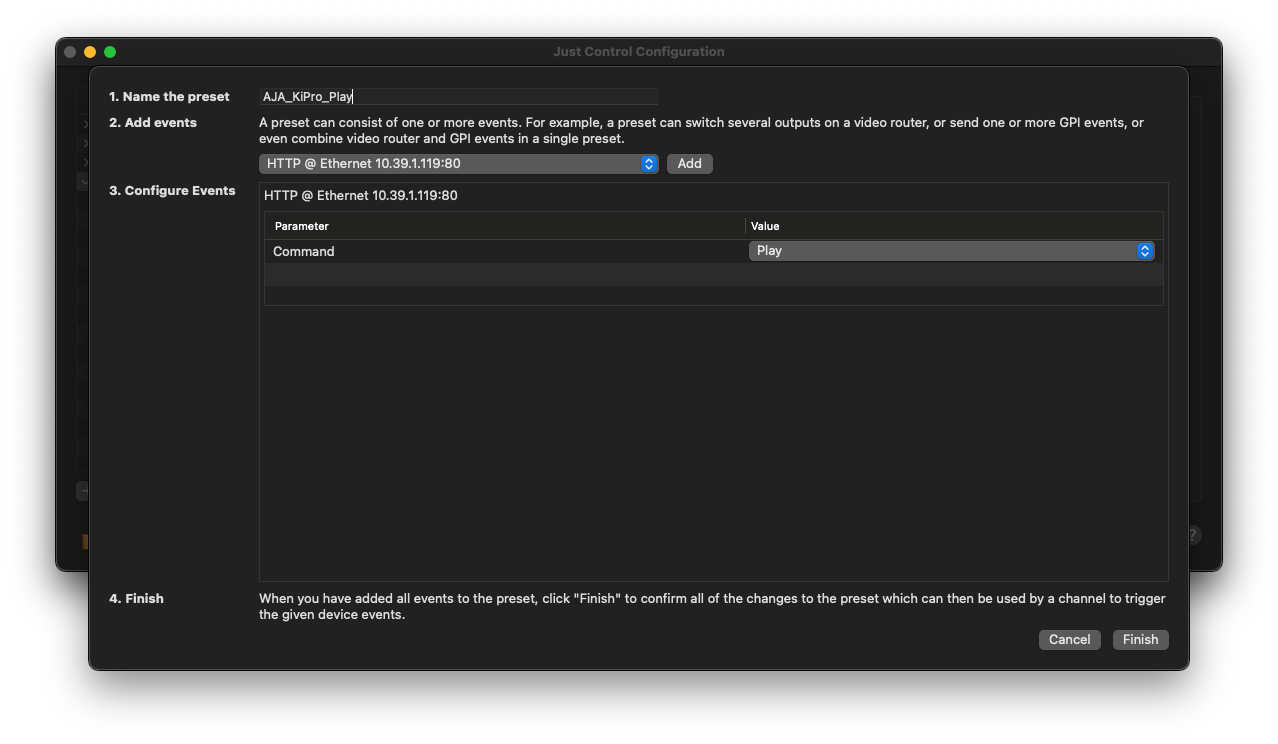
Finally, choose the desired command, that should be triggered later within the Inspector of Just Control. Once done, press the “Finish” button and the Event will be visible within the Presets list.