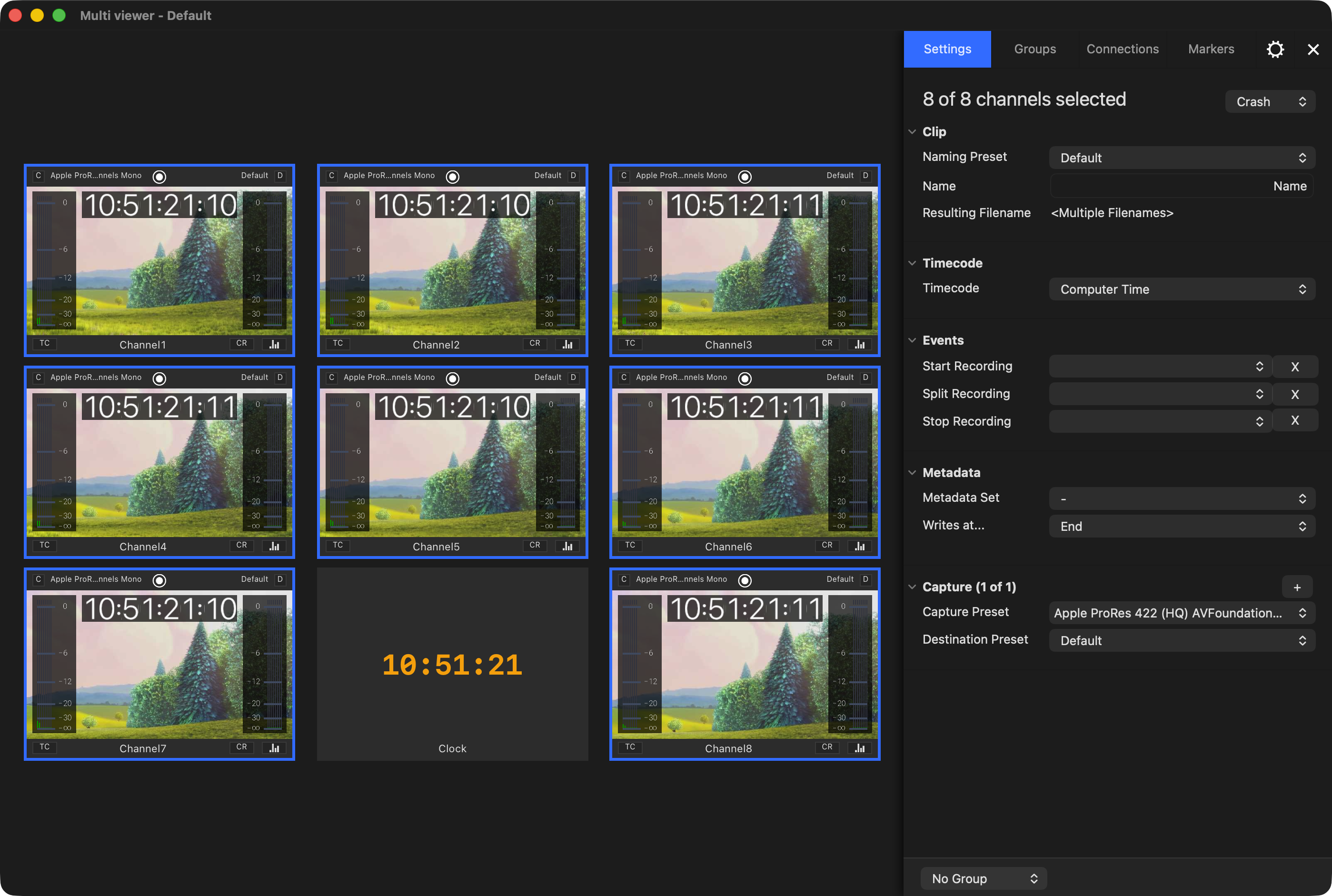
Just Control is the versatile single/multi-channel user interface for both our capture and playout solutions, with built-in video and audio previews and a feature-aware inspector to enable the operator to control all available capture and playout channels from a single user interface.
Just Control
Just Control is the User Interface to control & manage multiple Channels, available from one or multiple Just In Engine (Mac) applications within the network.
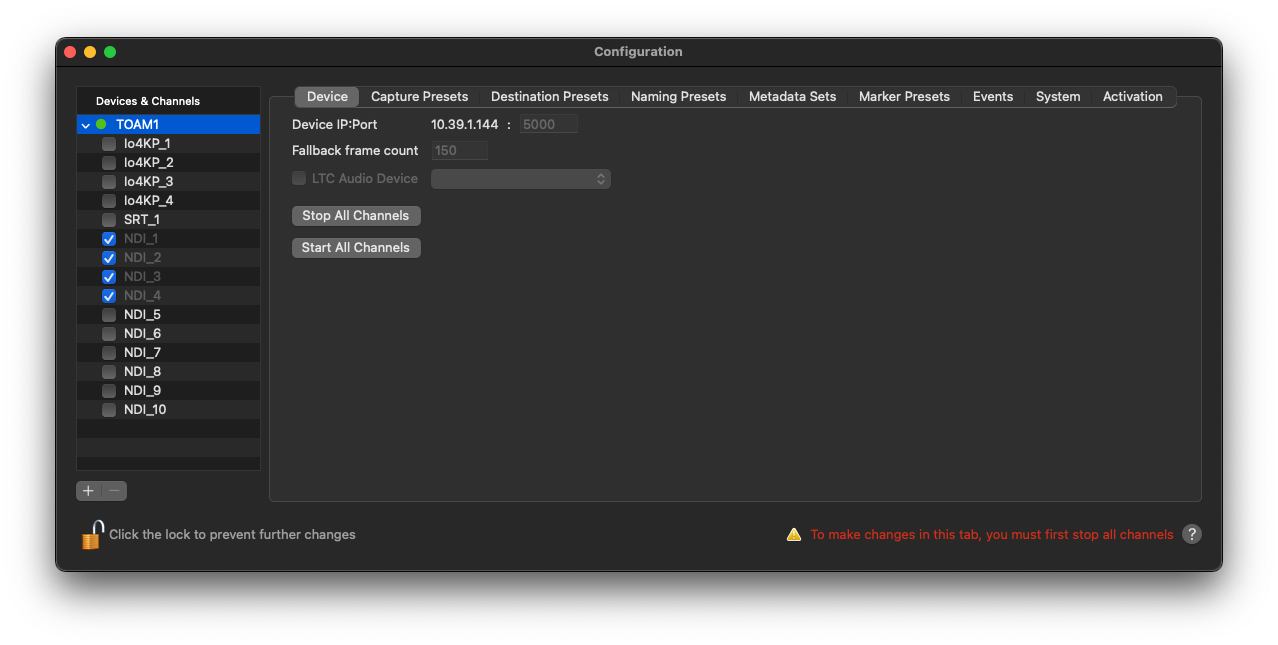
Just Control enables you to you create, modify & manage various device settings, capture & destination presets, metadata sets, marker presets, and event settings in a single Just Control Configuration window.
Just Control provides a Realtime Video, Audio, and Timecode Preview of the Channel and allows selecting Capture- and Destination-Presets for the selected Channel(s).
Just Control is used to execute Recordings, using one of the available Capture Modes.
The application has access (if granted) to the macOS Calendar application and can therefore receive scheduled recording events in Schedule Mode.
Just Control allows to control & manage multiple Channels, available from one or multiple Just In Engine (Mac) applications within the network.
Just Control enables you to you create, modify & manage various device settings, capture & destination presets, metadata sets, marker presets, and event settings in a single Just Control Configuration window.
Just Control provides a Realtime Video, Audio, and Timecode Preview of the Channel and allows selecting Capture- and Destination-Presets for the selected Channel(s).
Just Control is used to execute Recordings, using one of the available Capture Modes.
The application has access (if granted) to the macOS Calendar application and can therefore receive scheduled recording events in Schedule Mode.
Just Control Configuration Window
The built-in Configuration panel lists all connected Just In Engines and available Channels (=Inputs). Within this panel, Engine and Channel settings can be adjusted and all kinds of Presets (Capture, Destination, Naming, Metadata, Events) can be created and modified.