
General
The AJA KUMO Event Device is used to change the source for specific destinations.
Devices
Click on the “Add” button to select the “HTTP (REST, AJA Kumo & KiPro, SendGrid Email)” Device from the “Device & protocol” list, enter the IP address of the AJA KUMO, and press the “Add…” button to create the Device.
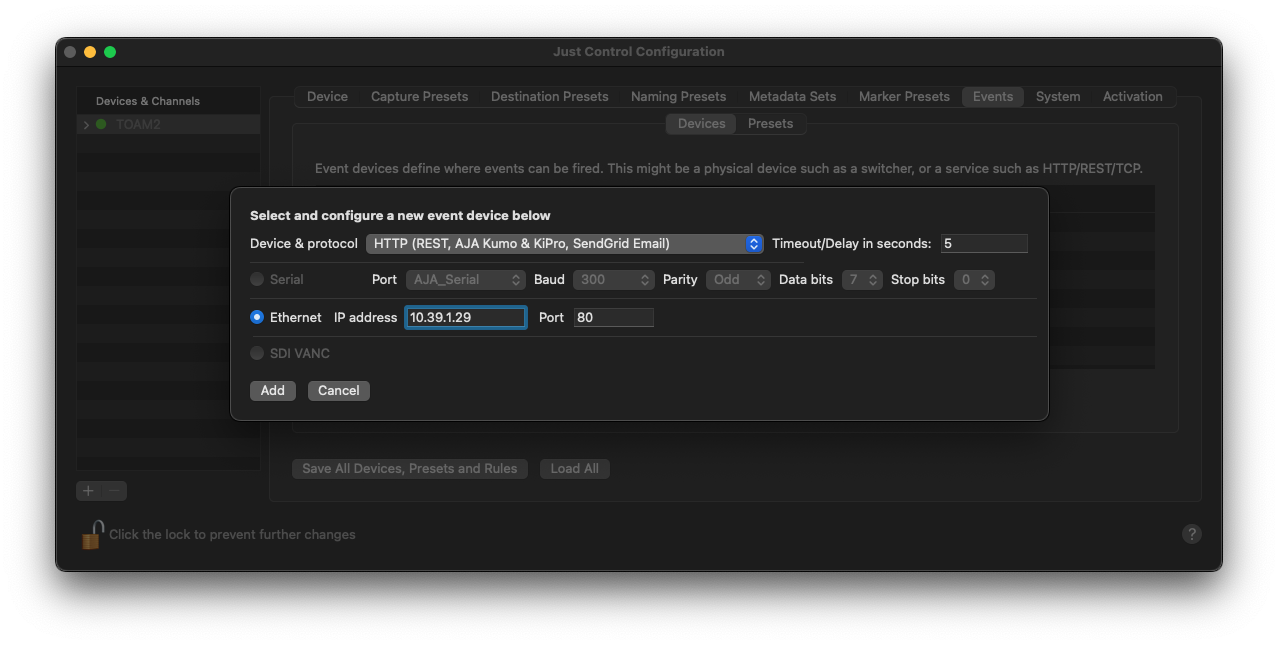
A new window appears, where further configuration is required.
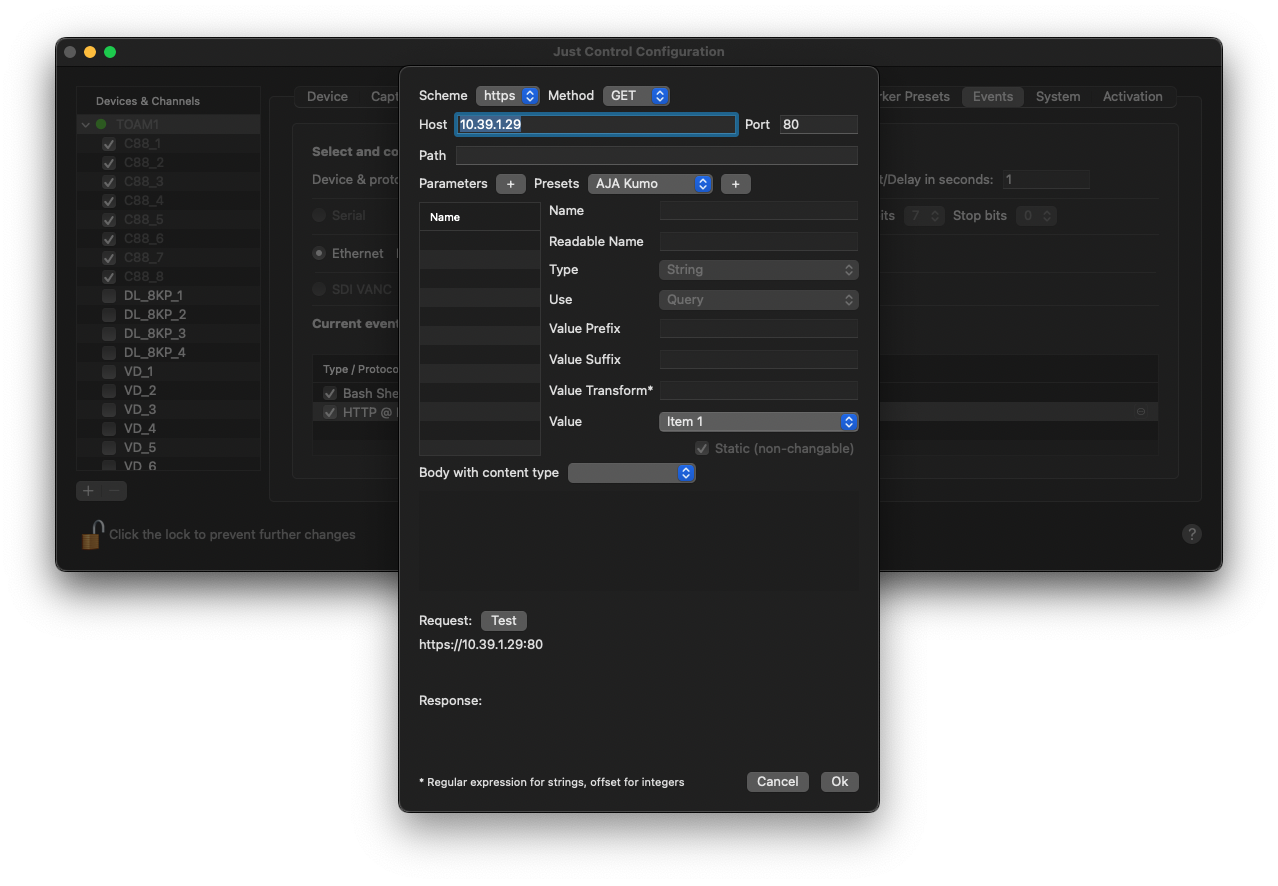
Select the desired AJA KUMO from the Preset list and press the Plus (“+”) button next to it. Use the “Test” button to verify a working IP connection, and click on the “Ok” button to complete the process.
Presets
To create a new Preset, define a name for the Preset, choose the specific Event Device, and use the “Add” button to start configuring your Preset.
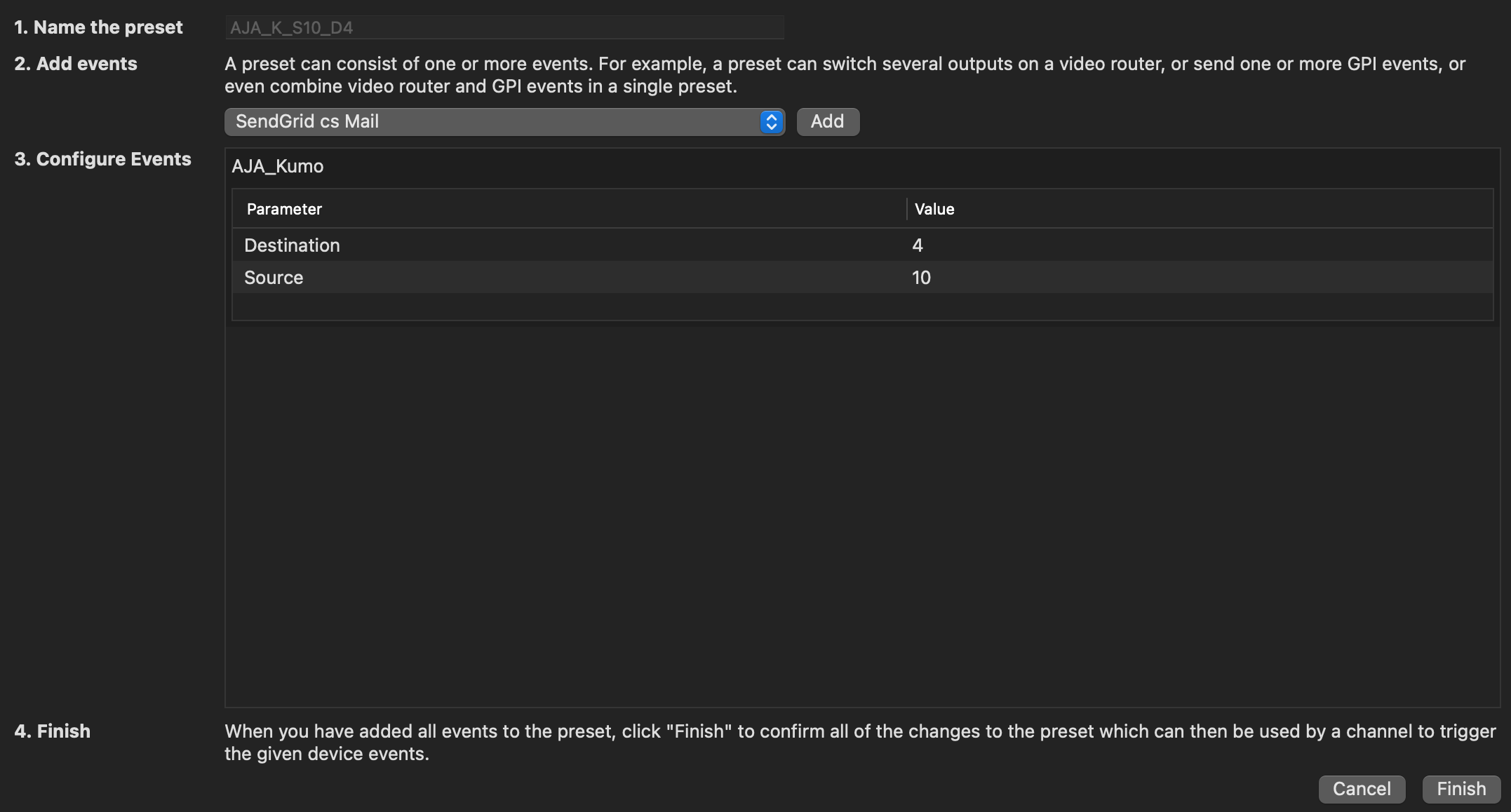
Then define the “Source” and “Destination” values and press “Finish” to complete the task.