
Metadata Overlays can access the following internal metadata values:
Just_In_Aspect_Ratio
Just_In_Audio_Channels
Just_In_Capture_Codec
Just_In_Capture_Duration
Just_In_Capture_Height
Just_In_Capture_Inpoint
Just_In_Capture_Outpoint
Just_In_Capture_Resolution
Just_In_Capture_Width
Just_In_Channel_Name
Just_In_Container
Just_In_Framerate
Just_In_Timecode_Source
and custom values from custom-created metadata presets. Samples can be found below.
Internal Metadata Values
Code Example
Creating an Overlay with the currently set Channel Name.
{
  "components": [
    {
      "insets": {
        "bottom": 0,
        "top": 0,
        "left": 0,
        "right": 0
      },
      "w": 260,
      "h": 50,
      "font": {
        "name": ".SFNS-Regular",
        "size": 40
      },
      "x": 50,
      "outline-width": -1,
      "y": 50,
      "draws-background": true,
      "hidden-when-empty": false,
      "background-colour": {
        "r": 0,
        "b": 0,
        "g": 0,
        "a": 0.5
      },
      "metadata-value": {
        "prefix": "",
        "accepts-number": true,
        "key": "Just_In_Channel_Name",
        "type": "datavalue",
        "accepts-string": true,
        "retain-previous-on-empty": true,
        "minimum-integer-digits": 0,
        "maximum-integer-digits": 42,
        "minimum-fraction-digits": 0,
        "maximum-fraction-digits": 1
      },
      "type": "text",
      "corner-radius": 0,
      "alpha": 1,
      "layer": 1,
      "hidden": false,
      "outline-colour": {
        "r": 0,
        "b": 0,
        "g": 0,
        "a": 1
      },
      "text-colour": {
        "r": 1,
        "b": 1,
        "g": 1,
        "a": 1
      },
      "alignment": 1
    }
  ],
  "async-data-updates": false
}
Result

Download
The example JSON code can be downloaded here.
Custom Metadata Values
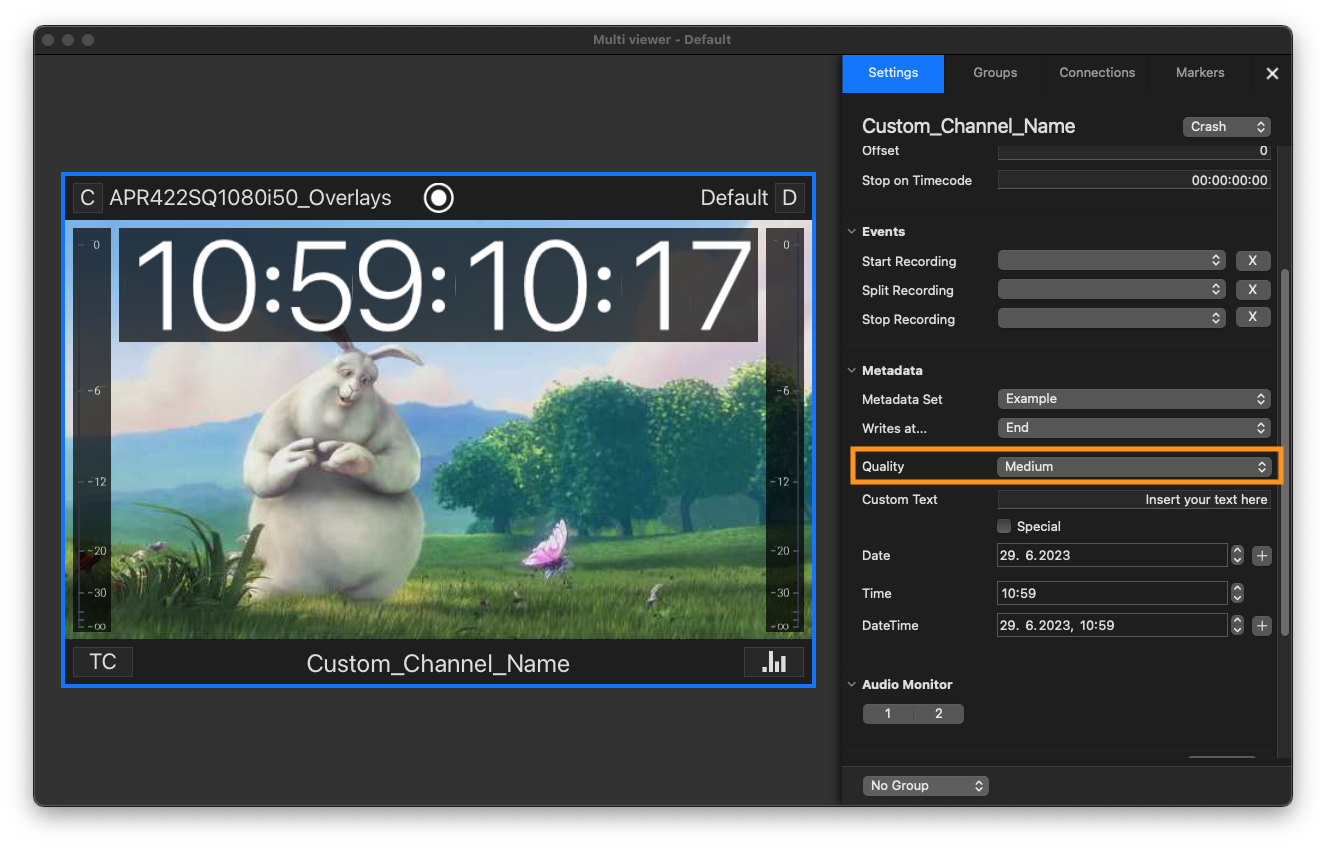
With custom metadata values, Overlays can access metadata fields from within custom-created Metadata Presets. In the example below, the overlay field accesses the “Quality” value of the chosen Metadata Preset.
Code Example
{
  "components": [
    {
      "insets": {
        "bottom": 0,
        "top": 0,
        "left": 0,
        "right": 0
      },
      "w": 175,
      "h": 50,
      "font": {
        "name": ".SFNS-Regular",
        "size": 40
      },
      "x": 50,
      "outline-width": -1,
      "y": 50,
      "draws-background": true,
      "hidden-when-empty": false,
      "background-colour": {
        "r": 0,
        "b": 0,
        "g": 0,
        "a": 0.5
      },
      "metadata-value": {
        "prefix": "",
        "accepts-number": true,
        "key": "quality",
        "type": "datavalue",
        "accepts-string": true,
        "retain-previous-on-empty": true,
        "minimum-integer-digits": 0,
        "maximum-integer-digits": 42,
        "minimum-fraction-digits": 0,
        "maximum-fraction-digits": 1
      },
      "type": "text",
      "corner-radius": 0,
      "alpha": 1,
      "layer": 1,
      "hidden": false,
      "outline-colour": {
        "r": 0,
        "b": 0,
        "g": 0,
        "a": 1
      },
      "text-colour": {
        "r": 1,
        "b": 1,
        "g": 1,
        "a": 1
      },
      "alignment": 1
    }
  ],
  "async-data-updates": false
}
Result

Download
The example JSON code can be downloaded here.