
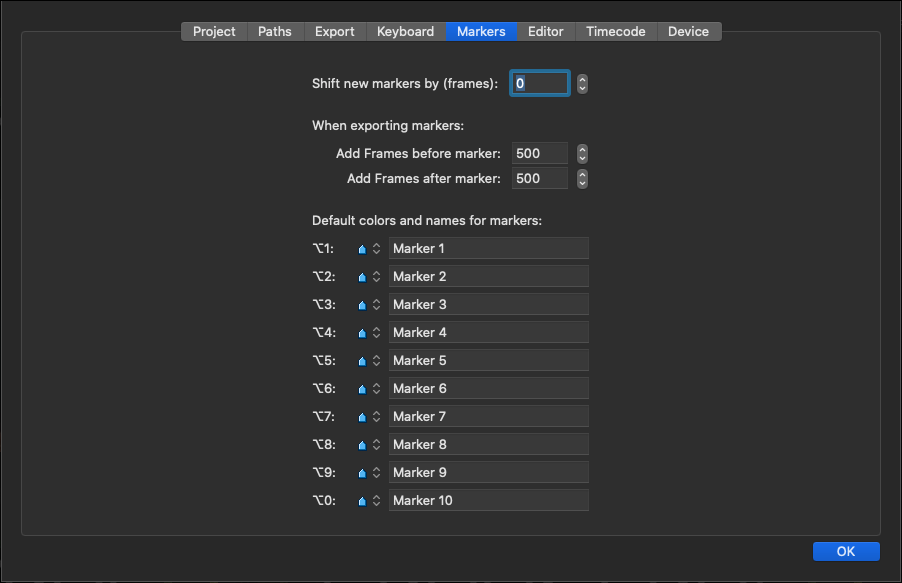
Shift new markers by (frames): when creating new Markers you can use this setting to shift them to be closer to the EDL event you marked.
Add Frames before/after marker: you can export a specific Marker – even while recording – out of your EDL with the number of frames chosen here, resulting in a dedicated timeline in your NLE of choice.
Default colours and names for markers: set up to 10 names and colours for your Markers. These can be modified whenever needed before or after a recording session.
Final Cut Pro 7, Final Cut Pro/DaVinci Resolve (18.6.x, 19.x) and Adobe Premiere Pro support different marker types.