
Support Video Inputs
SDI
HDMI
NDI® High Bandwidth (supports v.6.3.x)
SRT
UDP
ST-2110 (current support for Blackmagic Design DeckLink IP video devices only. Support for AJA KONA IP25 and Blackmagic IP 100G are planned upon availability of related drivers and final validation by TOA).
Support Audio Inputs
SDI
HDMI
NDI® (supports v.6.x)
Analog
AES
External Audio Sources:
USB Audio Devices
Dante Virtual Soundcard (DVS)
Supported Formats
SD PAL
SD NTSC
HD (720 and 1080 up to p60)
UHD (up to p60)
Supported Frame rates
23.976
24
25
29.97
30
50
59.94
60
Please note that the supported Frame rates are Container & Codec specific.
Supported Container & Codecs
The following Video Containers and Codecs are supported by Just In Mac.
If you are relying on a codec/container option, which is currently not supported by Just In Mac Pro 2026, please contact us directly.
MOV (AVFoundation QuickTime)
DV PAL, DVCPRO, DVCPRO 50 (PAL)
DV/DVCPRO, DVCPRO50 (NTSC)
DVCPRO HD
Apple ProRes 422, LT, Proxy, HQ, 4444, 4444 XQ (HDR support for ProRes422 HQ)
H.264
H.265 (HEVC)
XDCAM EX, XDCAM HD, XDCAM HD422
AVC-Intra 50M/100M
XDCAM EX, HD, HD422
Uncompressed (8/10-bit)
MOV (Classic QuickTime)
Apple ProRes 422, LT, Proxy, HQ, 4444, 4444 XQ
MOV (Harmonized QuickTime)
Apple ProRes 422, LT, Proxy, HQ, 4444, 4444 XQ
MXF Op1a
IMX 30/40/50
DV PAL, DVCPRO, DVCPRO 50 (PAL)
DV/DVCPRO, DVCPRO50 (NTSC)
DVCPRO HD
XDCAM EX, XDCAM HD, XDCAM HD 422
AVC-Intra 50M/100M
XAVC-Intra 50M/100M/200M
XAVC Long-Gop 422
Apple ProRes 422, LT, Proxy, HQ, 4444
Avid DNxHD®/DNxHR®
Uncompressed SD/HD in 8-bit
MXF OP Atom
Avid DNxHD®/DNxHR®
XDCAM HD 422
MP4
H.264
H.265
macOS - Codecs Location
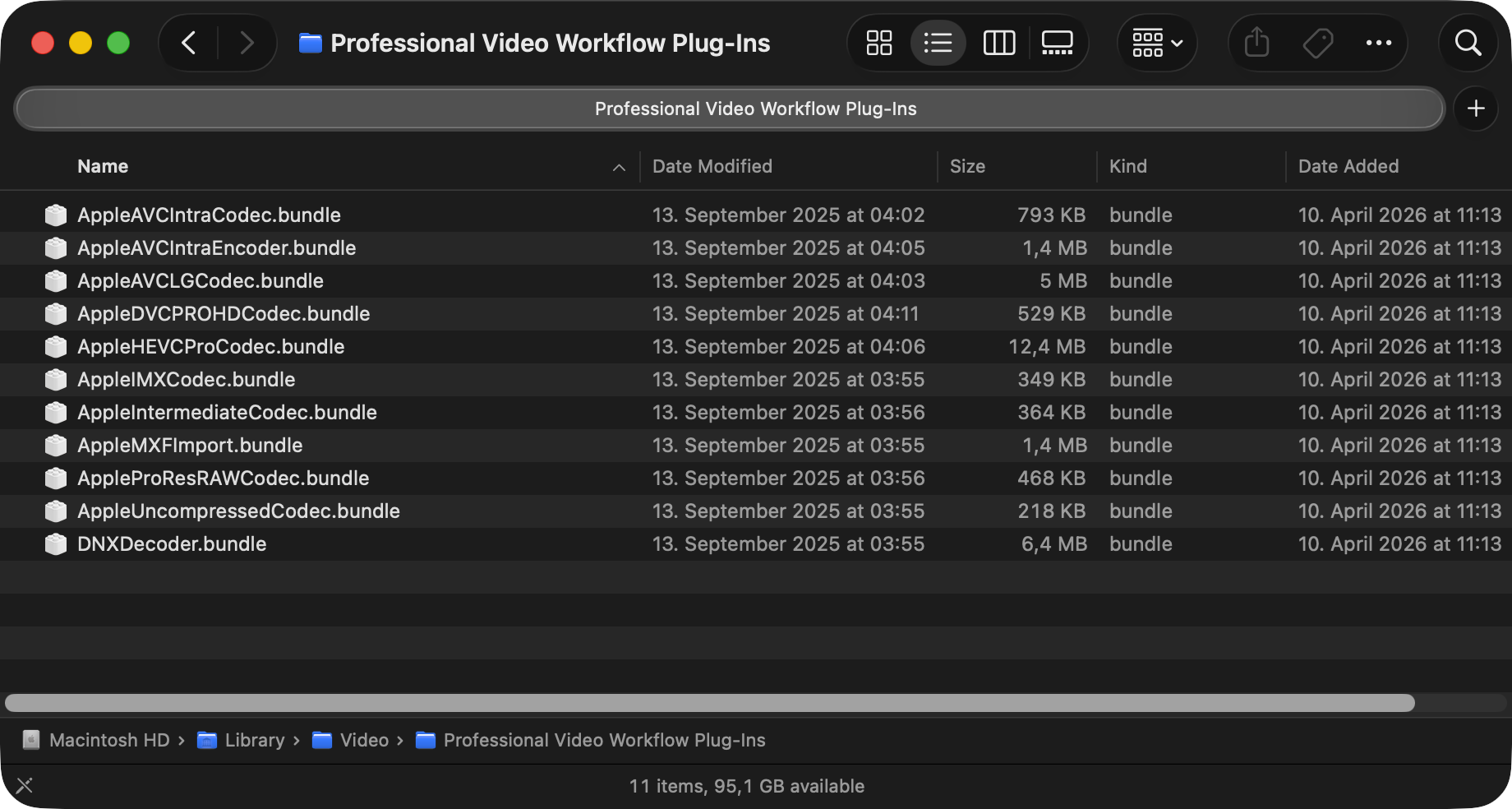
The Apple Pro Video Formats codecs, required for proper broadcast recording, are located in the directory shown below. If you do not see any codecs listed on the Apple machine running the Just In Engine (Mac) application, then this macOS machine has no Apple Pro Video Formats codecs installed:
/Library/Video/Professional\ Video\ Workflow\ Plug-Ins/
Video Codec Acquisition
Due to licensing restrictions, we are not allowed to ship any Apple Pro Video Formats codecs along with our solutions for macOS. But you can download them for free and install the required codecs from the link below:
https://support.apple.com/en-us/106396Hardware-accelerated H.264, HEVC, ProRes recording
Please note that the macOS Media Engine/Hardware Acceleration only works with progressive (pXX) video modes when encoding ProRes formats. When recording in interlaced mode (iXX), Just In Mac Pro 2026 falls back to the available CPU cores for the encoding process.
The macOS Media Engine works best for ProRes (Proxy, LT, SQ and HQ) encoding (Progressive video modes ONLY).