
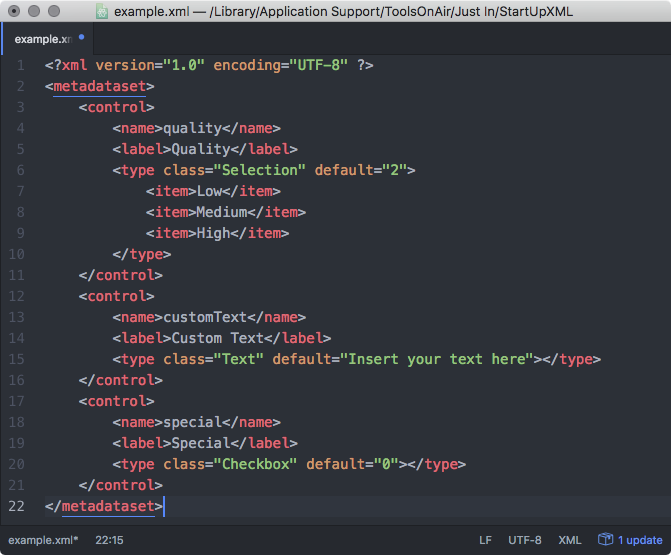
You can use Metadata Values to automatically build the filename of a Recording. You need a XML Metadata Set to continue (as explained above). For this case we will use the example.xml in the folder /Library/Application Support/ToolsOnAir/Just In.
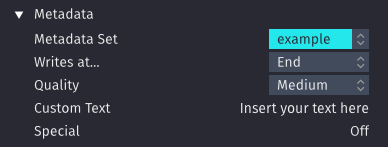
This is how it will be displayed in the Inspector.
Using Metadata Values in Naming Conventions
- You can use each node of a Metadata Set within a Naming Convention. In the previous example this would be "quality", "customText" and "special".
- Open Just In Engine and go to the Names tab.
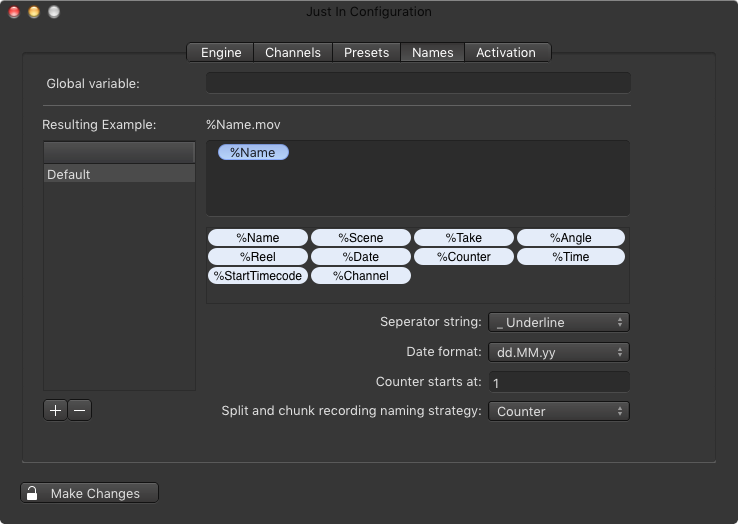
- Add a new Naming Convention and enter a name.
- To add Metadata Values you need to put an exclamation mark in front of the Metadata Values, like shown here:

- Close the Just In Engine Preferences and open Just In
- Select the previously created Naming Convention.

- In this example the <Date> variable would be replaced with the actual date and the other Variables would be taken from the Metadata section.