
Since v4.0, the configuration of Devices (previously known as Engines) and Channels is done within just:control (User Interface) and this process is working the same way for Just In Mac and Just In linux engines/channels.
Basics
The configuration of Just In Mac and Just In linux is done within just:control. All settings and devices are managed here. The only required step on the engine machine(s) is to start the engine application.
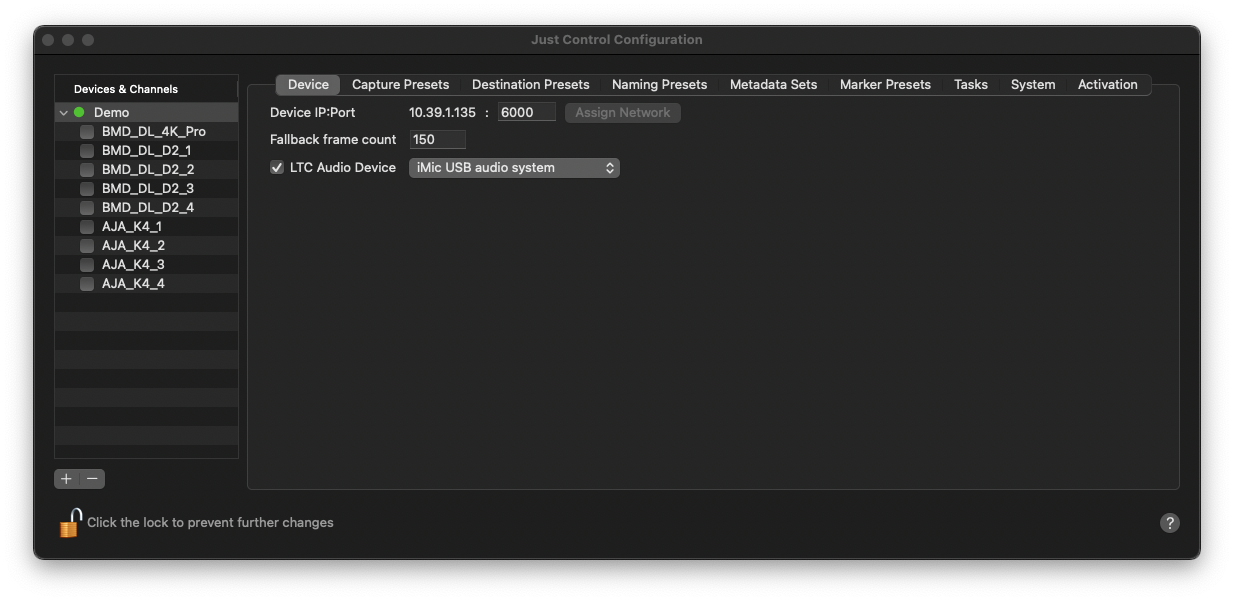
Available Settings in just:control
Here’s a quick overview of the settings contained in the tabs in the Just Control Configuration window. In-depth explanation of these options can be found in the course of this user guide.
Device: Offers device-specific settings, like IP and Port settings, fallback frame count setting (Just In Mac only) and LTC over Audio device setting (this feature was introduced in Just In Mac v.5.1).
Capture Presets: Define Codec/container settings and other Capture Preset related options like Audio Mapping, Burnt-In Timecode option or Image/Logo Overlay.
Destination Presets: Set your recording destinations here.
Naming Presets: Configure the naming of recorded files.
Metadata Sets: Flexible templates for metadata elements.
Marker Presets: Define custom Markers for use in Adobe Premiere Pro.
Tasks: Pre- and/or Post-recording Tasks, which get executed at every start and/or stop recording process.
System: System-specific settings.
Activation: Activate your Just In copy here. You’ll need a valid license to do that.