
Before proceeding, you must stop the Channel by deactivating the checkbox. Stopping the channel will also stop the engine.
Stop the Channel by unchecking the checkbox in front of it. Stopping a Channel will also stop the playout engine and therefore the final output.
Select the Channel in the “Devices & Channels” list.
Click on the “Format” tab.
Configure the options according to your needs. The options are explained below.
Activate the checkbox in front of the Channel to start it again and to take over the changes you just made.
Advanced Format Settings
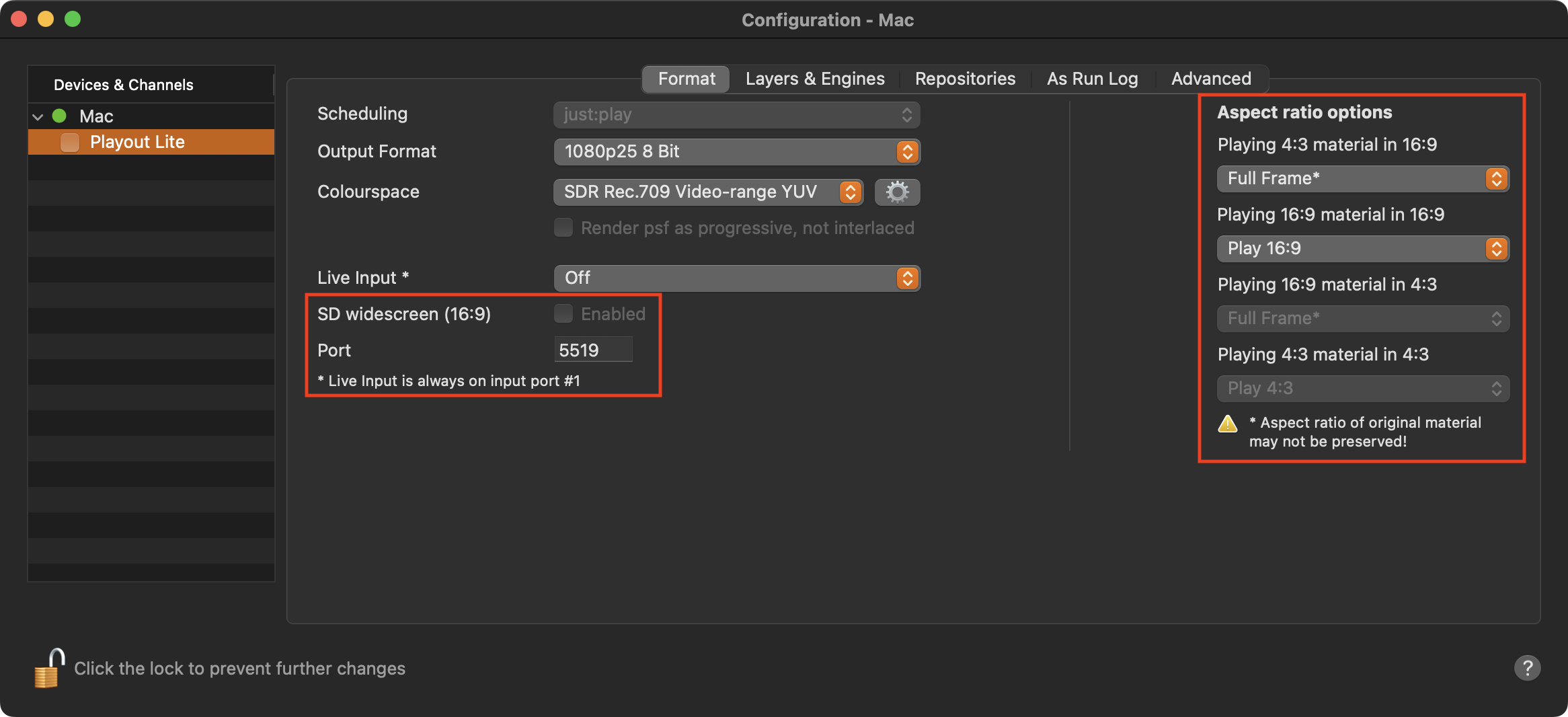
SD widescreen (16:9): Plays out SD Channels in the SD Wide Screen format.
Port: The port which is used by this particular Channel. A port is a unique identifier for a network service which runs on a computer. By default, the Channel uses Port 5519.
Each Channel must be assigned to a different port number. Using the same Port on the same machine will result in an error.
If you are not sure if a Port is used on your network, please consult your network administrator.
Aspect Ratio Options: Define how differences in the aspect ratio should be handled. This preset can be overwritten for each Video in the Inspector of the Just Play Lite user interface. You can also change the aspect ratio of Videos that match the aspect ratio of your channel, but may have been saved in the wrong aspect ratio. Refer to Chapter Aspect Ratio Control for more information.