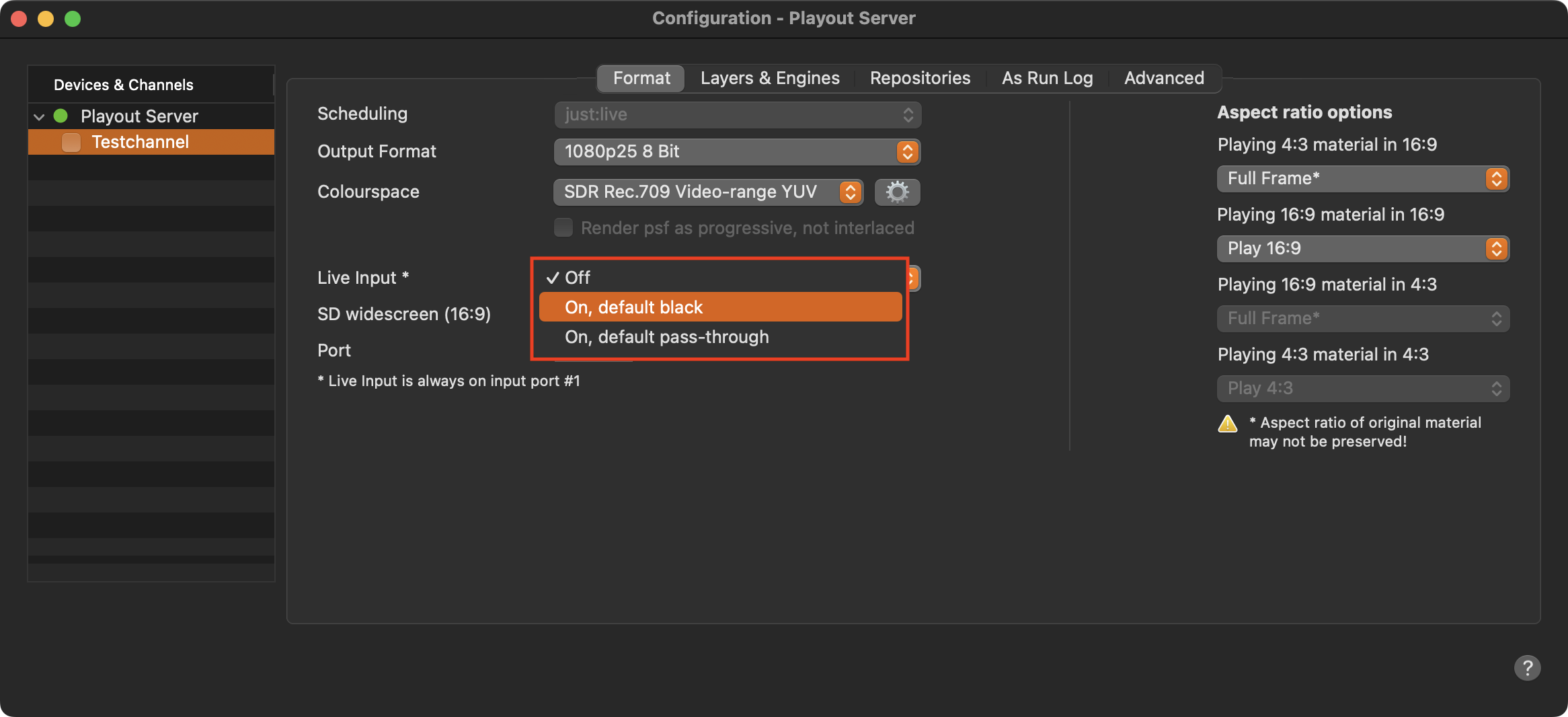
Using the built-in method allows you to switch between a Live Input Signal and the playout of a video file , independent of the selected Output Device. In case no Playlist (also not an empty one) is playing, a default output can be defined.
AJA and Blackmagic Design only: Using this built-in method means that the video card synchronizes to the incoming video signal, so make sure that there is always an incoming video signal and that it is stable. To stabilize the signal in advance (i.e., before it is sent to the video card input) you must use a frame synchronizer which supports the playout format of your channel. Suited frame synchronizers can be found on the AJA Website or you can also use a Blackmagic Design ATEM switcher. If VANC data pass-through is required, an AJA FSx device (except for the mini), or any other frame store which allows passing through VANC data, has to be used. Please contact the manufacturer of all 3rd party video devices which are used with your setup to make sure, that they can handle the VANC data as needed.
Configuration
Make sure the defined Live Input signal is available (and connected - SDI only).
Press “Command-Option-,” in the Just Live Lite application, to open the Configuration window and select one of the available “Live Input - On” methods.
Default black: Black will be played out in case no video is currently playing.
Default pass-through: The connected signal will be played out in case no video is currently playing.