
Before proceeding, you must stop the Channel by deactivating the checkbox. Stopping the channel will also stop the engine output.
The Advanced tab includes all additional and advanced settings that are available for a playout Channel.
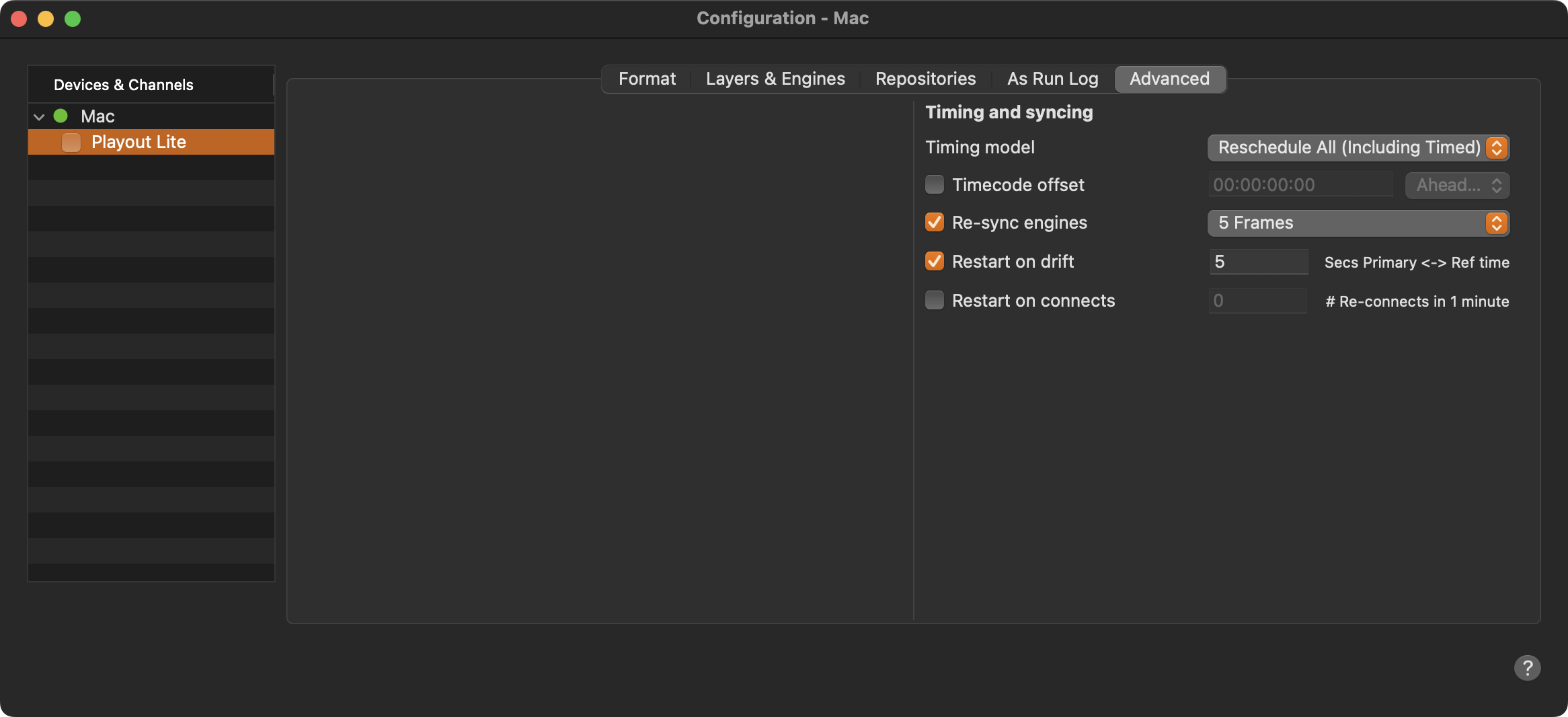
Timing and Syncing
Timing Model: This option allows you to define how the rundown is handled after pressing the Jump to Next button while a Live Event with overtime is on air.
Reschedule All: Moves all items for the skipped/extended time, including timed Playlists.
Join In Progress: Keeps the remaining rundown unchanged by jumping into the rundown.
Timecode Offset: This option allows you to define an offset that will be applied to the reference time. This allows you to change the time used internally in case the broadcast should happen earlier or later than the current time. The change will also be reflected in the interfaces.
Re-sync Engines: The time the Just Play Lite application starts, its built-in engine grabs the current time from the NTP of the local Mac. From that on it syncs to the clock of the output device. Because the clock of the Video device usually drifts over time from the reference time, they must be resynced at regular intervals. Using the Just Play Lite application, we allow a resync at the end of each Playlist. Here you can define if this should be possible at all and how many frames should be resynced as a maximum. We restrict this to a maximum of 5 frames to avoid unforeseeable behaviors in case the reference time is lost or drifts for several minutes or even hours.
Restart on Drift: This option lets you define a maximum offset of the Master ↔ Reference time. Once this offset has been reached, the Just Play Lite application will be restarted automatically. Such a drift can come from an unstable Live Input signal, the natural drift of the Channels timecode compared to the real time but also every time the time is changed for one hour because DST is (de)activated. We recommend activating this function and to set it to 5 seconds.
Restart on Connects: This lets you define the number of times the Just Play Lite engine reconnects to the Just Play Lite user interface within one minute, before Just Play Lite engine is restarted automatically. Such a reconnect can happen in case the Video device used for playout is in trouble, or a network issue has occurred. We recommend deactivating this function for the Just Play Lite application.