
Before proceeding, you must stop the Channel by deactivating the checkbox. Stopping the channel will also stop the engine.
A Channel uses a certain Colourspace which is used by the engine to "render" the final output.
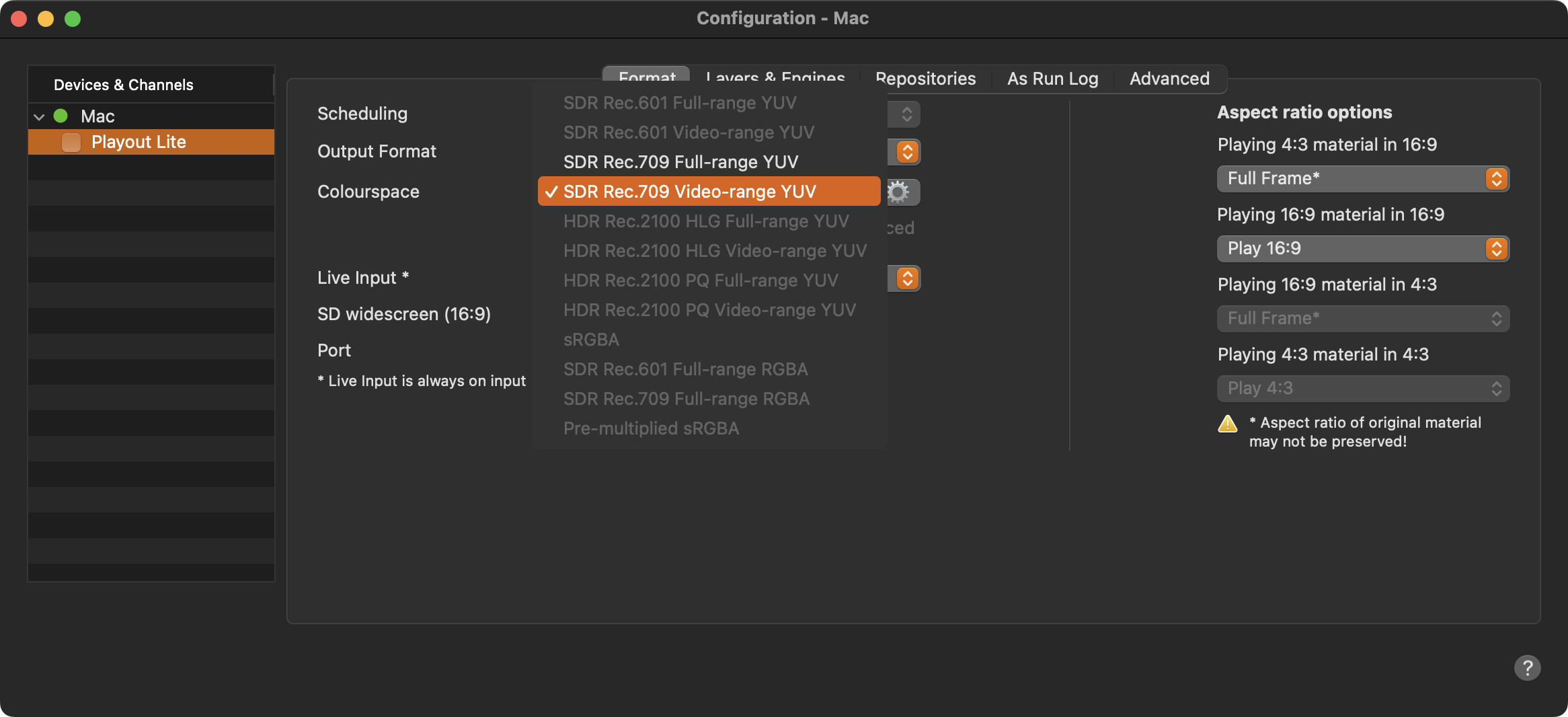
Stop the Channel by unchecking the checkbox in front of it. Stopping the Channel will also stop the playout engine and therefore the final output.
Select the Channel in the “Devices & Channels” list.
Click on the “Format” tab.
Select the desired output format in the “Output Format” drop-down menu.
Select Rec.601 for standard video playout
Select Rec.709 for HD or UHD playout
Select Rec.2100 for UHD playout in HDR/HLG or HDR/PQ
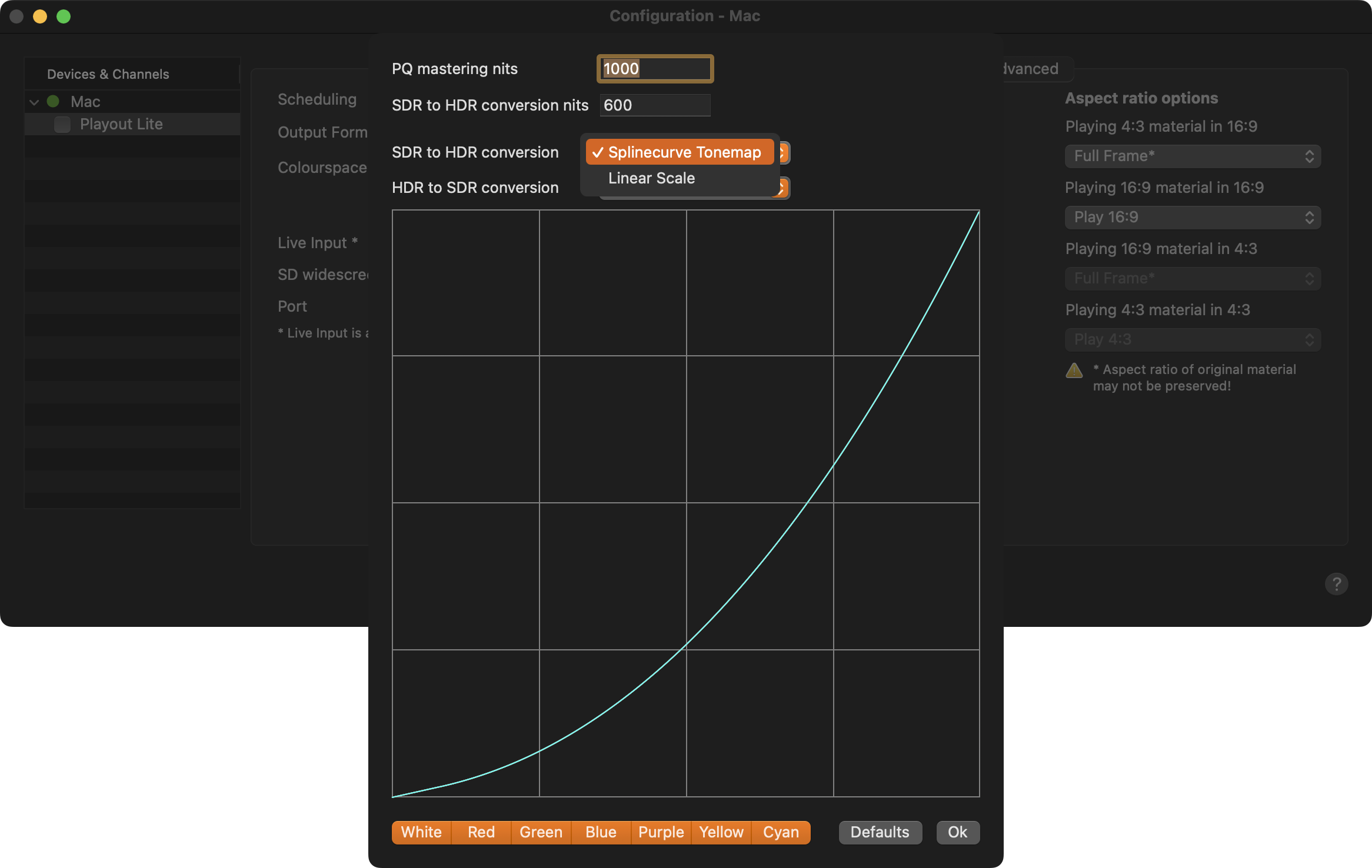
Using a HDR color space, click the Gear for more settings to change the PQ mastering nits and to adjust the nits used for SDR to HDR conversion. In addition, you can define if a Spline curve or Linear Scale is used for HDR to SDR conversion.
Activate the checkbox in front of the Channel to start it again and to take over the changes you just made.
There are several ways to convert SDR movies to HDR and vice versa, so you have to test the settings described above with your movies to find out which one works best for you. SDR conversions to/from Rec.601, Rec.709 and Rec.2020/Rec.2100 are lossless and do not require additional testing.