
Table of Contents
After installing the video device-related drivers from AJA (17.x) or Blackmagic Design (v16.x), there is nothing particular you have to configure in the AJA Control Panel or Desktop Video Setup application from Blackmagic Design. Everything is defined using the Configuration window.
Nevertheless, the two applications from AJA and Blackmagic Design can be used to verify that Just Play Lite engine is properly working with the hardware. To do so, start the AJA/Blackmagic Design software first, followed by the Just Play Lite application. Starting the AJA Control Room application when the Just Play Lite application is running might harm the video output.
Once the Just Play Lite application has been started, never change any AV related setting on the Mac. Changing any Video device related setting during playout can harm the final output and potentially impact the overall performance of the Just Play Lite engine.
AJA Devices
The AJA Control Panel may look differently and may offer variations in functionality depending on the driver version, the installed firmware and the hardware you are using. Always use the latest driver release.
Standard Settings
Open the AJA Control Panel to define, how your AJA Video Device acts in case our application is not accessing it.
While Playout
If needed, make sure to start the AJA Control Panel BEFORE you start the Just Play Lite application. Starting the AJA Control Panel while Just Play Lite is running might harm the final output.
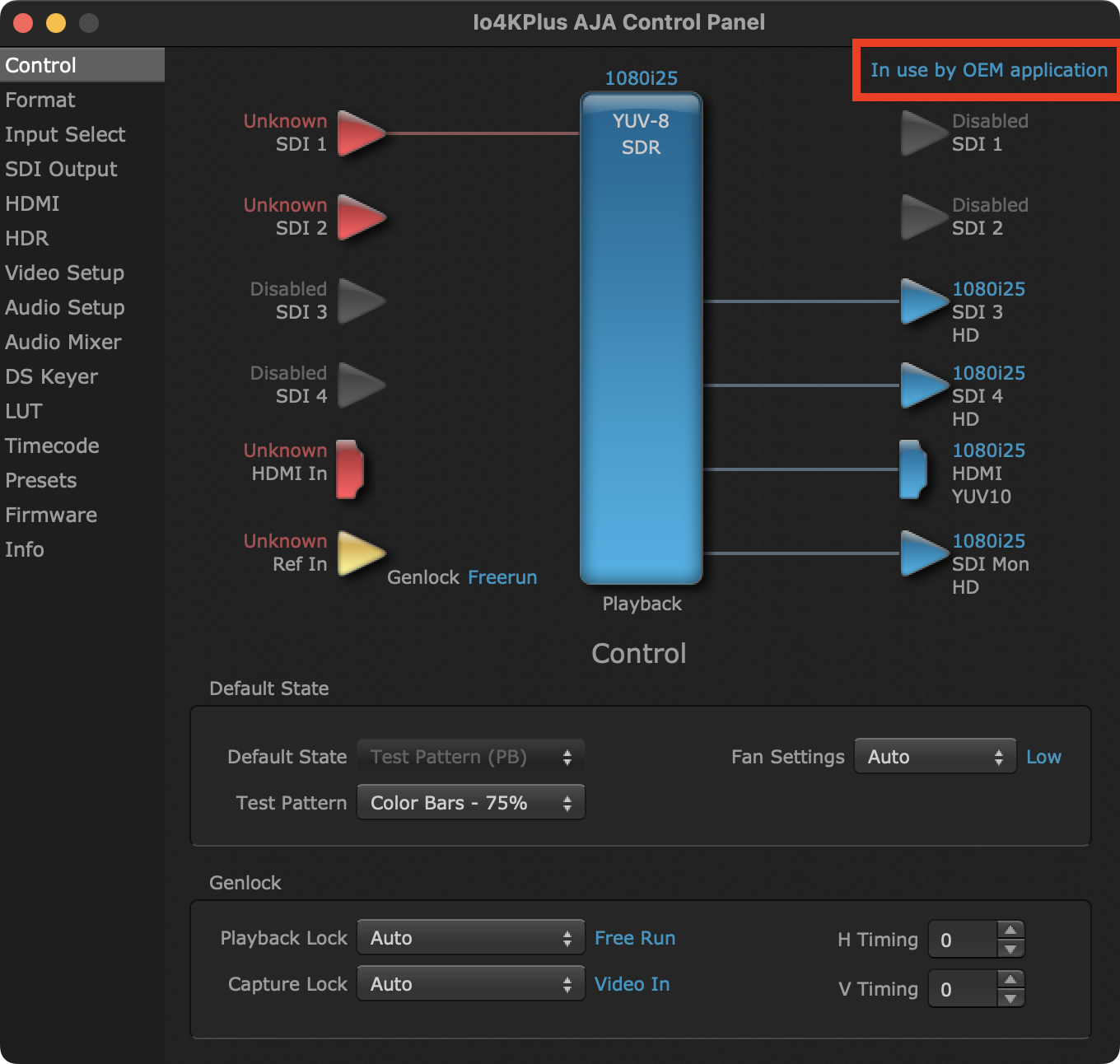
Once the Just Play Lite application is using the AJA hardware for playout, you can see the notification "In use by …" in the upper-right corner of the AJA Control Panel. The whole application reflects the settings defined in the Control Configuration window, but it is not possible to change any settings.
Blackmagic Design Devices
Standard Settings
Open the Blackmagic Desktop Video Setup to define, how your Blackmagic Video Device acts in case the Just Play Lite application is not accessing it.
During the Playout
Once the Just Play Lite application is using the Blackmagic Design hardware for playout, it reflects the settings defined in the Configuration window, and it is not possible to change any setting here.
Video Device Independent Graphics File Handling
The Just Play Lite application can handle graphic elements without using the downstream keyer of the video device. There is no need to configure any hardware to make the real-time graphics processing work. In addition, graphics can be added to the output, and it does not matter if a video is playing or a live signal is passed through. Such a configuration can be run on a single machine.