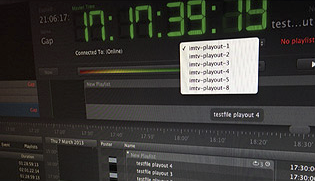
| - The Just Play graphical user interface (also called "Just Play UI") represents a simple way to build a rundown with movies, placeholders, gap fillers, live events, real time- or prerendered graphic events (such as inserts, tickers or information templates) and router/GPI events – directly connected to the active engine. Just Play integrates video playout with static or dynamic real time graphics combined with on- or offline scheduling.
- The Just Play UI connects directly to a channel (which has been configured by your system administrator in just:connect before), allowing direct and last minute changes. At any time of the scheduling process the user can control planning.
- Just Play is the part of software where a user can create, edit, structure and import playlists. A playlist – which contains video clips, graphic items and events – can be planned and executed weeks in advance which allows a completely unattended remote operation. An unlimited number of Just Play UIs can connect to the same channel for concurrent schedule manipulation on a first come first serve base. The users are only limited by the user rights defined for each user in just:connect.
|