Just Live & Just Play v1.8 · v.1.8 legacy documentation

9. FX Layer Control Interfaces

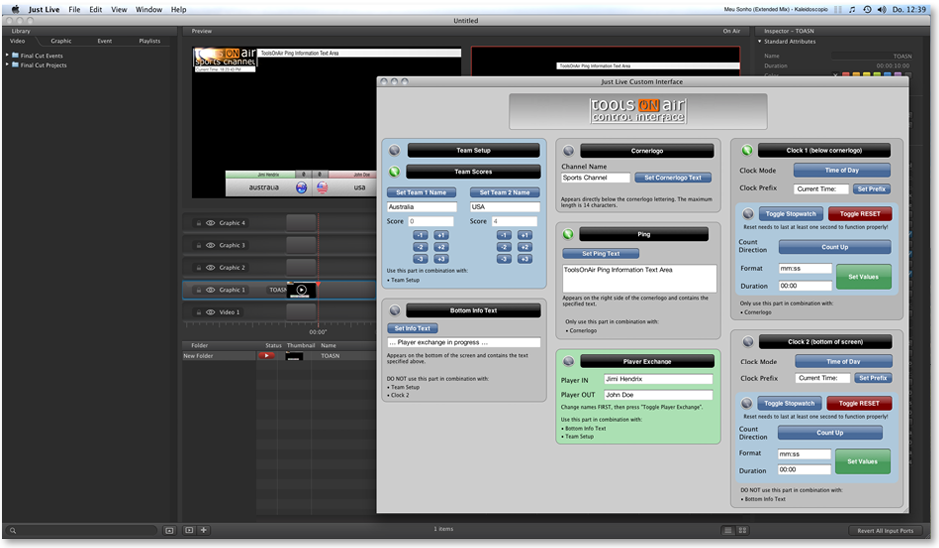
In Just Live and Just Play it is possible to use custom FX layer control interfaces. Instead of using the Inspector to change parameters of a real time graphic (Composition Builder or QTZ file), a dedicated user interface is used to control

In Just Live and Just Play it is possible to use custom FX layer control interfaces. Instead of using the Inspector to change parameters of a real time graphic (Composition Builder or QTZ file), a dedicated user interface is used to control the graphic.

9. FX Layer Control Interfaces screenshot

Features:

  • Creation of control interfaces for sports, news and other purposes
  • Control interface can be used directly in Just Live/Just Play (as a floating window) or in a web browser
  • Access via network port 5000 possible, just enter the IP address of the host machine which runs the gfx and append ":5000" to the adress
  • Usage in mobile devices like tablets, fablets and smartphones
  • Platform-independent, i.e. can be used with any HTML-conform web browser
  • HTML based, custom UI can be created in any raw text- or web-editor
  • JavaScript, CSS, XML, CGI and PHP can be incorporated to create dynamic interfaces (local webserver may be required)

→ Contact ToolsOnAir for more information.

Communication of custom control interfaces can only happen unidirectional, that means that the UI can send values to a real time graphic, but it cannot "receive" anything from the playout system.