
By default, all interface clients can connect to a channel based on the user name and the user rights they type in during login. But it is possible to limit the interfaces which can connect to a channel. This is useful in situations where only certain machines should get access to a channel.
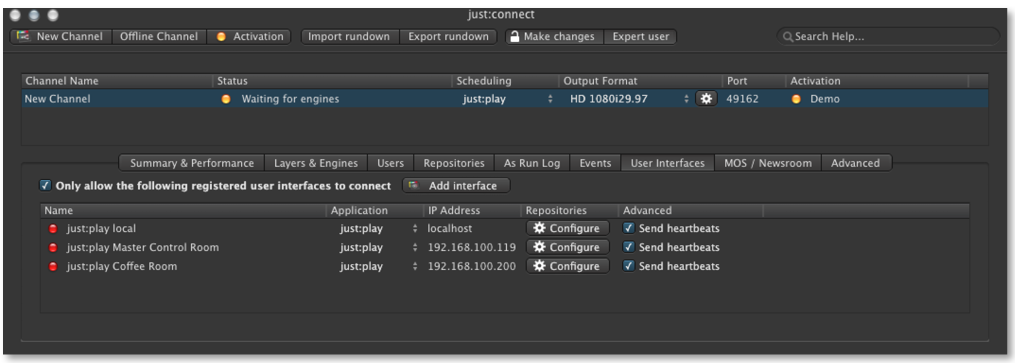
To define the interfaces which can access certain channels, select the channel first and then activate the "User Interface" tab. Activate the "Only allow the following user interfaces to connect" checkbox and click on "Add Just Play" or "Add Just Live" to add a new interface client. Define a name and the application the interface can access. Type in the IP address the interface client is running onto and click on the "Configure" button to define the video, graphics and playlist repositories the interfaces should use.