
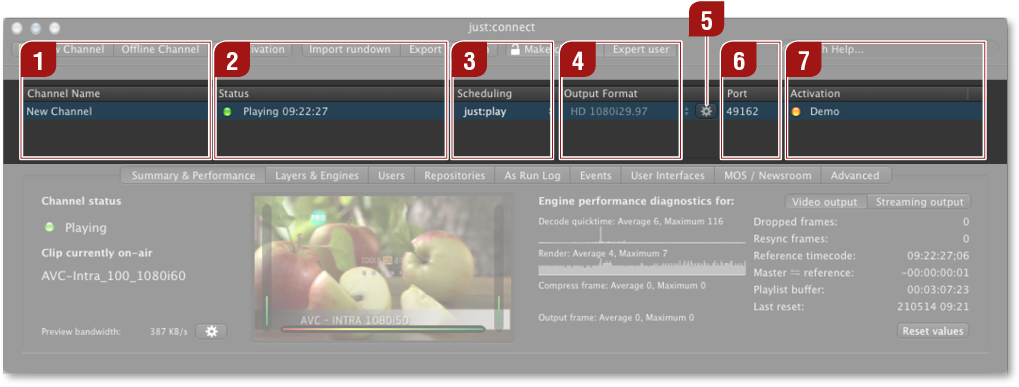
Channel Name: Shows the names of the channels and allows you to change the names.
Status: A green light shows that the channel has an engine assigned to it and that the connection could be established. A yellow light means that there is no connection to the assigned engine. A gray light means that there is no engine assigned to the channel ("Offline Channel"). On the right side of the light there is also a plain text informing about the status of a channel
Scheduling: Shows the interface which can connect to the channel.
Output Format: Shows the output format of the channel and allows you to change the output format.
Advanced Options: Click on the sprocket to show advanced channel options.
Port: Shows the port which is used by the channel and also allows you to change the port.
Activation: Shows the status of the activation for this channel. An orange light means not activated or temporary license (with the expiration date). A green light means activated.