
The Channel Wizard is part of the Installation process, which is described in detail here: Getting Started
Creating a New Channel
When starting Just Live Lite NDI for the first time (or after uninstall), you can use the Channel Wizard to create a Channel.
Start Just Live Lite NDI to automatically display the Playout Channel Wizard.
The Channel Wizard
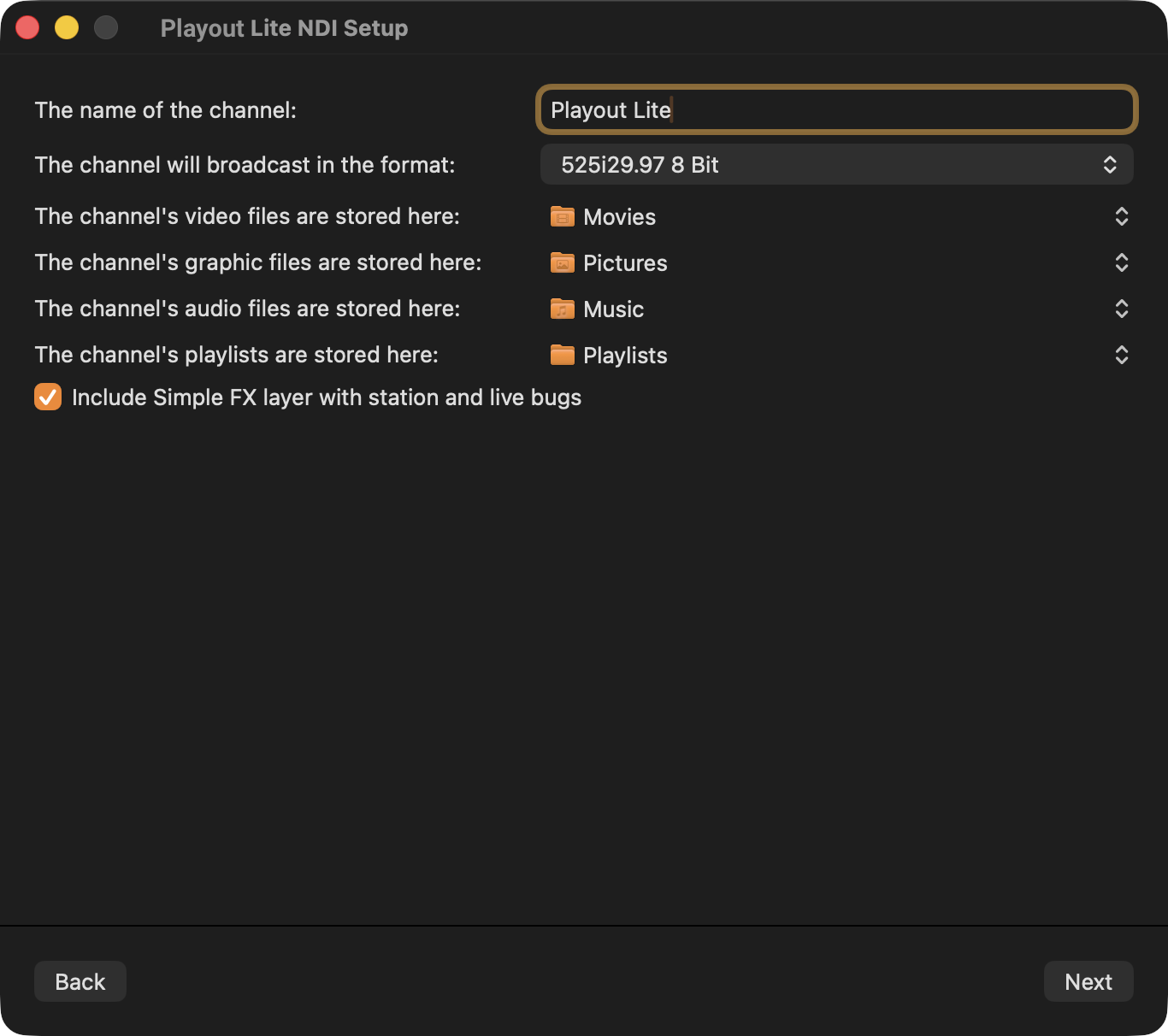
|
|
Final Steps
The Just Live Lite NDI user interface will open.
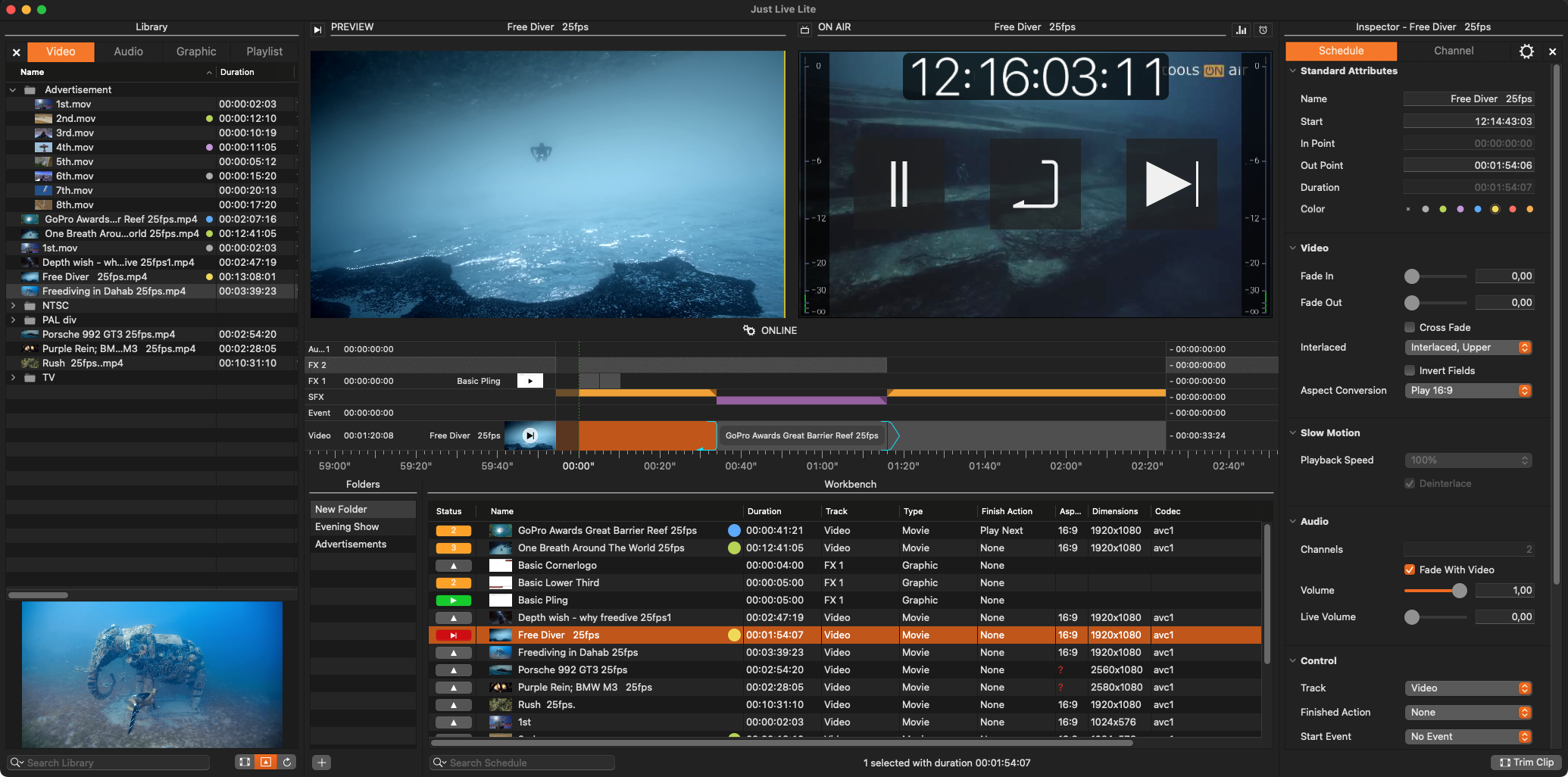
Using the Channel Wizard the new Channel will have one Video Layer, one Audio Layer, one FX Layer and if activated, one Simple FX layer – independent of the purchased license.