Besides playing Videos and Graphics, our playout solutions also allow you to manage live input signals such as live studio signals or satellite feeds, and send them out as NDI® stream.
We support switch to live in SD, HD and UHD, where the incoming signal must match the output format, defined for the channel.
With Switch to Live activated, the Live Input signal is grabbed and send to the playout engine. This process adds a small delay to the Live Input signal.
Works in SD, HD and UHD.
The incoming signal must match the output format defined for the channel.
The Live Input NDI® stream can be selected in the Channel tab of the Just Live Lite NDI interface.
Live Input signal can be seen in the On Air view of the Just Live Lite NDI user interface.
In case no video is currently playing, the live signal can be defined to be on air by default.
Configuration
Make sure a compatible NDI® signal is available in your network.
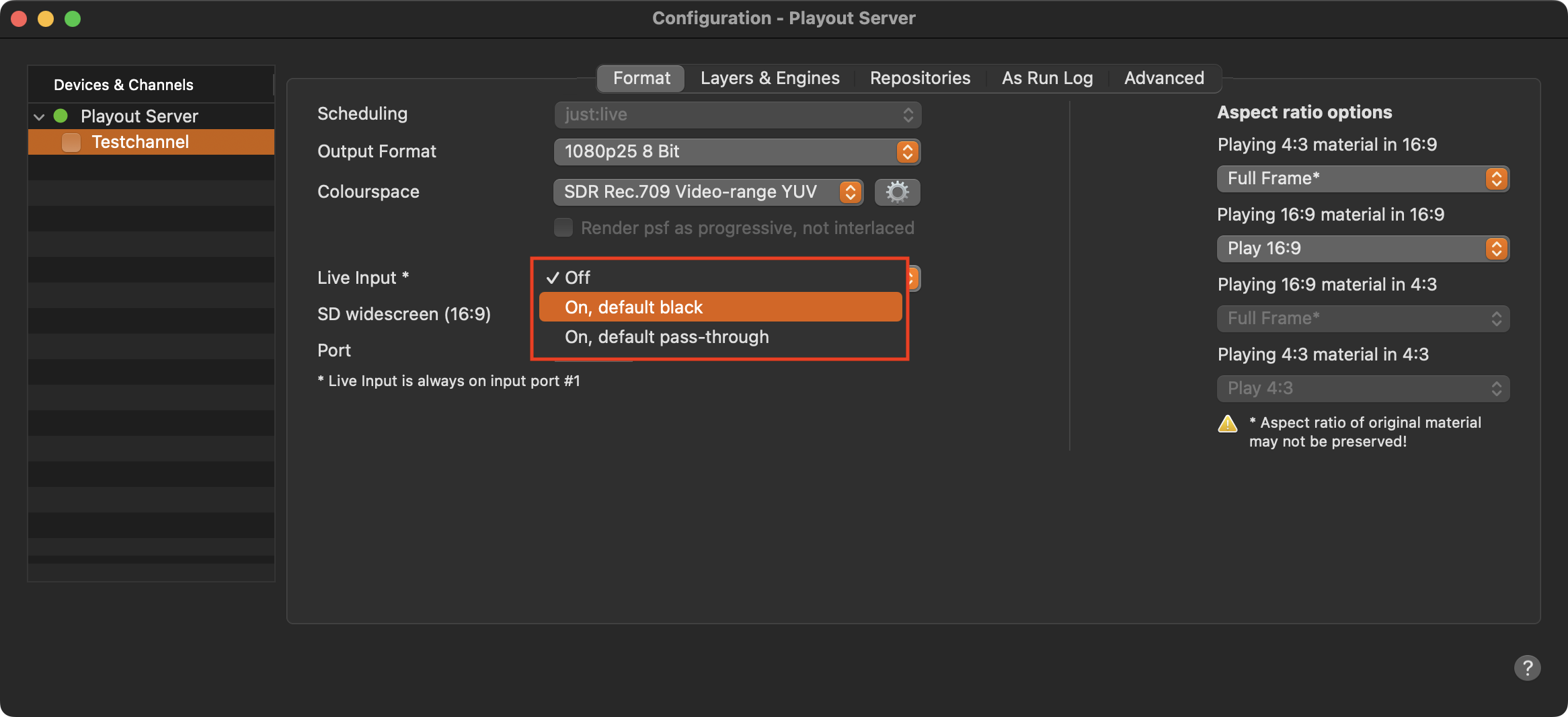
Press “Command-Option-,” or click on the Gear icon in Just Live Lite NDI, to open the Configuration window.
Select one of the available “Live Input - On” methods to show the live NDI® stream whenever a Live Event is on air.
Default black (like selecting Off): Black will be played out in case no video is currently playing.
Default pass-through: The selected NDI stream will be played out in case no video is currently playing.