
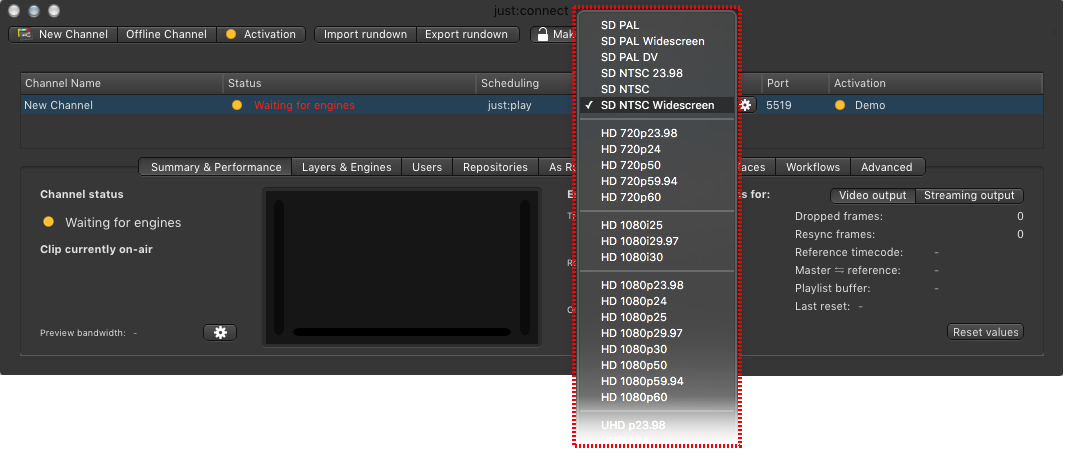
Each channel has a certain output format (frame size and frame rate) in which the engines connected to this channel are "rendering" the final output.
- Quit all interfaces and all engines which are connected to the channel, before changing the output format.
- Click on the format shown in the Output Format column.
- In the drop-down menu select the format you would like to use from now on.
- The engines and user interfaces can be started after that.
All playlists scheduled in the calendar view will be deleted, when choosing a new output format which does not match the frame rate of the original setting. This can not be undone.