Just Live & Just Play v2.0 · v.2.0 legacy documentation

6.18 Removing Elements From The Timeline/Workbench (v2.0)

It is possible to remove elements which are not needed any more from the timeline as well as from the workbench.

It is possible to remove elements which are not needed any more from the timeline as well as from the workbench.

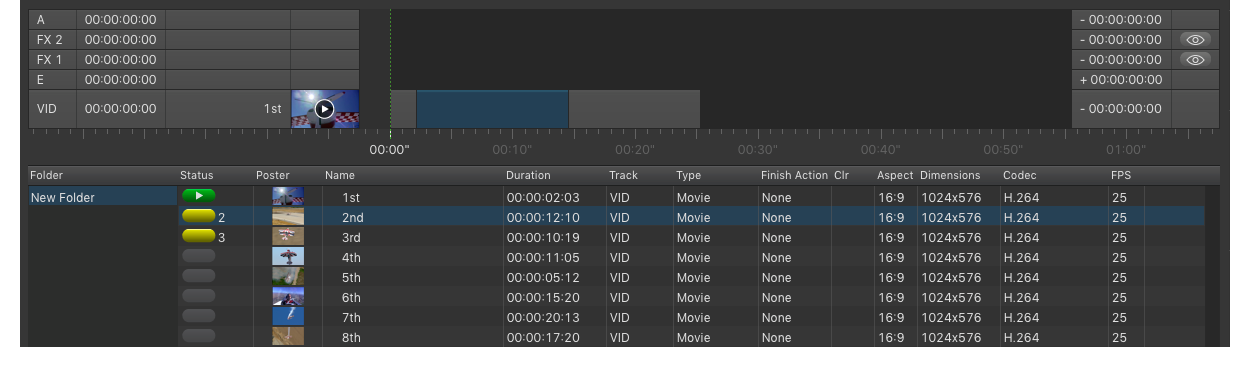
6.18 Removing Elements From The Timeline/Workbench (v2.0) screenshot 1

To remove an element:

  1. highlight the element(s) you want to remove in the timeline or workbench using your mouse and/or keyboard.
  2. press the backspace key on your keyboard to remove the selected element(s).

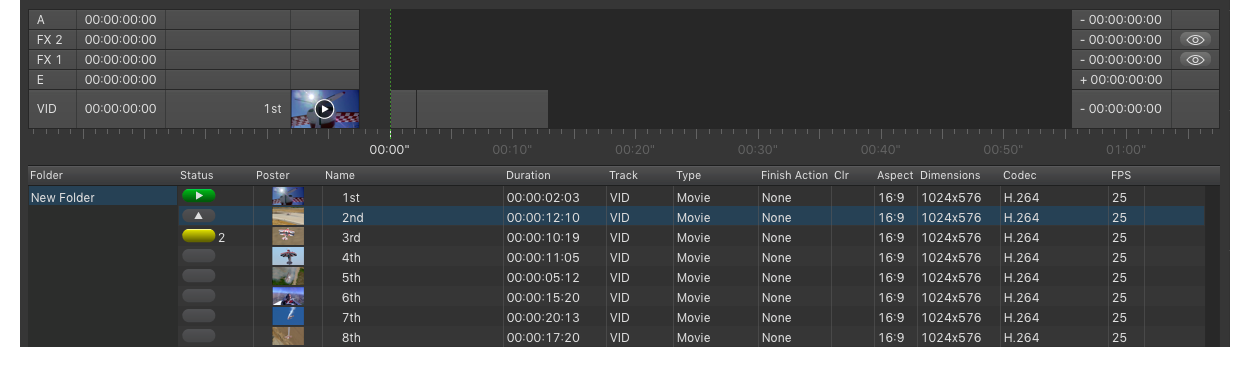
6.18 Removing Elements From The Timeline/Workbench (v2.0) screenshot 2

If the selected element is:

  • already loaded onto the timeline, it will be removed from the timeline
  • not loaded on the timeline, it will be removed from the workbench.

Press the backspace key two times to remove an element from the timeline and the workbench, if it is already loaded on the timeline.