Just Live & Just Play v2.0 · v.2.0 legacy documentation

7.1 Using The Keyboard To Control Just Live v2.0

It is possible to use the keyboard to control Just Live using the "function keys" found at the top of most keyboards. However, in order to do so you must first disable any of the standard system keyboard shortcuts that use these function ke

7.1 Using The Keyboard To Control Just Live v2.0 screenshot 1

It is possible to use the keyboard to control Just Live using the "function keys" found at the top of most keyboards. However, in order to do so you must first disable any of the standard system keyboard shortcuts that use these function keys.


7.1 Using The Keyboard To Control Just Live v2.0 screenshot 2

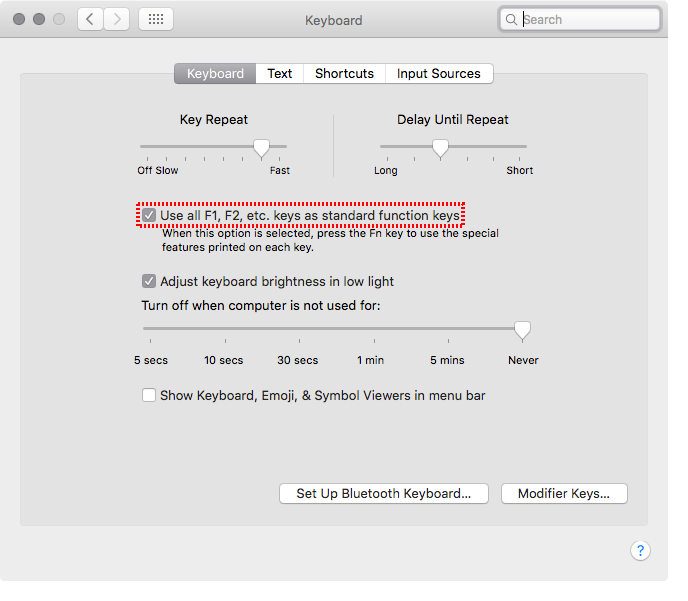
Open the System Preferences of your Mac and select the "Keyboard" preference pane. Make sure that the "Use all F1, F2, etc. keys as standard function keys" is checked.

7.1 Using The Keyboard To Control Just Live v2.0 screenshot 3

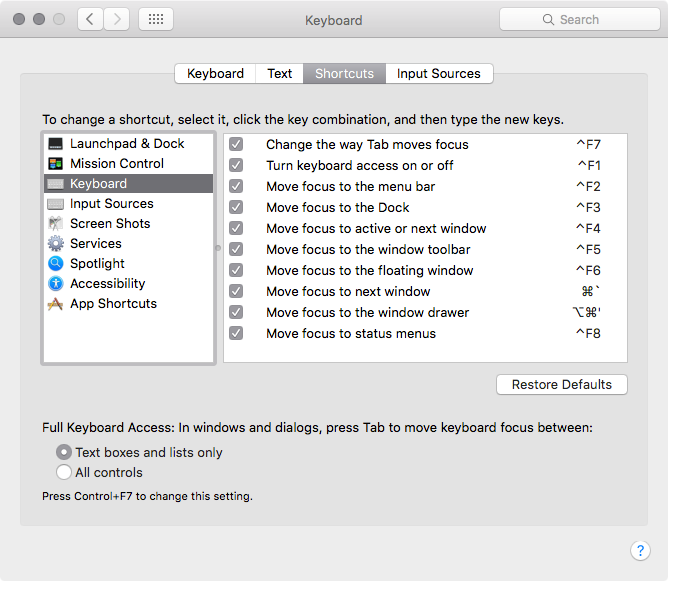
Now select the "Shortcuts" tab and make sure that any keyboard shortcuts involving the F1 through F10 keys are disabled.


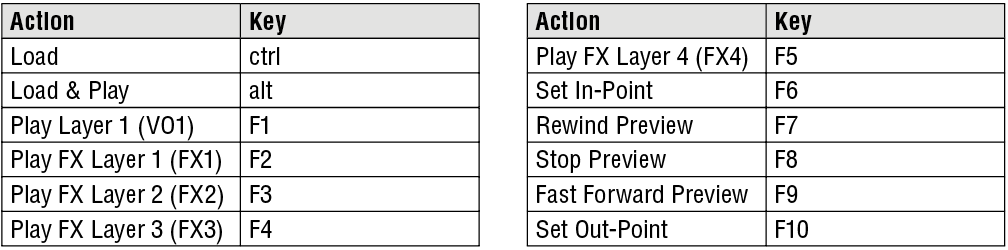
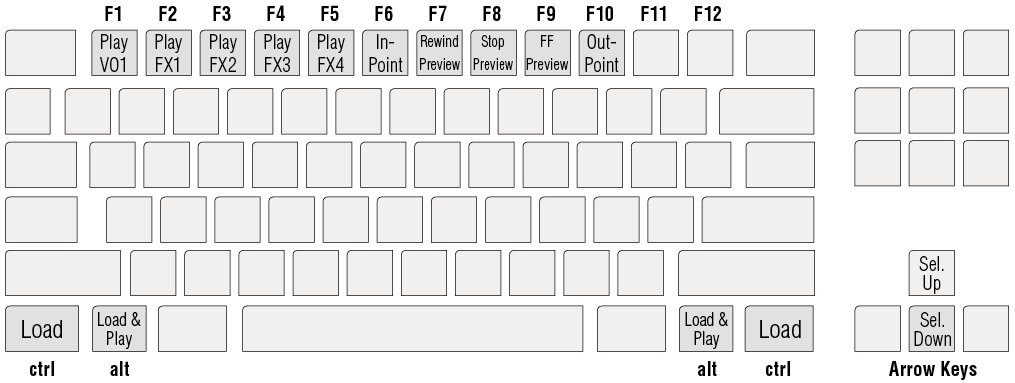
This keyboard figure shows the mapping of the functions:

7.1 Using The Keyboard To Control Just Live v2.0 screenshot 4

7.1 Using The Keyboard To Control Just Live v2.0 screenshot 5