Just Live & Just Play v2.0 · v.2.0 legacy documentation

13.8 Changing The Port Used By A Channel (v2.0)

Please do the following to change or verify the port used by a channel:

Please do the following to change or verify the port used by a channel:

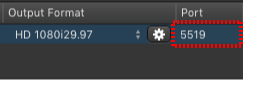
13.8 Changing The Port Used By A Channel (v2.0) screenshot 1

Assign a port

  1. To assign a unique identifier to a channel you must type in a number in the port field which represents the port used by this channel. The port must be between 1 and 65535 and it must be unused on your network.
  2. By default we use port 49162 for the first channel administered by just:connect, 49163 for the second, 49164 for the third and so on.
  3. Make sure that the ports are not closed on any router/ firewall which might be installed between just:connect and the interface client(s).

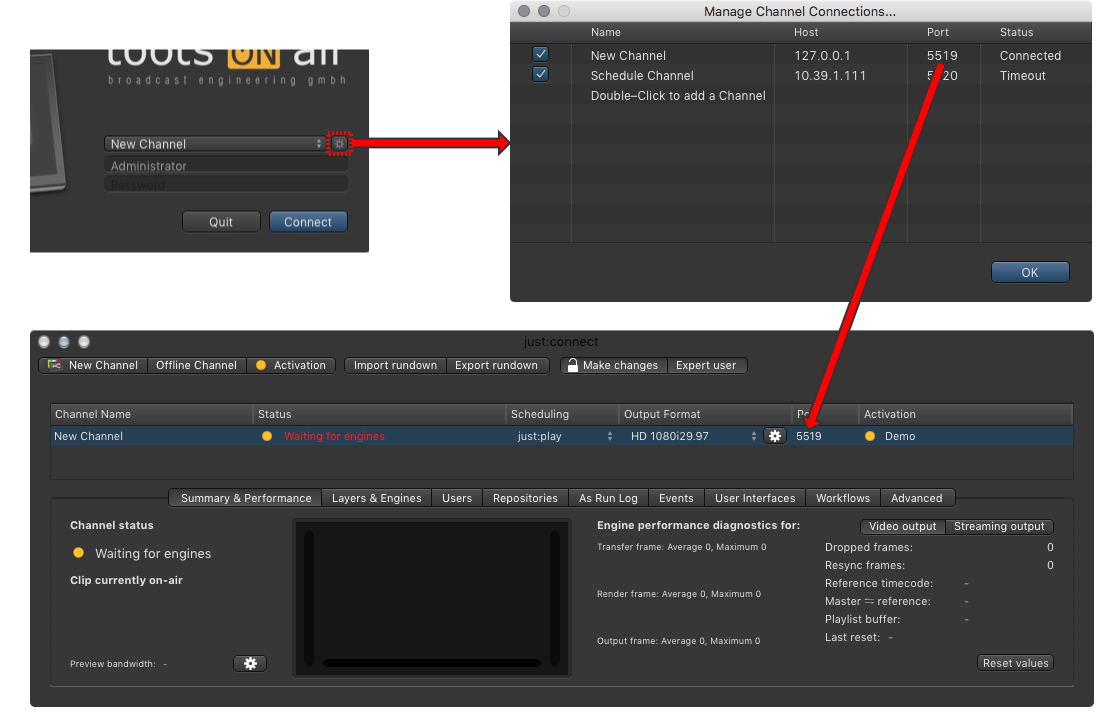
Make sure that you use the same port in the log in window of the user interface and for the channel in just:connect, so that the user interface can connect to the channel.

13.8 Changing The Port Used By A Channel (v2.0) screenshot 2

Check the port settings

  1. Click on the sprocket of the user interface to flip it
  2. Check the port number of the channel defined here
  3. Make sure it is the same port of the channel you would like to connect to

It is possible to define a different channel name here (which is then shown in the user interface when using Just Play), but the port number must match with the port number defined in just:connect.