
Table of Contents
Preface
When choosing or evaluating a playout solution from ToolsOnAir, it is helpful to get to know the software components of the solution as a starting point.
Generally, our playout solutions are aimed at two focused use cases:
Live Production Playout (Just Live)
and
Master Control Playout (Just Play)
both enabling video and real-time graphics playout with adequate and project-related licensing options.
Our playout solutions are designed as true client-server solutions, with the backend applications named Just Out (Engine) and Just Connect (Channel Manager) and the frontend application called Just Control (User Interface).
The ability to play out video files and static or real-time graphics (based on HTML or Composition Builder/QTZ templates), as well as triggering/controlling external devices is defined by the number of dedicated video, graphics, or event layers available.
To create real-time graphics templates for use with both Just Live and Just Play, a separate macOS-based application namely Composition Builder (Composition Builder v.5.0) is available as part of a real-time graphics layer license.
The applications Just Connect and Just Control can be installed on as many machines as deemed necessary for the project or workflow requirements, thus enabling you to set up Multi Channel Environments in different ways, whereas the output license for Just Out is licensed on a per-channel basis.
just:control - Unified User Interface to control Ingest and Playout Channels
just:control and its integrated Multi Viewer Interface can be used to setup, maintain and operate up to 64 ingest and playout channels. In addition it allows to show additional information like clocks and web pages but also live input previews and primary/redundant engine outputs, for a feature rich Multi Viewer experience.
Just Live User Interface – Live Production Playout for Video and Realtime Graphics
The Just Live user interface (run in Just Control) streamlines the Playout of Videos and real-time Graphics in any Live Production environment, with SD, HD, UHD format and SDI, NDI®, SRT, UDP, HLS or ST-2110 Live Input/Output support, while maintaining full control over the live production workflow.

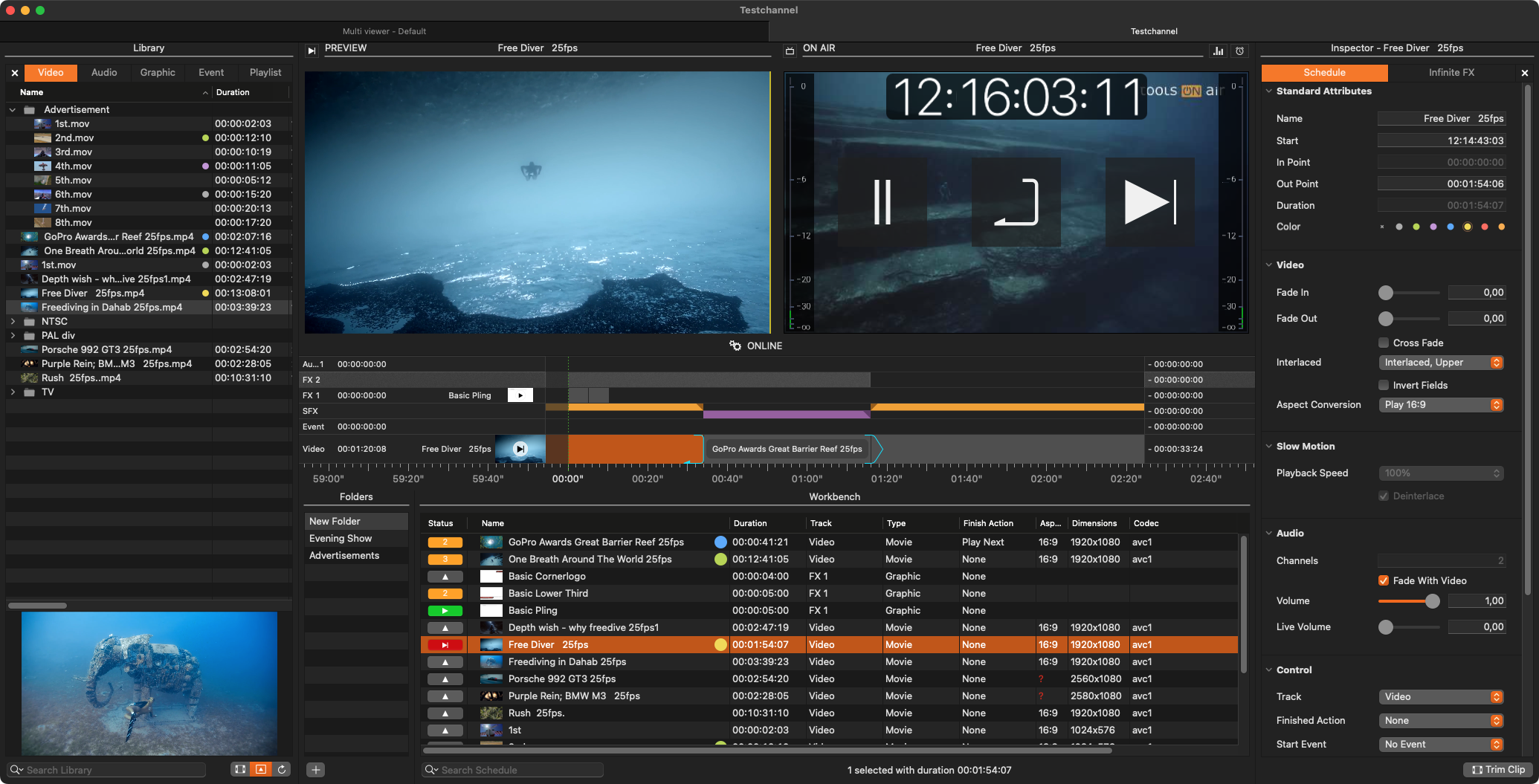
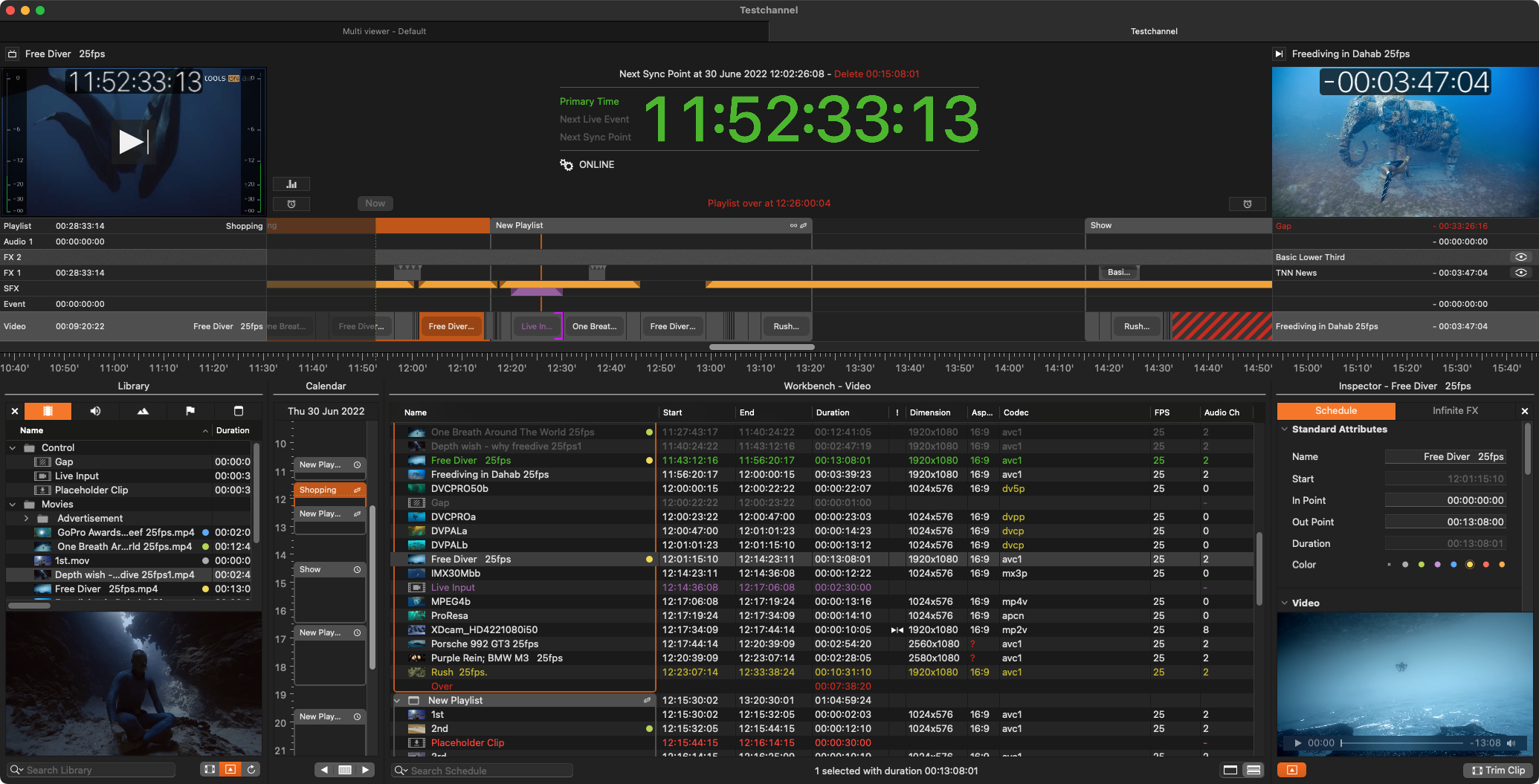
Just Play User Interface – 24/7 Master Control Playout
The Just Play user interface (run in Just Control) drives an automated Master Control playout solution with SD, HD, UHD format and SDI, NDI®, SRT, UDP, HLS, ST-2110 Live Input/Output support, seamlessly integrating live feeds and routers as well as GPI events and real-time graphics.

Backend Applications
Just Connect

Acts like a centralized Channel Manager by receiving and sending all the information related to a specific playout Channel.
Interconnects to all Just Out engine(s) and Just Control user interface(s), related to a particular playout Channel and managed by Just Connect. Distributes rendering tasks to playout engines on different machines.
Enables the handling of optional Redundancy and Failover scenarios for playout channels.
Just Out

Up to four just:outs can run on a single Mac, each one configured using individual live input and output settings.
Composites Videos (or a Live Input Signal) and Graphics running as a background application.
Able to run on multiple dedicated playout machines, for example, playing videos on one dedicated machine and rendering real-time graphics (both internal or HTML-based) on another one.
Multiple instances of Just Out on different machines can be used to set up a Redundant System – enabling load distribution and fail-safe operation.
Optional functionality such as Event Layers, Redundancy, and Failover may be licensed separately depending on your requirements.
Sample Setup
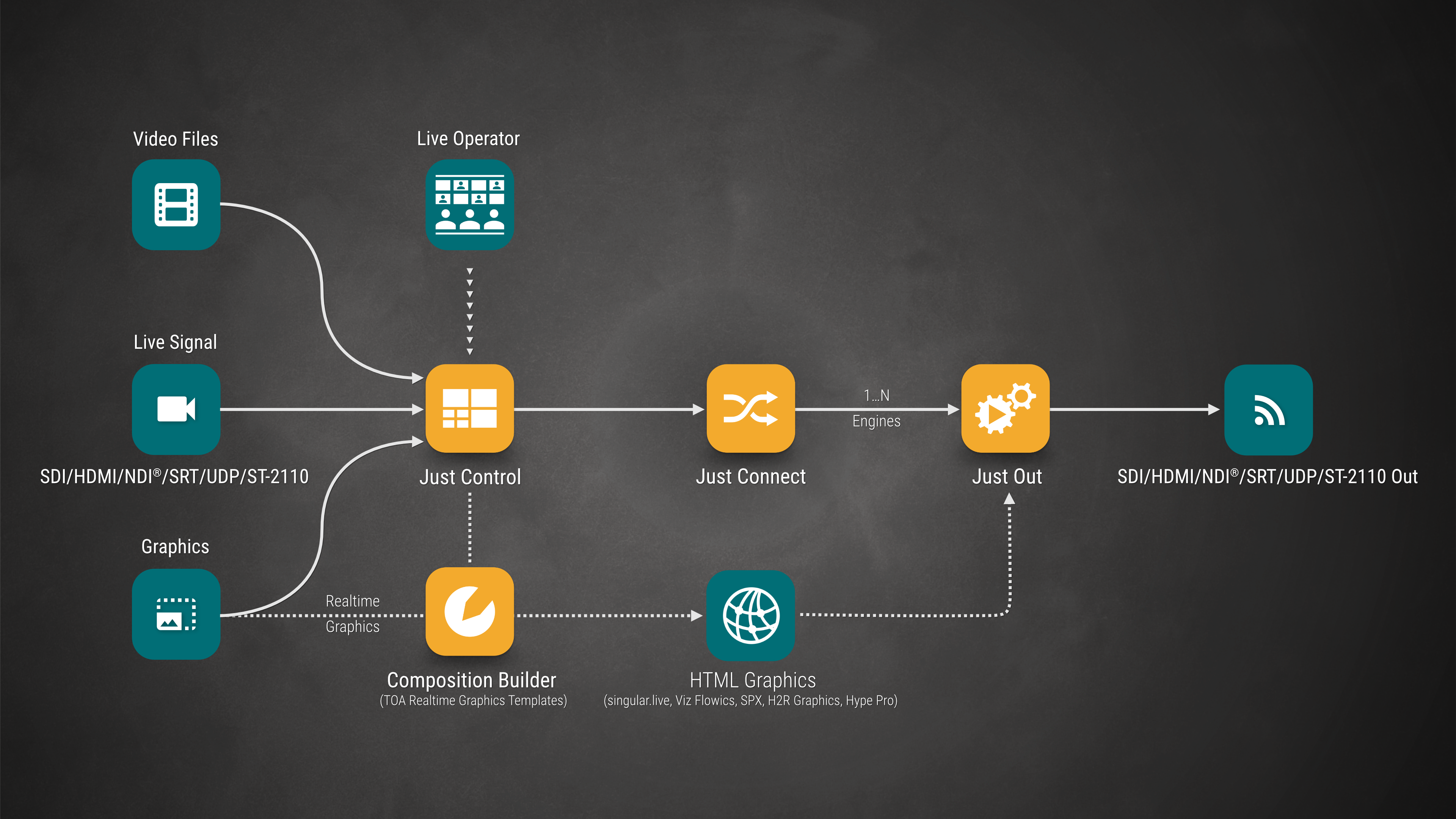
This setup picture applies to both the Just Live and Just Play user interface. For simplicity, only Just Control is shown.