
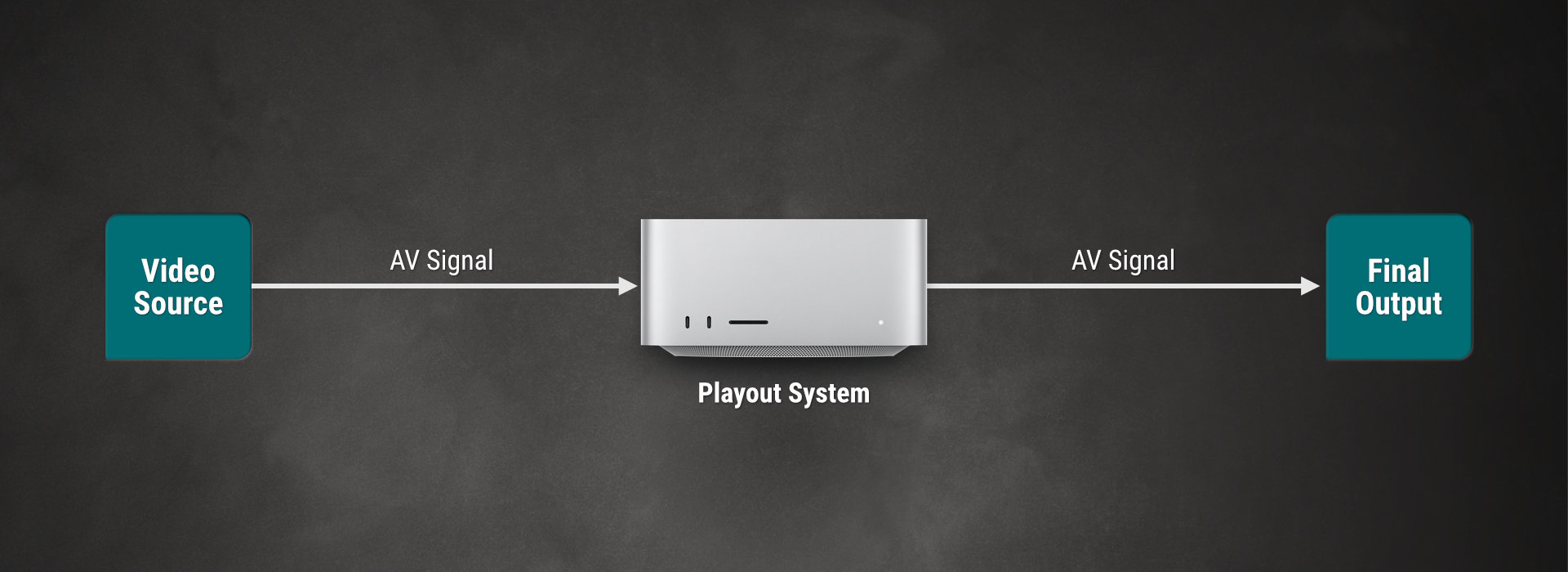
Type A: Single Source Using Pass-Through Channel (SDI or Stream)
Activate the Live Input in the Just Control Configuration window to switch between a Single Live Input Source and the Video Playout without any additional hardware using the built-in “Switch to Live” function (pass-through mode).
Type B: Multi-Source Using Pass-Through Channel (SDI only using a Router)
Activate the Live Input in the Just Control Configuration window and use Router Control events to select the correct Video Source, if you have more than one Live Input Source and you want to use the pass-through mode.
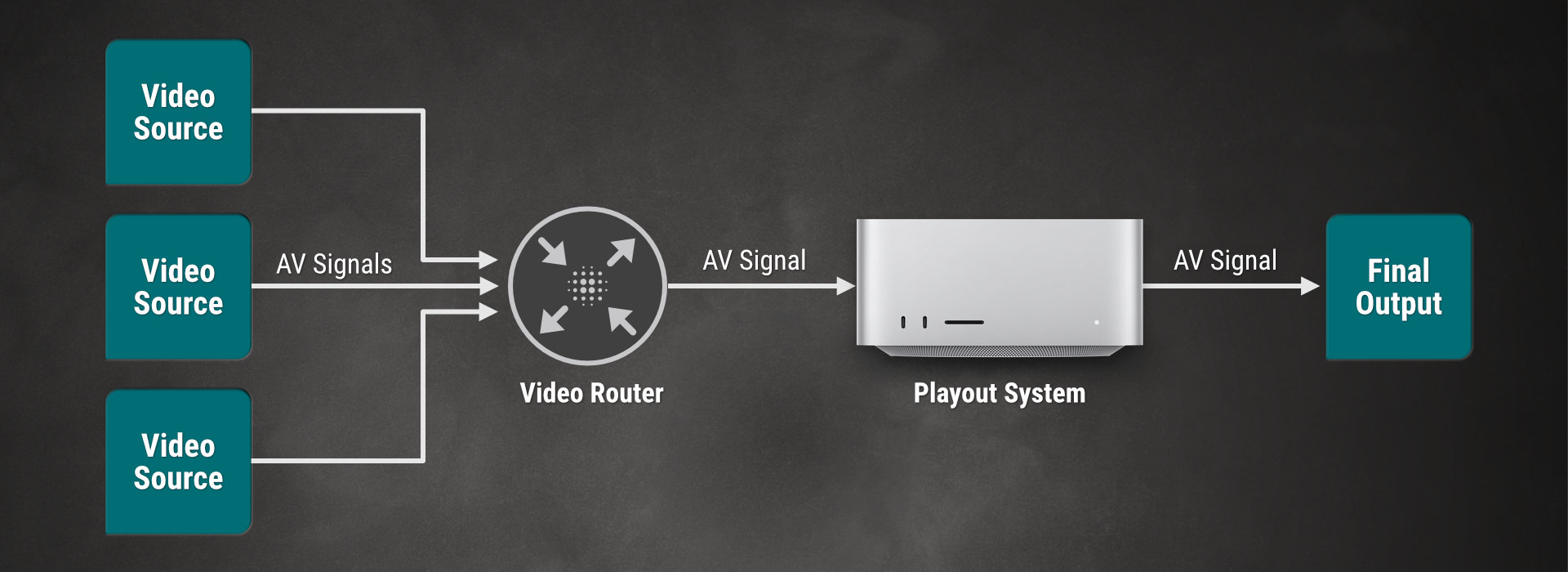
Type C: Traditional Setup (SDI only using a Switcher)
Activate Router Control events if you intend to control a router to switch between the Video Playout and any number of Live Input Signals without using the available pass-through method. Although the playout of video files and graphics is done using two separate machines, the control of the playout can be done using a single-user interface.
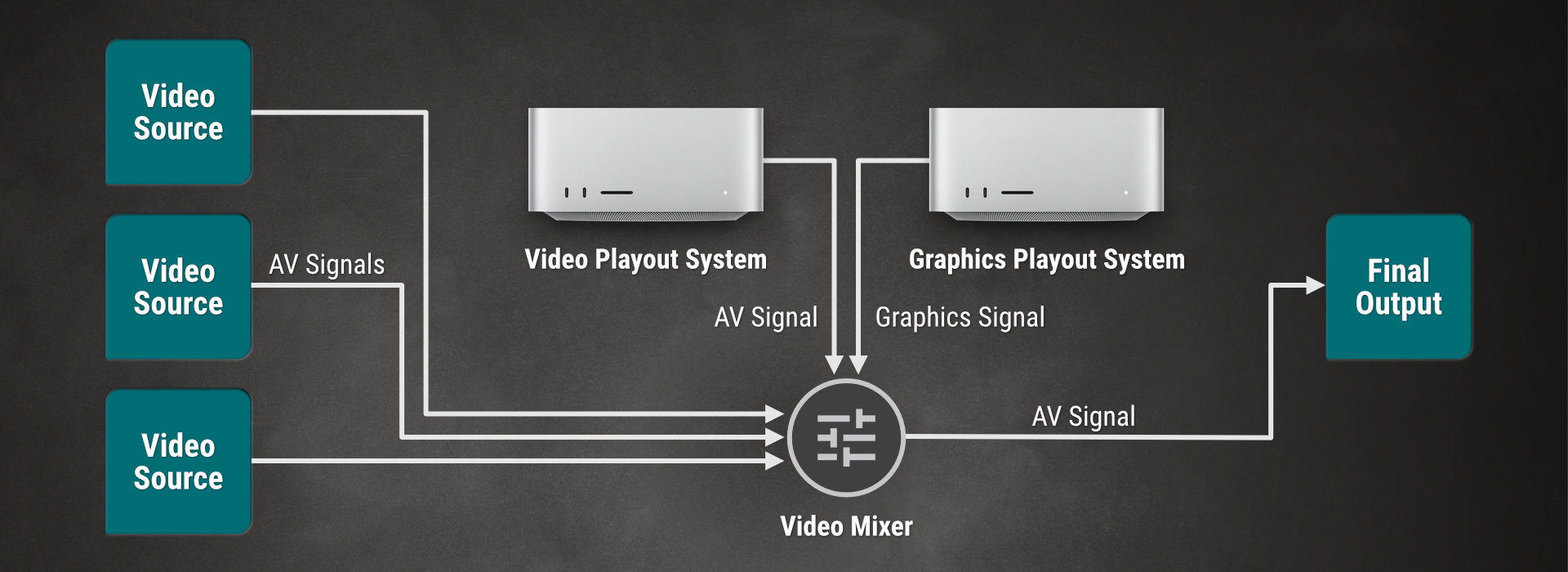
Using this setup, it is also possible to control the router using another system so that the playout can act as a simple player.